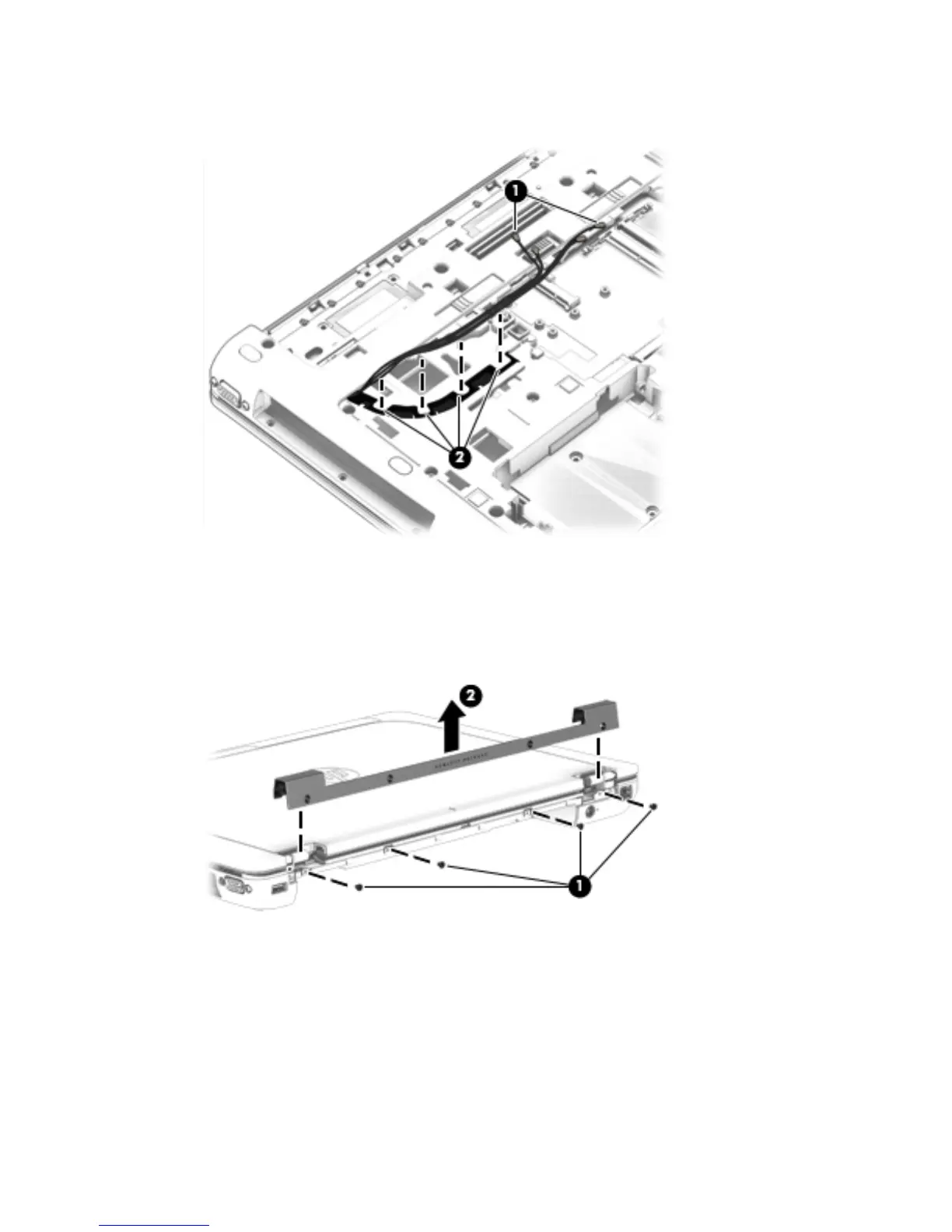
5. Release the wireless antenna cables (1) from the routing clips (2) and channels built into the
base enclosure.
6. Turn the computer right side up, with the rear toward you.
7. Remove the four Torx T8M2.0×3.0 screws (1) that secure the hinge cover to the computer.
8. Remove the hinge cover (2).
The hinge cover is available using spare part number 734294-001.
Component replacement procedures 81


 To Next Page
 Loading...