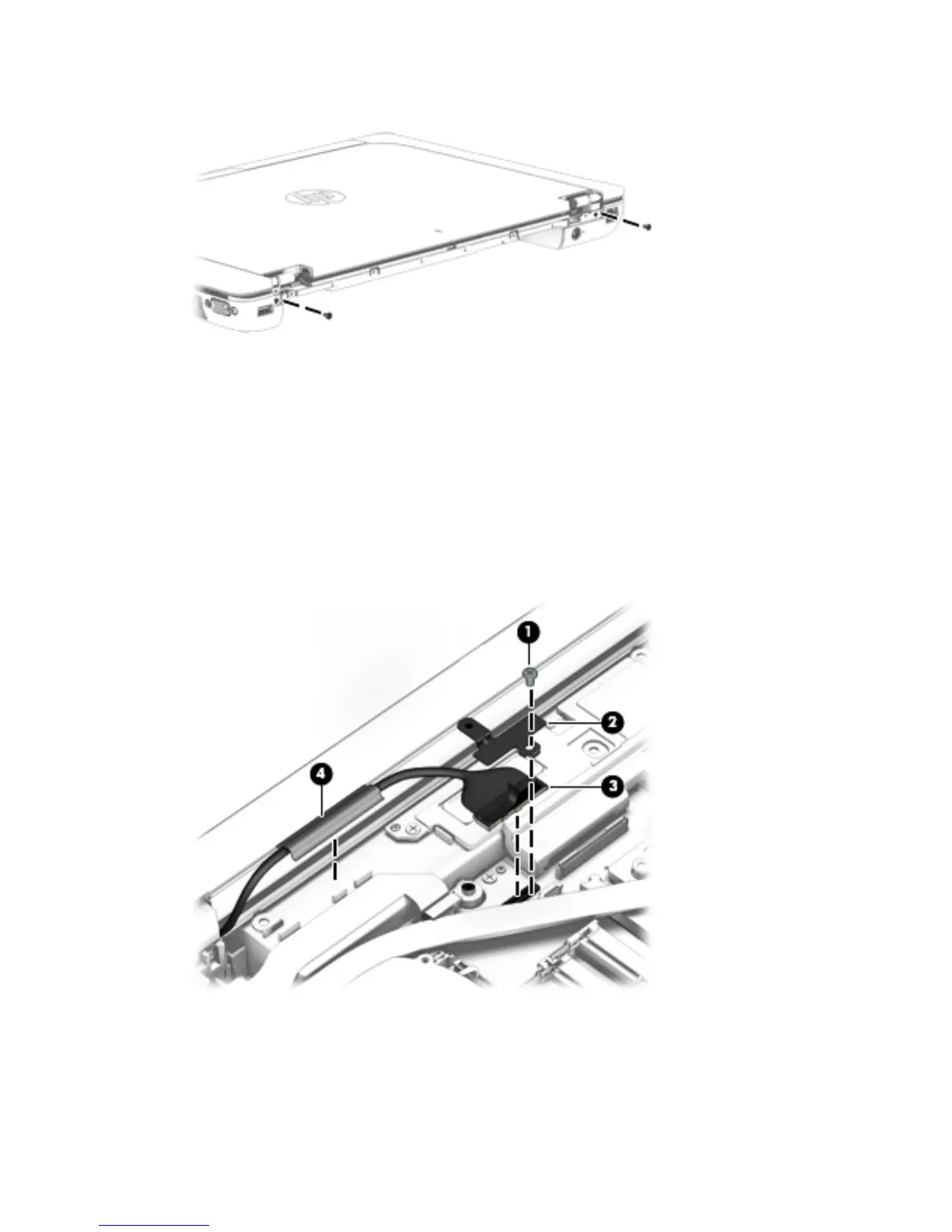
9. Remove the two Torx T8M2.5×4.5 screws that secure the display assembly to the base enclosure.
10. Position the computer with the front toward you.
11. Open the computer as far as it will open.
12. Remove the Phillips PM2.0×3.0 screw (1) that secures the display panel cable and bracket to the system
board.
13. Remove the display panel cable bracket (2).
The display panel cable bracket is included in the Hinge Kit, spare part number 784464-001.
14. Disconnect the display panel cable (3) from the system board.
15. Detach the display panel cable (4) from the base enclosure. (The display panel cable is attached to the
base enclosure with double-sided adhesive.)
82 Chapter 6 Removal and replacement procedures for Authorized Service Provider parts


 To Next Page
 Loading...