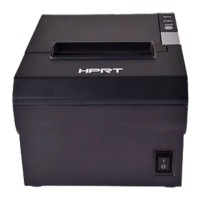
HM-T300 User Manual
3.2 Self Test
You can use self test to check the printer’s settings.
Before you start the self test, make sure that roll paper has been properly loaded into the printer.
Self Test Procedure:
1)Turn on the power while holding down FEED button.
2)The printer will print the current printer status, including the firmware version, communication mode.
3)The self test will finish automatically. The printer will be ready to receive data after the self test finishes.
Note: Please subject to the catual self-test page, this self-test page is only for reference.
3.3 Instruction for Standby(Sleep) Mode
The printer in the Standby(Sleep) Mode will recover to the Print Ready Mode when receiving print data or
button operations.
Press the FEED button or the MODE button and confirm that the LCD is turned on. When the LCD is not
turned on, it is possible that the printer is turned off by the Power OFF mode. In this case, turn the printer
on manually.



 To Next Page
 Loading...