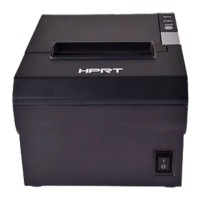
HM-T300 User Manual
8. Troubleshooting Procedure
When a trouble occurs, confirm its phenomenon, locate a defective part in accordance with "8.1
Troubleshooting Guide", and troubleshoot as described below.
Phenomenon:
Find a trouble phenomenon in this column. If there are multiple phenomena, take all the corresponding
items into consideration. This allows you to specify a hidden defective part.
Cause:
Lists as many possible causes as possible. Guess a trouble cause out of them and take its check method to
specify the trouble cause.
Check Method:
Describes a check method to specify a trouble cause.
Remedy:
Troubleshoot by taking a remedy described in this column.
By troubleshooting in accordance with the above-mentioned procedure, you can troubleshoot efficiently
with fewer misjudgments.



 To Next Page
 Loading...