How to Connect
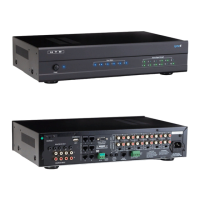
Connecting the Lync 6 / Lync 12 to a Multi-Channel Amplier(s)
Both variable and xed stereo line-level outputs are provided on the Lync controller
for every zone. In most cases, you will use the variable outputs to connect the Lync
controller to a multi-channel amplier in order to control the volume level within a
zone from the LyncTouch or HTD Lync app.
Use the xed outputs to create sub-zones. A sub-zone listens to the source selected
for the zone but its volume is NOT controlled by the app or LyncTouch. Instead, its
volume is typically controlled by a more traditional rotary or slide-type volume control
connected “in-line” on the speaker cable between the amplier and the speakers (see Figure 3, page 8). As
an example, you might have a kitchen and dining area that are located side-by-side. In this case, you will
often choose to have the kitchen be the primary zone with volume controlled by the LyncTouch and/or app,
and the dining area’s volume controlled by a more traditional rotary or slide-type volume control. Depending
on your situation, you may or may not need to add more amplier channels than already provided by the
multi-channel amplier. Please contact HTD for assistance with more complicated setups.
Connecting the Lync 6 to a Multi-Channel Amplier
11
Use the Variable Line Outputs on the Lync 6 to connect to the Line Inputs on the ampliers for each zone. We
include six 3’ shielded stereo patch cables with the Lync 6 for this purpose.
A mono 3.5mm patch cable (included with your system) should be connected from the Trigger Out on the Lync
6 to the Trigger In on the multi-channel amplier. The “trigger” is only active when a zone is powered on which
means the multi-channel amplier is only active when a zone is on. When all zones are off, the multi-channel
amplier will automatically return to sleep mode.
**Always power off the Lync 6 Controller and multi-channel amplier before connecting
or disconnecting any 12V Trigger cable.**
3’ Shielded
Stereo Patch
Cables
Speaker Connections
Left
Left Left Left Left Left
Right
Right
Right
Right
Right Right
Power
123456 123456
789101112
Zone Status Source Signal Strength
AC 120V~60Hz
FUSE T2AL/250V
DOOR INTERFACE
Power Consumption: 160W
ROUTED IR OUT
SOURCE INPUT
KEYPAD PORTS
7
8
9
10
11
12
MP3
L
ZONE 1 PREOUT ZONE 2 PREOUT ZONE 3 PREOUT ZONE 4 PREOUT ZONE 5 PREOUT ZONE 6 PREOUT
MONO STEREO MONO STEREO MONO STEREO MONO STEREO MONO STEREO MONO STEREO
R
LRLR
LRLR
LR LR LR LR
LRLRLR
R
L
43
2
1
56
IR IN
RS232
INTERFACE
GLOBAL
IR OUT
12V/DC
TRIGGER
100mA
IN OUT
System
TRIGGER
AC/DC 3-20V
Mute
Made in Ta iwan
CAUTION
To Prevent Electric Shock,
Do Not Remove Cover. No
User-Serviceable Parts Inside,
Refer Servicing To Qualified
Service Personnel.
WARNING
To Prevent Fire Or Shock
Hazard, Do Not Expose This
Unit To Rain Or Moisture.
FIXEDVA RIABLE
IR IN
SOURCE 7
Left Right
Out 2
Out 1
In 2
In 1
1
2
3
Line In
4
5
6
7
8
9
10
11
12
Line In
1 2 Line
Bridged
L L+R RL L+R RL L+R RL L+R RL L+R RL L+R RL L+R RL L+R RL L+R RL L+R RL L+R RL L+R R
On
Auto On
3-30V
AC/DC
Trigger In
AC 120V-60Hz
Fuse: T15A/250V
Power Consumption: 1200W
12V DC
Control
Out
Trigger
1 2 Line1 2 Line 1 2 Line 1 2 Line 1 2 Line 1 2 Line 1 2 Line 1 2 Line 1 2 Line 1 2 Line1 2 Line
Line In Line In Line In Line In
Bridged Bridged Bridged Bridged Bridged
DMA-1240
Power
Vol 1 Vol 2 Vol 3 Vol 4 Vol 5 Vol 6 Vol 7 Vol 8 Vol 9 Vol 10 Vol 11 Vol 12
Power
123456 123456
789101112
Zone Status Source Signal Strength
AC 120V~60Hz
FUSE T2AL/250V
DOOR INTERFACE
Power Consumption: 160W
ROUTED IR OUT
SOURCE INPUT
KEYPAD PORTS
7
8
9
10
11
12
MP3
L
ZONE 1 PREOUT
ZONE 2 PREOUT ZONE 3 PREOUT ZONE 4 PREOUT ZONE 5 PREOUT ZONE 6 PREOUT
MONO STEREO MONO
STEREO MONO STEREO MONO STEREO MONO STEREO MONO STEREO
R
LR
LR
LRLR
LR LR LRLR
LRLRLR
R
L
43
2
1
56
IR IN
RS232
INTERFACE
GLOBAL
IR OUT
12V/DC
TRIGGER
100mA
IN OUT
System
TRIGGER
AC/DC 3-20V
Mute
Made in Ta iwan
CAUTION
To Prevent Electric Shock,
Do Not Remove Cover. No
User-Serviceable Parts Inside,
Refer Servicing To Qualified
Service Personnel.
WARNING
To Prevent Fire Or Shock
Hazard, Do Not Expose This
Unit To Rain Or Moisture.
FIXEDVA RIABLE


 To Next Page
