DPU40D-N06A3, DBU20B-N12A3, and
DBU50B-N12A1 Distributed Power System
User Manual
Copyright © Huawei Technologies Co., Ltd.
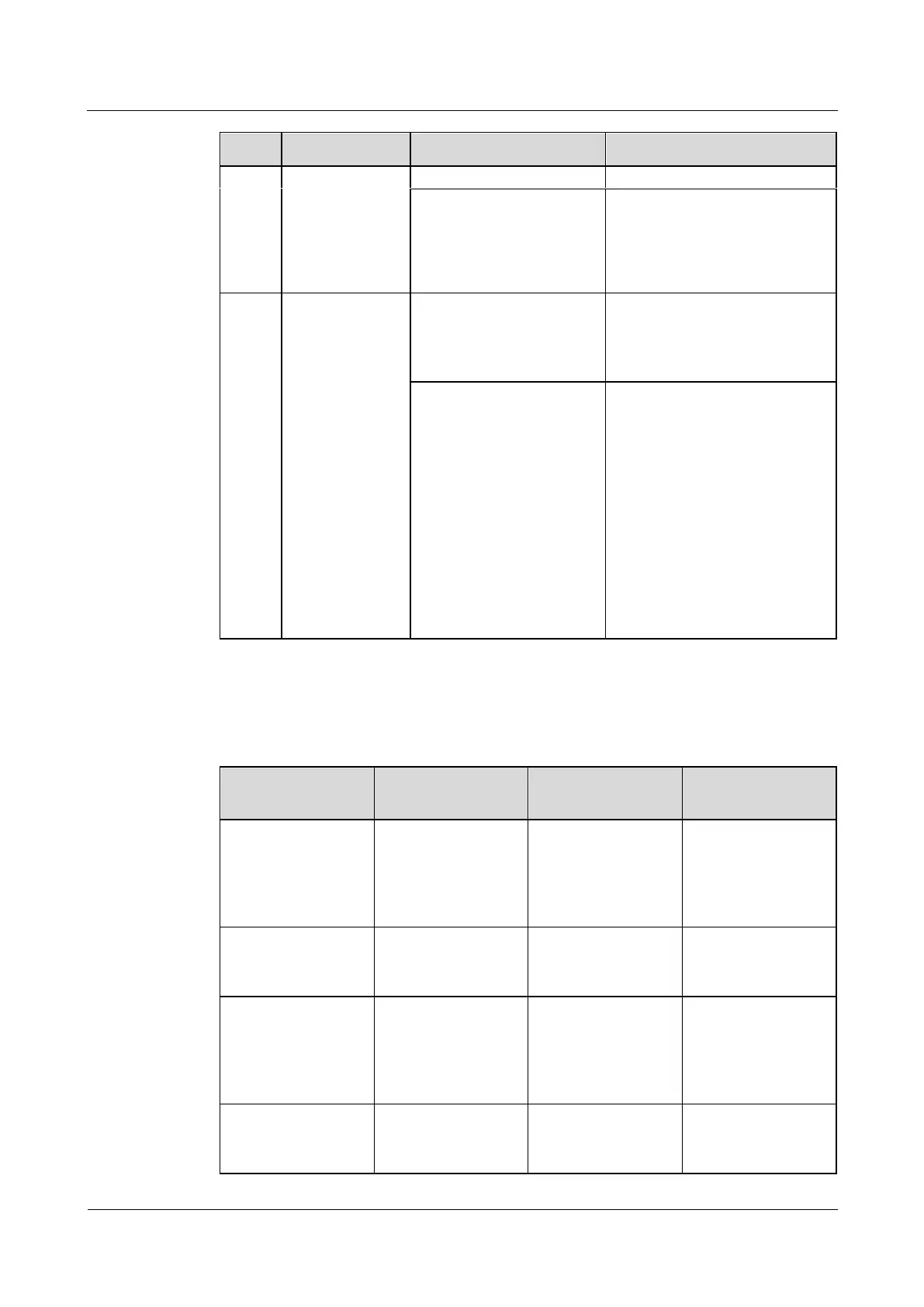
Blinking fast (4 Hz): The
communication is
interrupted.
1. Check the communications
cable connection.
2. Check whether the PSU is
normal. Replace the PSU if
it is abnormal.
Check the red
indicator status
(normal: off).
Steady on: Board
Hardware Fault/Heater
Fault/Electrochemical cell
fault/Duplicate address.
Replace the lithium battery.
Blinking at short intervals
(0.5 Hz): Discharge
Overcurrent
Protection/Charge
Overcurrent
Protection/Overtemperatur
e protection/Low
Temperature
Protection/Abnormal
shutdown/Charge
Overcurrent
Protection/Discharge
Overcurrent Protection.
Handle the alarm based on the
alarm type.
5.1.4 Cable
Table 5-4 Cable maintenance
Check whether
signal cables and
power cables are
separately bound.
Cables are not
properly installed.
Install cables
properly, and bind
signal cables and
power cables
separately.
Check whether all
cables are bound
properly.
Cables are not
properly installed.
Check whether the
equipment ground
bar is securely
connected to the site
ground bar.
Cables are not
properly installed.
Connect the
equipment ground
bar to the site
ground bar.
Check whether
ground cables are
rusty.
Cables corrode after
being used for a
long time.







 To Next Page