DPU40D-N06A3, DBU20B-N12A3, and
DBU50B-N12A1 Distributed Power System
User Manual
Copyright © Huawei Technologies Co., Ltd.
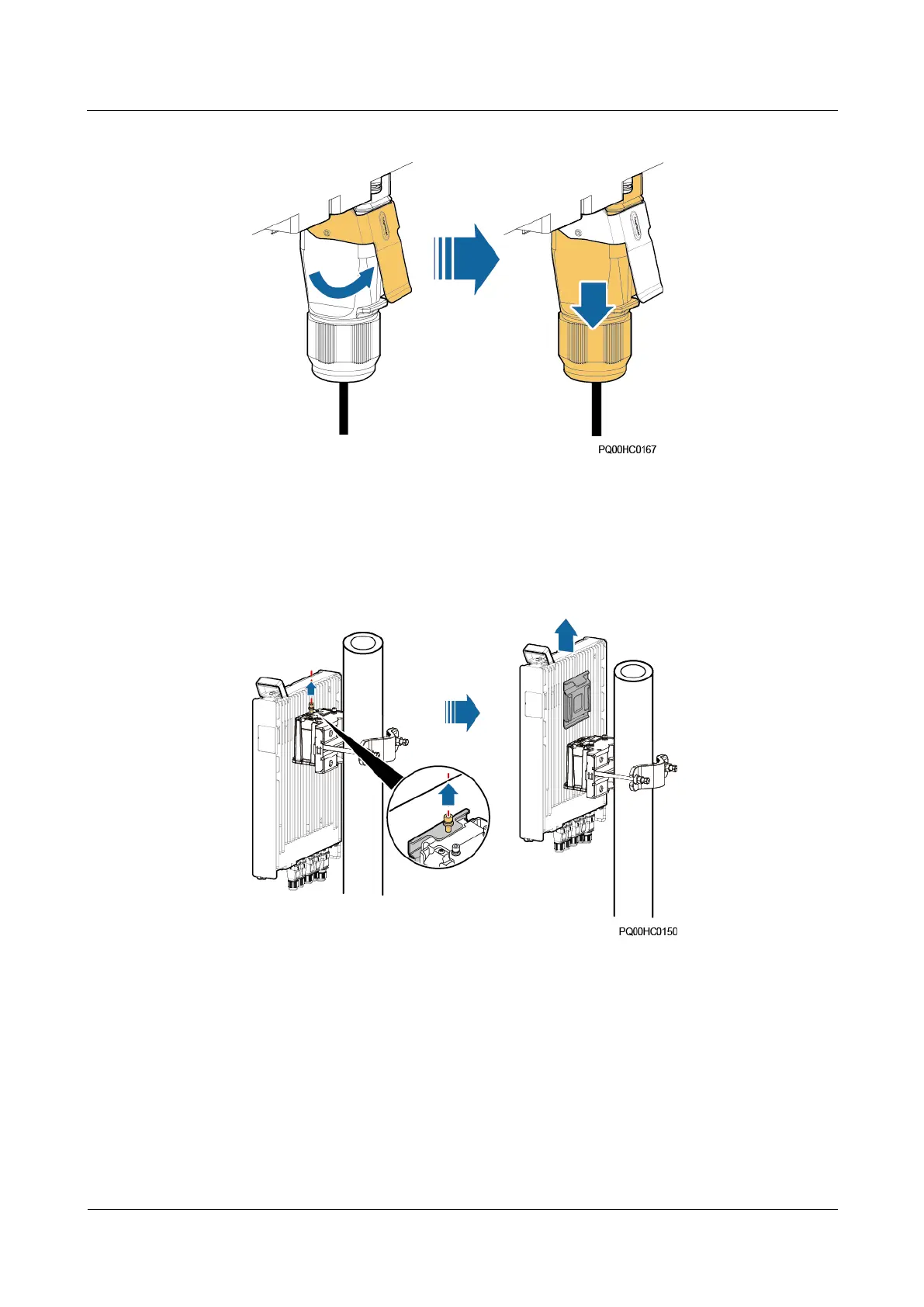
Figure 5-8 Removing a quick connector
3. Disconnect the cables from the PWR, LOAD, BAT, and COM ports as well as the
ground cable in sequence. Insulate the cables.
4. Remove the old PSU.
Figure 5-9 Removing the old PSU (flush mounting)
5. Loosen the four screws on the hanging kit on the right side or rear of the PSU and take
off the hanging kit.
Step 4 Install the new PSU.
1. Secure the hanging kit to the right side or rear of the new PSU and tighten the four
screws.
2. Install the new PSU.
3. Connect the ground cable as well as the cables to the COM, BAT, LOAD, and PWR
ports in sequence based on the recorded information.







 To Next Page