DPU40D-N06A3, DBU20B-N12A3, and
DBU50B-N12A1 Distributed Power System
User Manual
Copyright © Huawei Technologies Co., Ltd.
Step 2 Remove the old lithium battery.
1. Record the cable connection positions on the lithium battery.
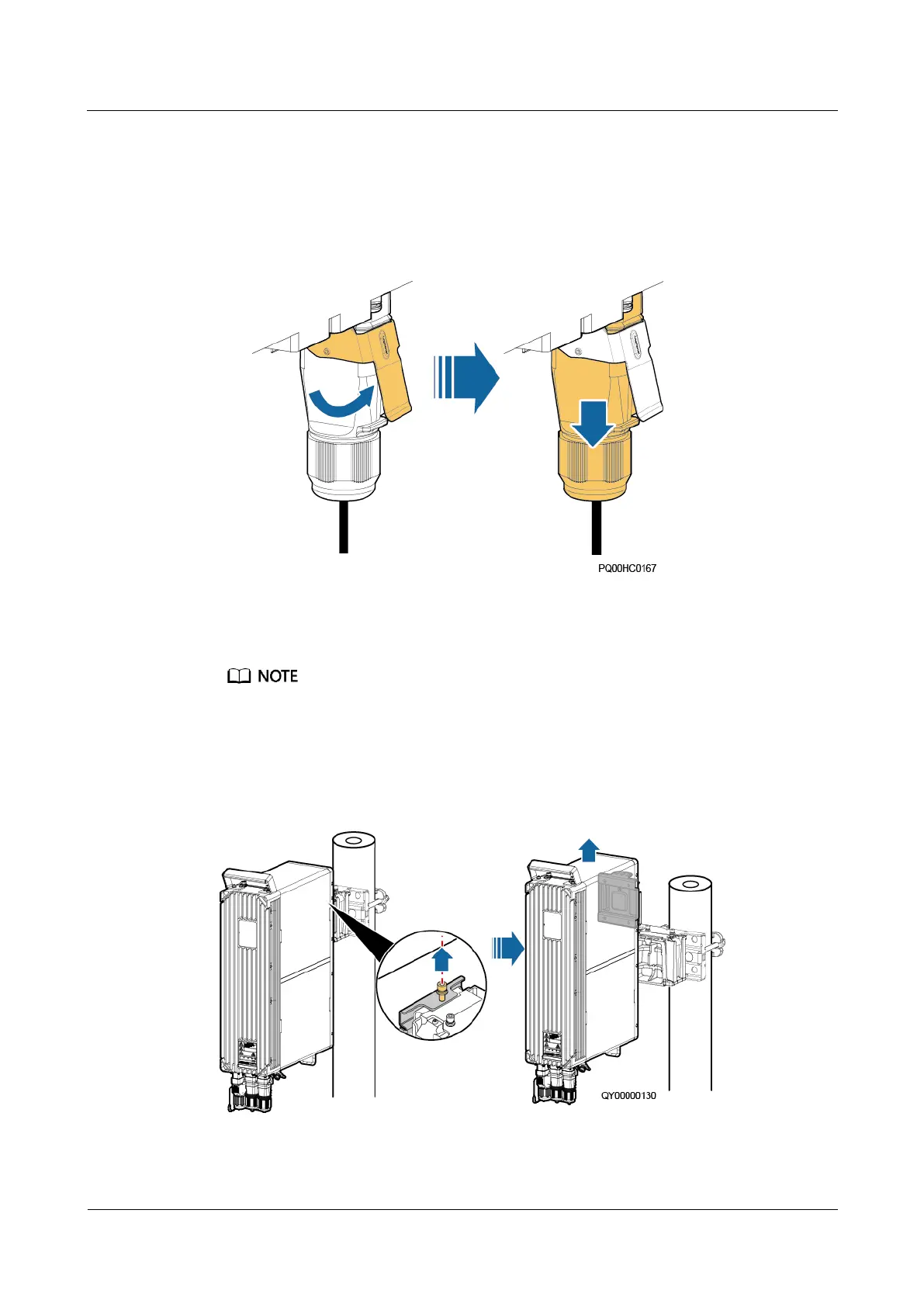
2. Use a flat-head screwdriver to pry the fastener on the quick connector and take off the
connector, as shown in the following figure.
Figure 5-17 Removing a quick connector
3. Disconnect the cables from the BAT and COM ports as well as the ground cable in
sequence. Insulate the cables.
For an operating lithium battery, its run indicator will turn off about 3 minutes after cables are
disconnected from the BAT and COM ports.
4. (Optional) Remove the connecting kit.
5. Remove the old lithium battery.
Figure 5-18 Removing the old lithium battery (side mounting)







 To Next Page