eLTE3.1 Dispatch Platform
Product Description
Huawei Proprietary and Confidential
Copyright © Huawei Technologies Co., Ltd.
6 eDC610 GUI Introduce
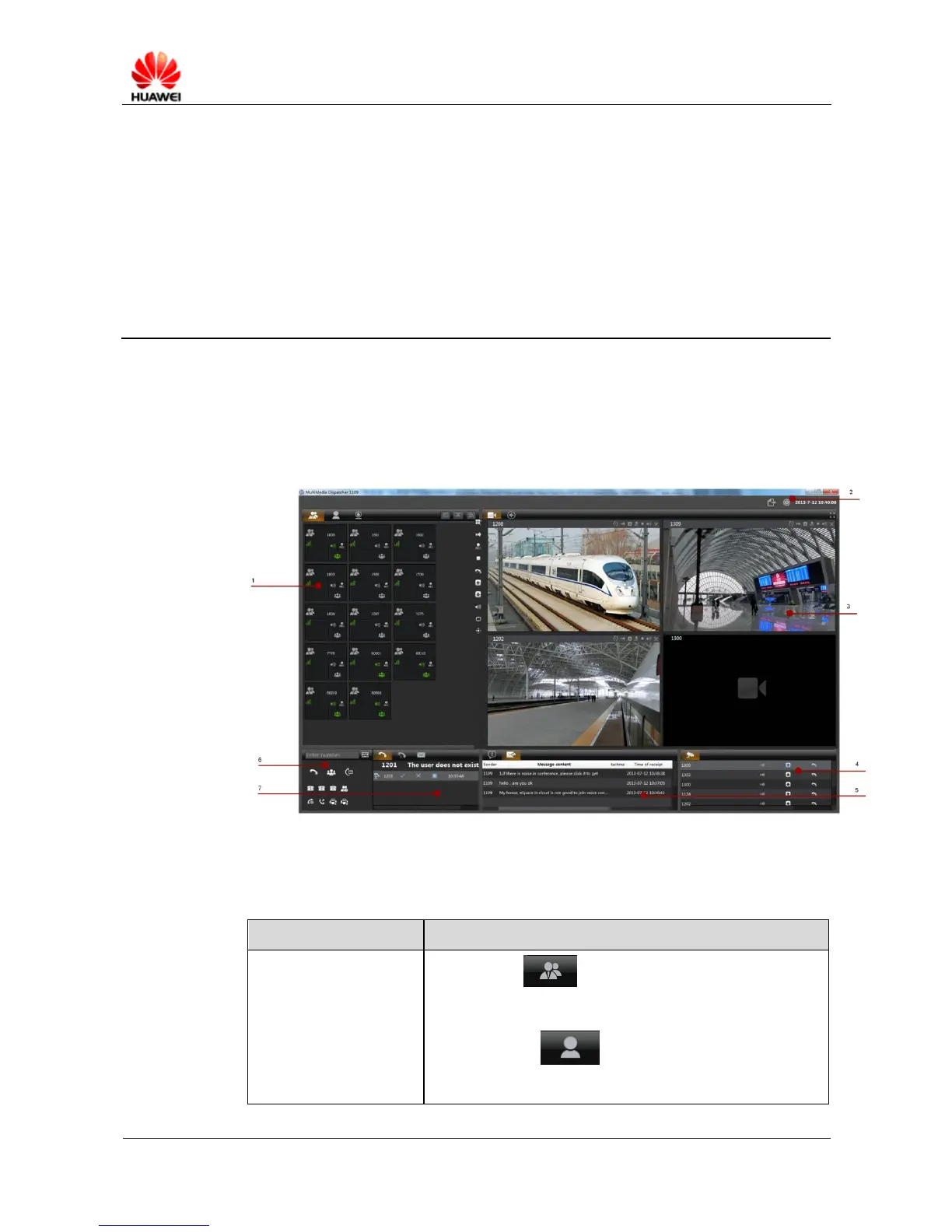
This chapter describes the GUI composition and network status and service status of groups,
terminals, and cameras. Figure 6-1 shows the main window after you first log in to eDC610.
Figure 6-1 eDC610 main window
Table 6-1 lists panes in the main window of eDC610.
Table 6-1 Panes in the main window of eDC610
Group page : allows you to subscribe groups,
monitor status of group services and networks, set up group
services, and perform other operations.
Terminal page : allows you to subscribe PTT users
and eDC610 users, monitor their service status and network
status, and set up voice services with PTT users and eDC610



 To Next Page