3 Right button 4
LED indicator
If the indicator blinks red, the battery is low on power
and should be replaced.
5 Sensor 6 Power/Bluetooth pairing switch
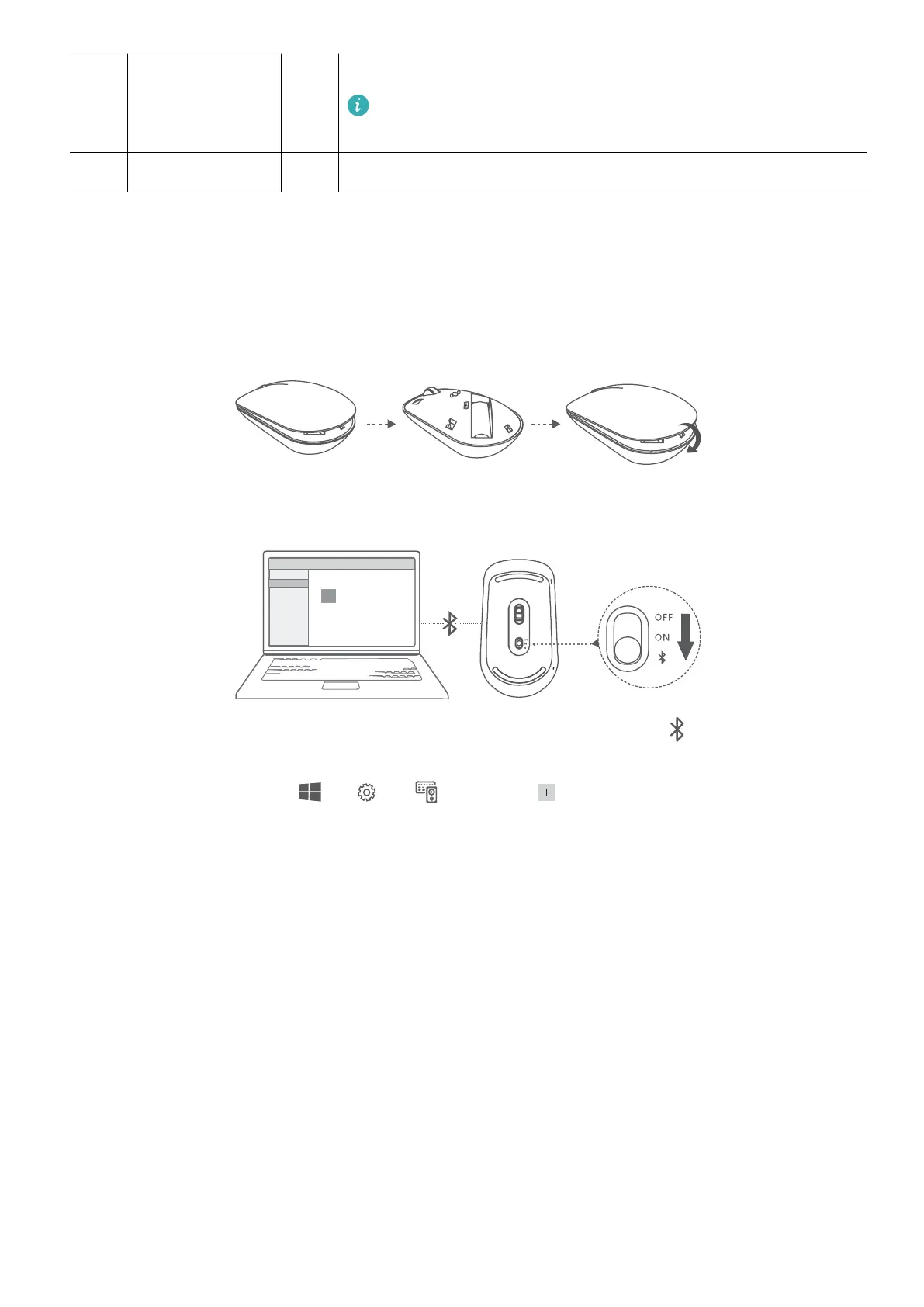
Install the battery
As illustrated below, remove the battery cover from the mark located at the bottom end of
the mouse. Insert one AA battery, making sure to match the + and - signs in the battery
compartment. Close the cover.
Pairing the Bluetooth mouse with the computer
1 Toggle the Bluetooth pairing switch at the bottom of the mouse to for approximately 3
seconds. Once the indicator starts blinking, the Bluetooth mouse is ready to pair.
2 On the computer, click
> > then click to add Bluetooth devices. Select
Huawei Mouse in the available device list and wait a moment for pairing to nish.
Accessories and extensions
18














 To Next Page