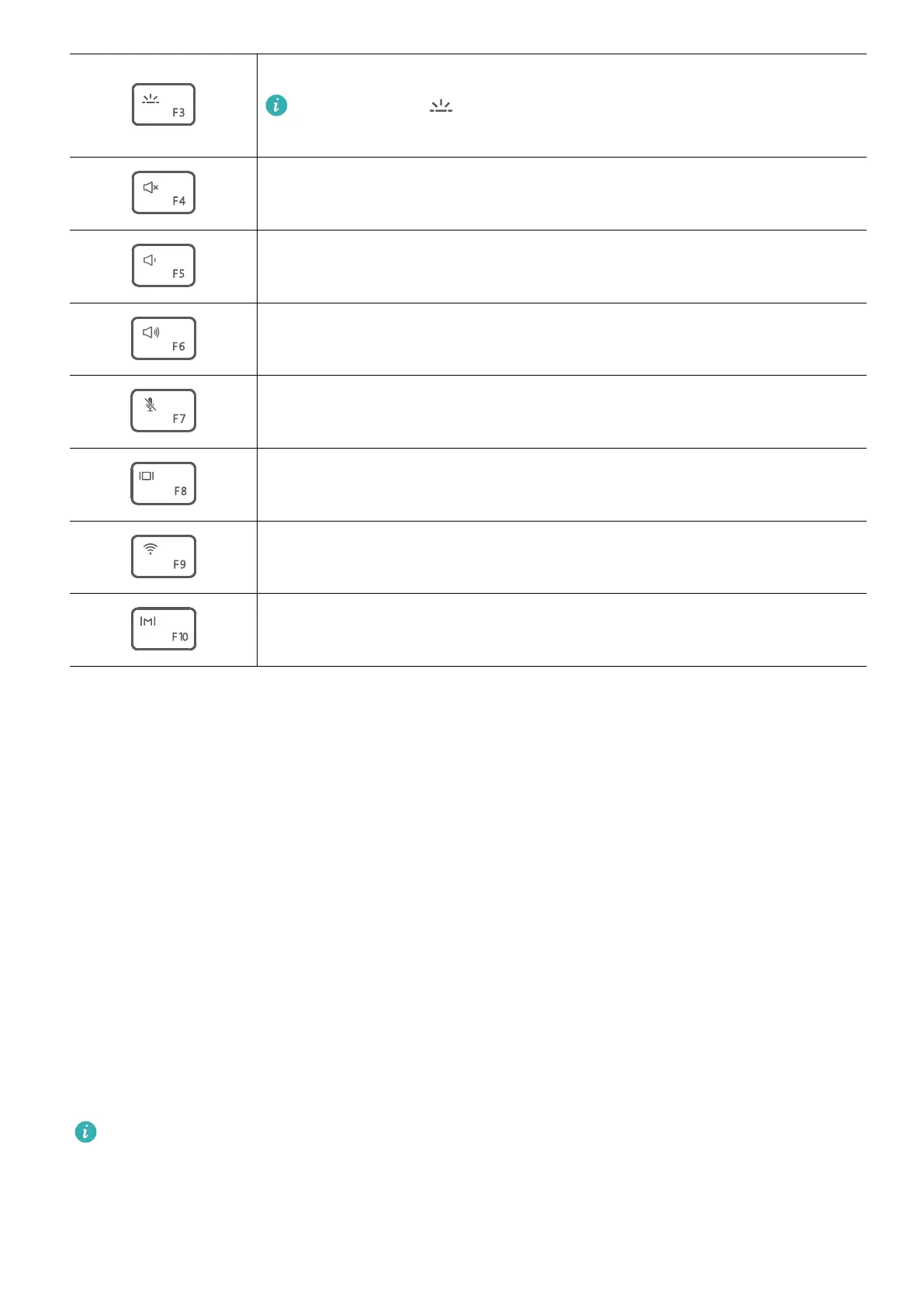
Enable, disable, or adjust the brightness of the keyboard backlight.
If there is no icon on the key, the keyboard does not have a
backlight.
Mute or unmute.
Decrease the volume.
Increase the volume.
Enable or disable the microphone.
Switch projection mode.
Enable or disable Wi-Fi.
Open PC Manager.
Switching between shortcut and function key modes
In function key mode, the F keys have dierent functions depending on the software that is
running.
To use the F keys as function keys, you can:
• Press the Fn key and the indicator will light up. The F keys will then work as function keys.
To return to shortcut key (hotkey) mode, press the Fn key then the indicator will turn o.
• To make the F keys work as function keys by default, open PC Manager and go to Settings
> System Settings to enable Function key priority. To switch back to hotkey mode, enable
Hotkey priority.
Touchpad
The touchpad provides similar functionality to a mouse and is a convenient way to control
the computer.
Not all gestures are available in all apps.
Common touchpad gestures
Get to know your computer
4














 To Next Page