HUAWEI MU736 HSPA+ M.2 Module
Hardware Guide
Description of the Application Interfaces
Huawei Proprietary and Confidential
Copyright © Huawei Technologies Co., Ltd.
3.4.2 Power_On_Off Control Pin
The MU736 module can be controlled to be powered on/off by the Power_On_Off pin.
Table 3-4 Two states of Power_On_Off
MU736 is powered on.
NOTE: If MU736 needs to be powered on automatically, the
Power_On_Off pin must be pulled up to 3.3 V.
MU736 is powered off.
It is internally pulled to low.
MU736 is powered by regulated 3.3 V
If MU736 is powered by 3.3 V voltage regulator (such as notebook or Ultrabook),
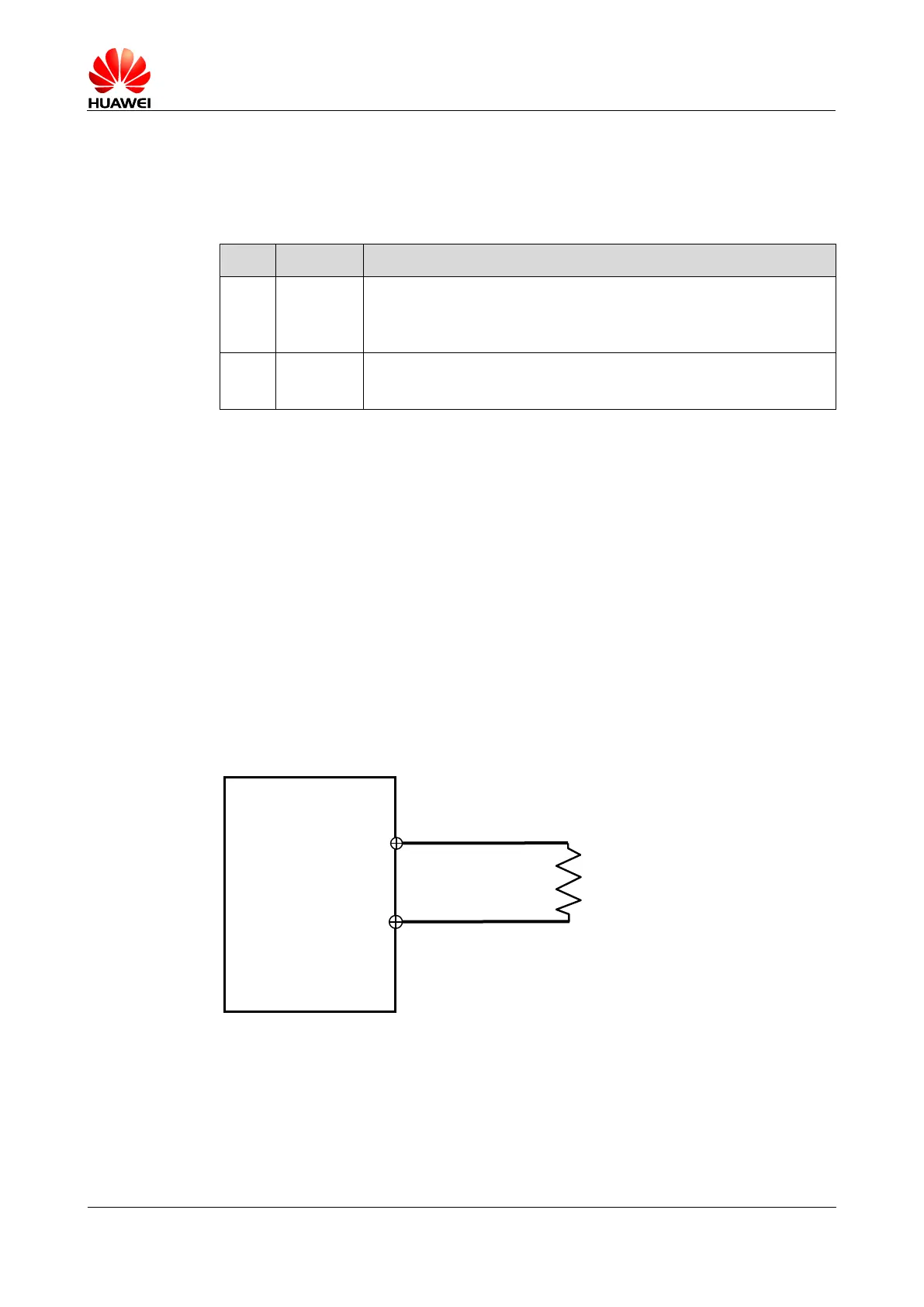
Power_On_Off pin should be pulled up to 3.3 V through a resistor.
The pull-up resistor should be not larger than 10 kΩ.
The following are the power On/Off sequences:
1. The module gets 3.3 V when power supply for the module is switched on.
2. The module is turned on since Power_On_Off pin is pulled up directly to 3.3 V.
3. Host cuts off 3.3V supply to power off the module.
The recommended circuit is shown as in Figure 3-5 .
Figure 3-5 Recommended connections of Power_On_Off pins (Auto power)
Power on sequence
Do not toggle RESET# pin during the power on sequence. Pulling RESET# pin low
will extend time for module startup.
Recommended power on timing is shown as in Figure 3-6 .





 To Next Page