HUAWEI MU736 HSPA+ M.2 Module
Hardware Guide
Description of the Application Interfaces
Huawei Proprietary and Confidential
Copyright © Huawei Technologies Co., Ltd.
3.4.3 RESET# Pins
The MU736 module can be reset through the RESET# pin asynchronous, active low.
Whenever this pin is active, the module will immediately be placed in a Power On
reset condition. Care should be taken for this pin unless there is a critical failure and
all other methods of regaining control and/or communication with the WWAN
sub-system have failed.
Pulling RESET# pin low for more than 20 ms will reset the module.
RESET# pin is optional, which cannot be connected. Pulling Power_On_Off pin low
for more than 500 ms can work as a reset.
RESET# pin is internally pulled up to 1.8 V, which is automatically on when 3.3 V is
applied even though Power_On_Off pin is low. Cautions should be taken on circuit
design otherwise there may be back driving issue.
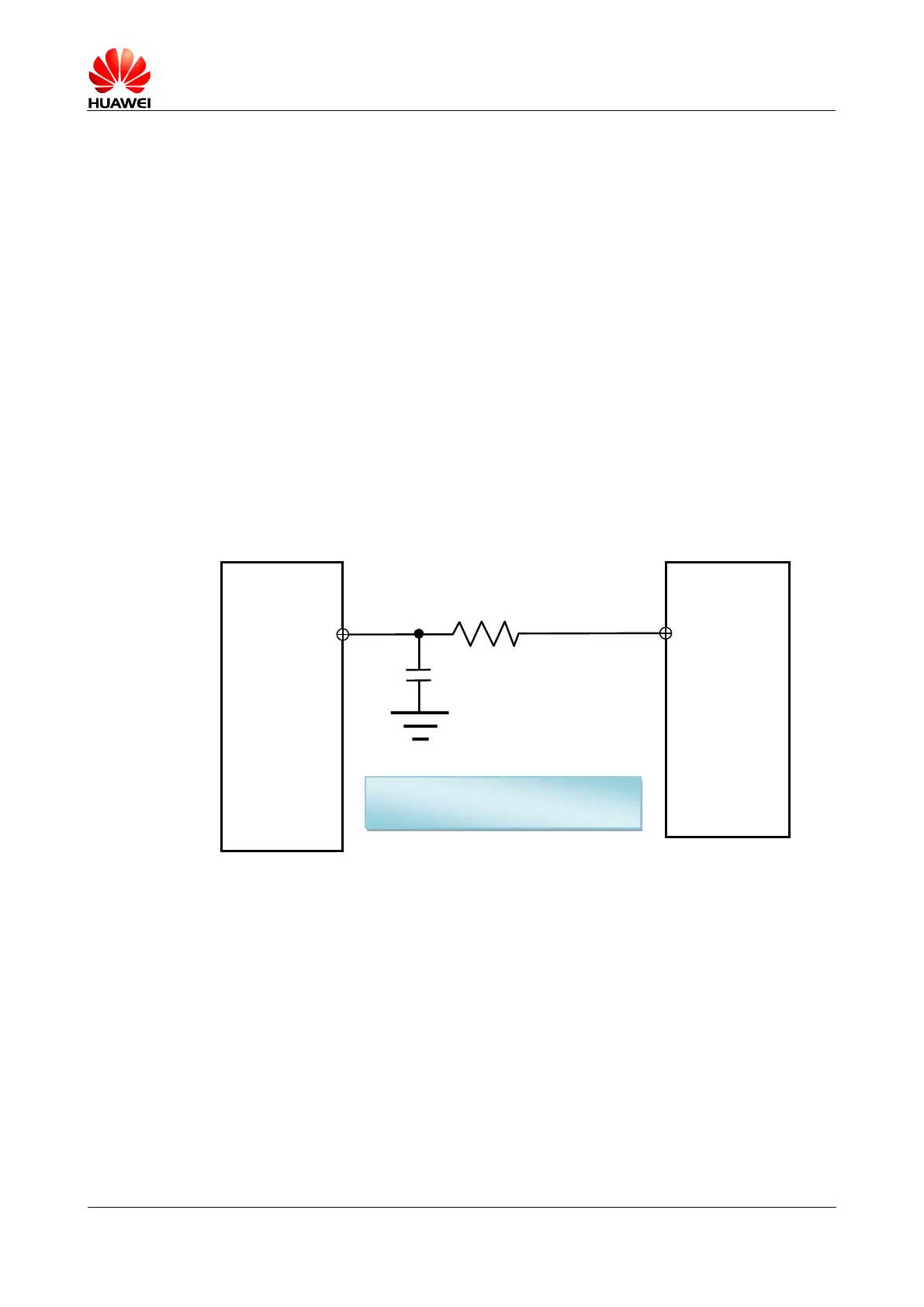
Option 1: Hardware circuit for RESET#
In this case, the GPIO is high-impedance when the module is powered off.
Figure 3-12 Hardware circuit for RESET# (Option 1)
Option 2: Hardware circuit for RESET#
In this case, the GPIO is not high-impedance when It is powered off.
Use 2 NMOSFET so that the logic of RESET# pin and GPIO are the same.
GPIO1 should be high-impedance
when it is powered off.




 To Next Page