24
(Optional) Connecting the Teamwork Network Cable
7.9
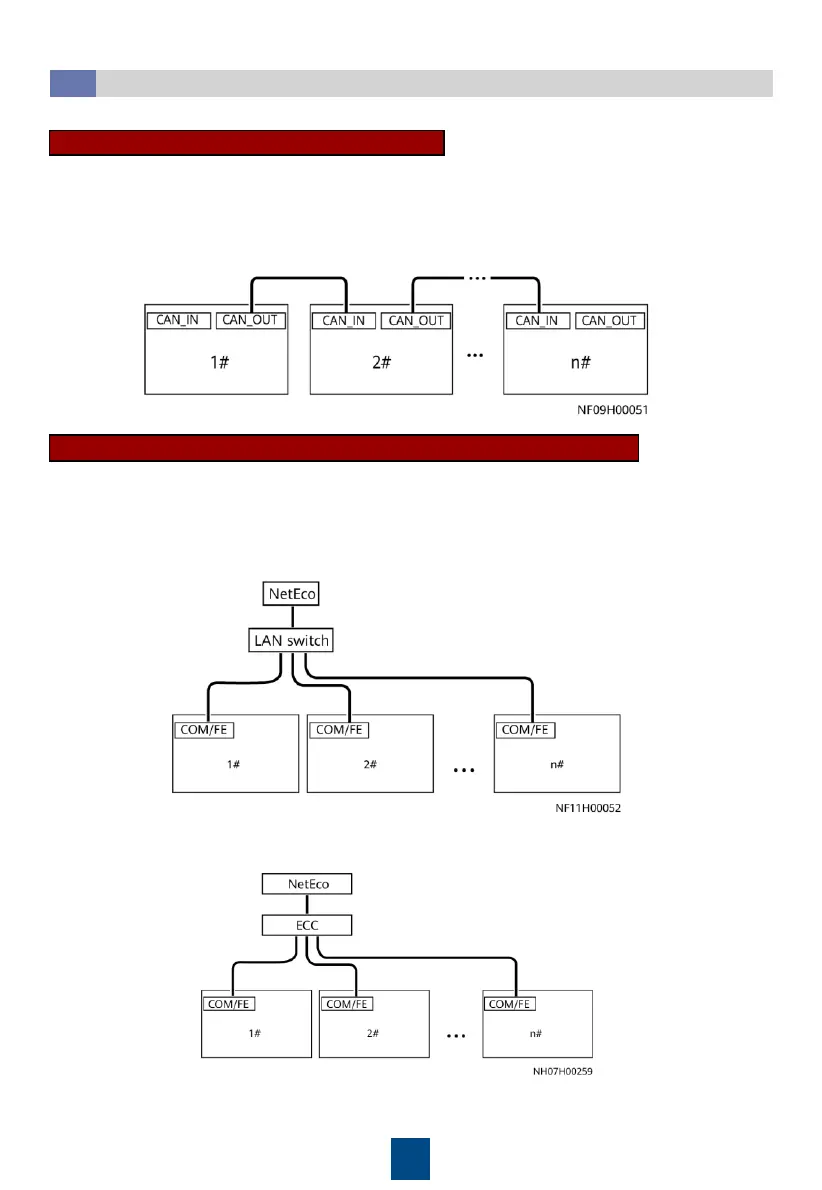
Teamwork CAN networking (CAN Protocol)
In CAN networking, a maximum of 32 smart cooling products can be teamworked. If CAN networking
is required onsite, set Networking mode on the Teamwork Settings screen of all smart cooling
products to CAN network, and set Teamwork CAN resistor enable on the Teamwork Settings screen of
the first and last smart cooling products to Yes.
Connect one end of the monitoring network cable (standard network cable) to the COM/FE port on
the main control module, and connect the other end to the monitoring device.
NetEco Monitoring (Modbus-TCP Protocol/ Modbus-RTU Protocol)
• Connecting network cables for NetEco FE monitoring (Modbus-TCP protocol)
• Connecting network cables for NetEco COM monitoring (Modbus-RTU protocol)







 To Next Page