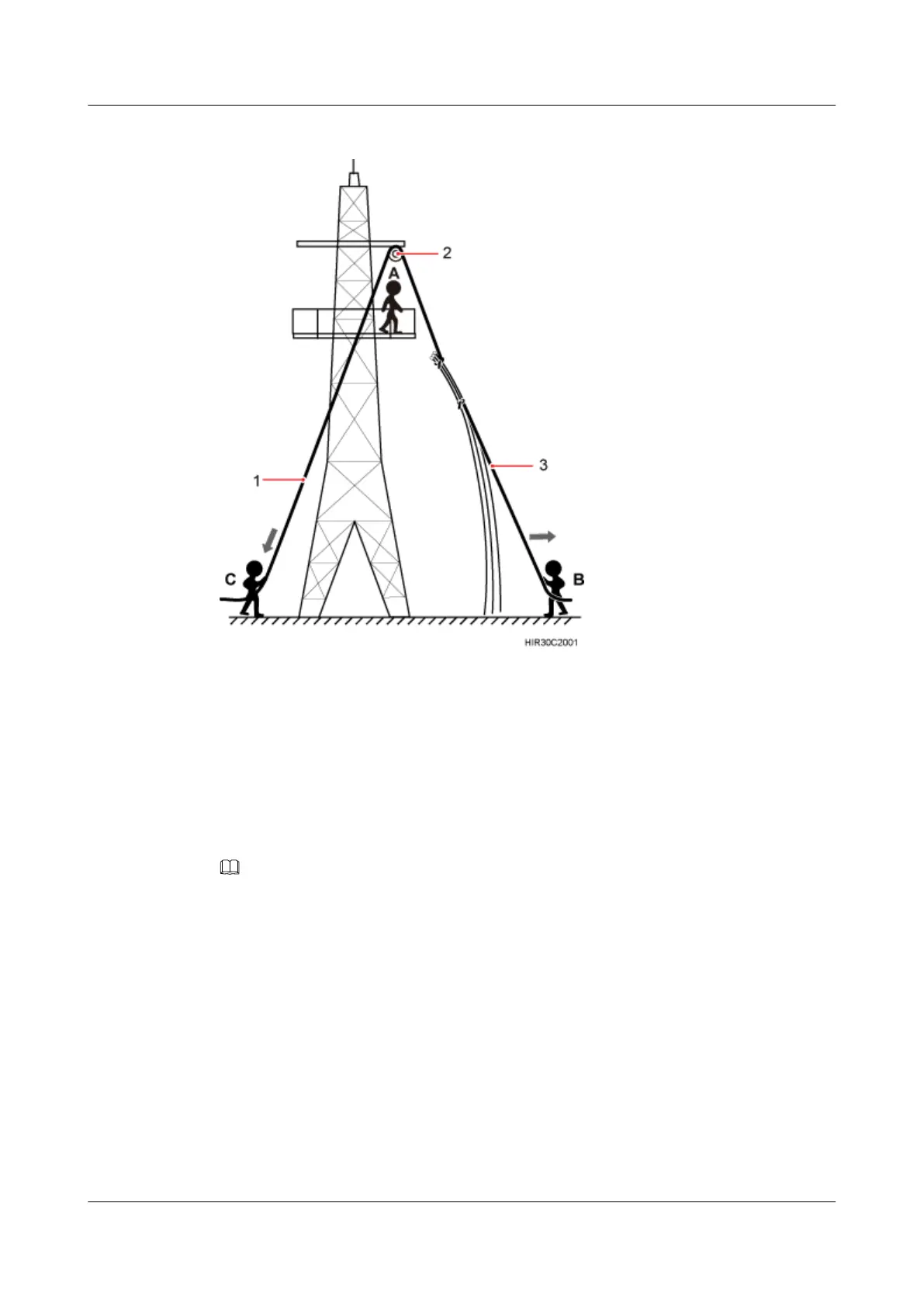
Figure 6-9 Hoisting power cables onto the tower
1. After climbing up to the tower, installation engineer A secures the fixed pulley to the tower
platform support and leads the lifting sling through the fixed pulley.
2. Installation engineer C binds the power cables using the lifting sling and traction sling.
3. Installation engineer B pulls the lifting sling downwards, and installation engineer C pulls
the traction sling outwards to protect the power cables from colliding with the tower.
Step 3 Secure the power cables to the tower vertically using cable clips.
Step 4 Remove the lifting sling and traction sling.
NOTE
The procedure for hoisting the power cables onto the tower is for your reference only.
----End
RRU3201
Installation Guide 6 Hoisting an RRU and Related Cables onto a Tower
Issue 06 (2012-04-16) Huawei Proprietary and Confidential
Copyright © Huawei Technologies Co., Ltd.
36



 To Next Page