EasyManua.ls Logo

Huawei SUN2000-43KTL-IN-C1 - User Manual

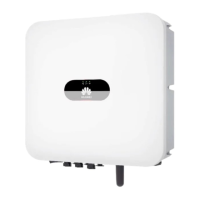
Huawei SUN2000-43KTL-IN-C1
99 pages
Print Icon
To Next Page IconTo Next Page
Loading...
SUN2000-43KTL-IN-C1
User Manual
Issue
07
Date
2018-05-06
HUAWEI TECHNOLOGIES CO., LTD.

Questions and Answers

  • D
    diaznatalieSep 5, 2025
    How to resolve abnormal invert circuit error on Huawei SUN2000-43KTL-IN-C1?
    • J
      Jeanette GibsonSep 6, 2025
      If your Huawei SUN2000 inverter displays an abnormal invert circuit error, the inverter is designed to detect and rectify external working condition issues automatically, and should recover automatically once the fault is resolved. If the alarm persists, check the inverter output cable for short circuits. If the alarm continues to occur repeatedly, contact Huawei technical support.
  • R
    Robert Greene Jr.Nov 21, 2025
    Why is my Huawei SUN2000-43KTL-IN-C1 showing an abnormal grid voltage?
    • S
      sherrysanchezNov 21, 2025
      An abnormal grid voltage on your Huawei SUN2000 inverter can occur due to several reasons. If the alarm appears briefly, it might be a temporary issue with the power grid, and the inverter should automatically recover once the grid stabilizes. If the alarm appears frequently: * Check if the grid voltage is within the acceptable range. If not, contact your local power operator. * If the voltage is within range, you can adjust the overvoltage and undervoltage protection thresholds via the SUN2000 app, SmartLogger, or NMS, but only with the consent of your local power operator. Also, inspect the AC switch and AC output power cable, and ensure they are properly connected. Finally, check if the grid-tied voltage or peak grid voltage exceeds the upper threshold; if so, contact your power o...
  • M
    Mark RichardsSep 18, 2025
    How to fix Flash Fault on Huawei Inverter?
    • W
      williampetersonSep 18, 2025
      To fix a flash fault on your Huawei SUN2000 inverter, replace the monitoring board. If the monitoring board is integrated into the monitoring device, replace the entire monitoring device.
  • A
    Alexandra SpearsSep 16, 2025
    What to do if Huawei Inverter upgrade failed?
    • T
      Tracey HernandezSep 16, 2025
      If the upgrade of your Huawei SUN2000 inverter failed, perform the upgrade again.
  • L
    Lauren Hernandez MDSep 14, 2025
    What to do if Huawei Inverter software version unmatch?
    • Y
      yrodriguezSep 14, 2025
      If your Huawei SUN2000 inverter indicates a software version mismatch, check if you recently performed a software upgrade. If so, upgrade the software to the correct version again.
  • H
    Hunter OrtizSep 13, 2025
    What does abnormal auxiliary power mean for Huawei Inverter?
    • C
      Carolyn AndradeSep 13, 2025
      When your Huawei SUN2000 inverter generates an alarm for abnormal auxiliary power, it will shut down automatically. Once the fault is resolved, the inverter will restart automatically. If the alarm occurs repeatedly, contact Huawei technical support.
  • C
    Cameron TuckerSep 12, 2025
    How to resolve abnormal grounding in Huawei SUN2000-43KTL-IN-C1?
    • M
      mvillaSep 12, 2025
      To resolve abnormal grounding in your Huawei SUN2000 inverter, first check that the neutral wire or PGND cable is properly connected to the inverter. Also, if the PV string output is grounded, ensure that the inverter's output side is connected to an isolation transformer.
  • T
    Tracy PatelSep 9, 2025
    What to do if my Huawei Inverter has a system fault?
    • C
      Craig RodriguezSep 9, 2025
      If your Huawei SUN2000 inverter reports a system fault, turn off the AC output switch and DC input switch. Wait 5 minutes, then turn them back on. If the fault persists, contact Huawei technical support.
  • L
    lindahamiltonSep 7, 2025
    How do I fix abnormal SPI communication on a Huawei SUN2000-43KTL-IN-C1 Inverter?
    • D
      dawnpierceSep 7, 2025
      To fix an abnormal SPI communication error on your Huawei SUN2000 inverter, turn off the AC output switch and DC input switch. Wait 5 minutes, then turn them back on. If the fault persists, contact Huawei technical support.
  • B
    Brendan CampbellAug 21, 2025
    What to do if my Huawei Inverter shows high DC input voltage?
    • R
      Richard FisherAug 21, 2025
      If your Huawei SUN2000 inverter displays a high DC input voltage alarm, it means the open-circuit voltage exceeds the maximum operating voltage. Reduce the number of PV modules connected in series for PV strings 1 and 2 until the open-circuit voltage is within the acceptable range. Once corrected, the alarm should disappear. Repeat this process for PV strings 3 and 4, 5 and 6, or 7 and 8 if necessary.

Huawei SUN2000-43KTL-IN-C1 Specifications

General IconGeneral
ModelSUN2000-43KTL-IN-C1
TypeString Inverter
Rated Output Power43 kW
Max. DC Voltage1100 V
Start Voltage200 V
Rated AC Voltage400 V
Output Frequency50 Hz / 60 Hz
MPPT Efficiency99.9%
Number of MPPTs4
Operating Temperature Range-25 °C to +60 °C
Protection ClassI
Protection DegreeIP65
Max. DC Input Power52.5 kW
Input Voltage Range200 V - 1000 V
MPPT Voltage Range200-1000 V
CoolingSmart Forced Air Cooling

Related product manuals