EasyManua.ls Logo

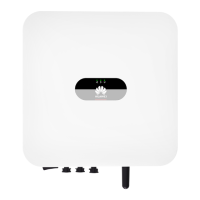
Huawei SUN2000 Series - User Manual

Huawei SUN2000 Series
134 pages
Print Icon
To Next Page IconTo Next Page
Loading...
SUN2000-(100KTL, 110KTL, 115KTL)-M2
User Manual
Issue 02
Date 2022-06-30
HUAWEI TECHNOLOGIES CO., LTD.

Table of Contents

Other manuals for Huawei SUN2000 Series

Questions and Answers

  • W
    Wendy LopezAug 31, 2025
    What should I do if my Huawei SUN2000 reports a faulty power collector?
    • T
      Tara PayneAug 31, 2025
      A faulty power collector error on your Huawei Inverter indicates that the power meter is disconnected. Check the following: 1. Ensure the configured power meter model matches the actual model. 2. Verify that the power meter's communication parameters match the inverter's RS485 configurations. 3. Confirm that the power meter is powered on and the RS485 communication cable is connected.
  • P
    Phillip WilliamsAug 25, 2025
    What to do if Huawei SUN2000 shows grid loss?
    • K
      Kathryn SmithAug 25, 2025
      If your Huawei Inverter displays a grid loss error, it means the power grid is down, the AC circuit is disconnected, or the AC switch is off. The alarm should clear automatically once the power grid recovers. You should also check if the AC circuit is disconnected or the AC switch is turned off.
  • T
    Tom JacksonSep 5, 2025
    What does Abnormal Grounding mean on a Huawei Inverter?
    • S
      staceymasonSep 5, 2025
      Abnormal Grounding on your Huawei Inverter means that the neutral wire or ground cable isn't connected, or the PV array is grounded but the inverter output doesn't connect to an isolation transformer. Power off the inverter (turn off the AC output switch and DC input switch, and wait for 5 minutes), and then: 1. Check that the PE cable for the inverter is connected properly. 2. If the inverter is connected to the TN power grid, check whether the N cable is properly connected and whether the voltage to ground is normal. 3. Check whether the AC output connects to an isolation transformer. If it does, after powering on the inverter, log in to the mobile phone app, SmartLogger, or NMS and disable Grounding inspection.
  • S
    srossSep 9, 2025
    What does 'Grid underfrequency' mean for Huawei SUN2000 Inverter?
    • W
      Wendy MartinezSep 10, 2025
      A 'Grid underfrequency' alarm on your Huawei Inverter indicates a power grid exception. The actual power grid frequency is lower than the requirements for the local power grid code. If the alarm occurs occasionally, the power grid may be temporarily abnormal. The inverter automatically recovers after detecting that the power grid becomes normal. If the alarm persists, check whether the power grid frequency is within the acceptable range. If not, contact the local power operator. If yes, modify the grid underfrequency protection threshold through the app, SmartLogger, or NMS with the consent of the local power operator.
  • L
    Lori SmithSep 3, 2025
    Why is my Huawei SUN2000 showing String Current Backfeed?
    • A
      Ashley WuSep 3, 2025
      String Current Backfeed on your Huawei Inverter means that the number of PV modules connected in series to the PV string is insufficient, causing the end voltage to be lower than other strings. To resolve this: 1. Check if the number of PV modules connected in series to this PV string is less than the number connected to other PV strings in parallel. If it is, wait until the PV string current decreases below 0.5 A, set the DC SWITCH to OFF, and adjust the number of PV modules in the PV string. 2. Check if the PV string is shaded. 3. Verify that the open-circuit voltage of the PV string is normal.
  • T
    Tammy SanchezAug 29, 2025
    What to do if Huawei SUN2000 shows device fault?
    • M
      melissa85Aug 29, 2025
      If your Huawei Inverter displays a device fault, it indicates an unrecoverable fault within the inverter. Turn off the AC output switch and DC input switch, wait 5 minutes, then turn them back on. If the alarm persists, contact your dealer or Huawei technical support. Ensure the PV string current is less than 1 A when performing these steps.
  • K
    kylejohnsonSep 12, 2025
    What to do if my Huawei SUN2000 shows 'Cabinet overtemperature'?
    • J
      jamesperrySep 12, 2025
      If your Huawei Inverter displays a 'Cabinet overtemperature' alarm, it could be due to: ? The inverter being installed in a place with poor ventilation. ? The ambient temperature exceeding the upper threshold. ? The inverter not operating properly. Check the ventilation and ambient temperature at the inverter installation position. If the ventilation is poor or the ambient temperature exceeds the upper threshold, improve the ventilation and heat dissipation. If both the ventilation and ambient temperature meet requirements yet the alarm persists, contact your dealer or Huawei technical support.
  • S
    sherry60Sep 7, 2025
    Why is my Huawei SUN2000 showing 'High string input voltage'?
    • T
      Timothy BrownSep 7, 2025
      The 'High string input voltage' error on your Huawei Inverter means the PV array isn't configured correctly. There are too many PV modules connected in series, causing the PV string open-circuit voltage to exceed the inverter's maximum operating voltage. To fix this, reduce the number of PV modules connected in series until the PV string open-circuit voltage is at or below the maximum inverter operating voltage. The alarm should then disappear.
  • J
    Jessica TorresAug 27, 2025
    What does grid overfrequency mean on my Huawei Inverter?
    • K
      Kathryn AdamsAug 27, 2025
      A grid overfrequency alarm on your Huawei Inverter means the power grid frequency is too high, exceeding local power grid code requirements. If the alarm is occasional, it may be a temporary grid issue, and the inverter should recover automatically. If it persists, check if the grid frequency is within the acceptable range and contact the local power operator if it isn't. If the frequency is normal, you can modify the grid overfrequency protection threshold using the app, SmartLogger, or NMS, with the local power operator's consent.
  • T
    Teresa NunezSep 14, 2025
    Why does Huawei SUN2000 Inverter show Grid Overvoltage?
    • K
      Kathleen KeySep 14, 2025
      If the Huawei Inverter displays a 'Grid Overvoltage' alarm, it means the power grid voltage is exceeding the upper threshold or the overvoltage duration is beyond the HVRT specified value. If it occurs occasionally, the grid may be temporarily abnormal and the SUN2000 will recover automatically. If it happens frequently, check if the grid voltage is within the acceptable range. If not, contact the local power operator. If it is, you can modify the grid overvoltage protection threshold using the mobile phone app, SmartLogger, or NMS with the consent of the power operator. Also, check if the peak voltage of the power grid is too high; if the problem persists, contact the power operator.

Summary

Safety Information

General Safety Precautions

General safety statements and precautions for equipment operation.

Personnel Safety Requirements

Outlines qualifications and training required for personnel.

Electrical Safety Guidelines

Grounding requirements and general electrical safety precautions.

Installation Guide

Installation Tools and Equipment

Lists tools and PPE needed for installation.

Determining Installation Position

Guidelines for selecting the optimal installation location.

Mounting Bracket Installation

Process of installing the mounting bracket for the inverter.

Installing the Solar Inverter

Step-by-step guide to safely install the solar inverter.

Electrical Connections

Connection Safety Precautions

Essential safety precautions before making electrical connections.

Connecting DC Input Power Cables

Procedure for connecting DC input power cables.

Connecting AC Output Power Cable

Procedure for connecting the AC output power cable.

Commissioning and Operation

Pre-Power-on Checks

Acceptance criteria to verify before powering on the inverter.

Powering On the SUN2000

Procedure and precautions for powering on the inverter.

SUN2000 App Operations

Using the SUN2000 mobile app for inverter management.

Maintenance and Troubleshooting

Shutdown and Power-Off Procedures

Procedures for safely shutting down and powering off the inverter.

Troubleshooting Common Alarms

Common alarms, causes, and troubleshooting measures.

Fan Replacement Guide

Instructions for replacing a faulty fan unit.

Technical Specifications

Input Electrical Specifications

Lists input voltage, current, and MPPT specifications.

Output Electrical Specifications

Lists output power, voltage, current, and frequency.

Huawei SUN2000 Series Specifications

General IconGeneral
Max Efficiency98.6%
MPPT Efficiency99.9%
Protection RatingIP65
Max. DC Voltage1100 V
Rated AC Frequency50 Hz / 60 Hz
Rated Power3kW - 10kW
Operating Temperature Range-25 °C ~ +60 °C
CommunicationRS485
Rated AC Power3kW - 10kW
Power Factor Adjustment Range0.8 leading to 0.8 lagging
Total Harmonic Distortion (THD)≤ 3%
ProtectionDC reverse polarity
CoolingNatural convection
DC ConnectionMC4

Related product manuals