EasyManua.ls Logo

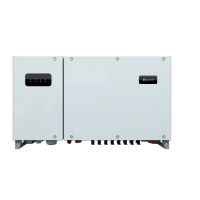
Huawei SUN2000-36KTL - User Manual

Huawei SUN2000-36KTL
117 pages
Print Icon
To Next Page IconTo Next Page
Loading...
SUN2000-(33KTL-A, 36KTL, 42KTL)
User Manual
Issue
07
Date
2018-05-04
HUAWEI TECHNOLOGIES CO., LTD.

Other manuals for Huawei SUN2000-36KTL

Questions and Answers

  • J
    jacquelinefullerAug 18, 2025
    What to do if my Huawei SUN2000-36KTL Inverter shows String Reverse?
    • K
      Kathy WaltonAug 18, 2025
      If your Huawei Inverter displays a 'String Reverse' error, it indicates that the PV string cables were connected incorrectly during installation. To resolve this: Wait for the PV string voltage to drop to a safe level (below 60V DC). Then, switch off both DC switches, disconnect the positive and negative connectors, and correct the cable connections.
  • E
    Elizabeth BarnettAug 20, 2025
    Why is my Huawei SUN2000-36KTL Inverter showing an abnormal grid voltage?
    • A
      ambergordonAug 21, 2025
      This alarm may occur accidentally if the power grid is temporarily abnormal. The Huawei SUN2000 automatically recovers after detecting that the power grid becomes normal. This is due to the grid voltage being below the specified lower threshold.
  • A
    amandagarciaAug 23, 2025
    How to fix high DC input voltage on Huawei SUN2000-36KTL Inverter?
    • D
      Diana BurnsAug 23, 2025
      This issue occurs when the PV array is not properly configured. Reduce the number of PV modules connected in series to PV strings 1 and 2 until the open-circuit voltage is less than or equal to the maximum inverter input voltage. After the PV array configuration is corrected, the Huawei SUN2000 alarm disappears.
  • C
    Craig EvansAug 26, 2025
    What causes abnormal grounding in Huawei SUN2000-36KTL?
    • T
      Thomas CoxAug 26, 2025
      This issue may be due to the neutral wire or PGND cable not properly connected to the inverter, or the Huawei SUN2000 output side does not connect to an isolation transformer when the PV string output is grounded. Check that the neutral wire or PGND cable properly connects to the inverter. If the PV string output is grounded, check that the SUN2000 output side connects to an isolation transformer.
  • J
    Justin KaneAug 27, 2025
    What does abnormal grid frequency mean on a Huawei SUN2000-36KTL?
    • M
      Matthew JohnsonAug 28, 2025
      If the alarm occurs accidentally, the power grid may be abnormal temporarily. The Huawei SUN2000 automatically recovers after detecting that the power grid becomes normal. This happens because the actual grid frequency is higher than the standard requirement for the local power grid.
  • D
    davisshelbyAug 29, 2025
    How do I troubleshoot low insulation resistance on a Huawei SUN2000-36KTL Inverter?
    • J
      Jonathan DayAug 30, 2025
      Check the impedance between the PV string and the PGND cable. If a short circuit occurs, rectify the fault. If you are sure that the impedance is less than the default value in a cloudy or rainy environment, log in to the SUN2000 app, SmartLogger, or NMS and set Insulation resistance protection. A short circuit occurs between the PV string and the PGND cable.
  • B
    Bruce PriceSep 1, 2025
    What does abnormal DC circuit mean for Huawei SUN2000-36KTL?
    • M
      Monica HendersonSep 1, 2025
      The Huawei SUN2000 detects its external working conditions in real time. After the fault is rectified, the SUN2000 automatically recovers. This issue occurs when the SUN2000 input is disconnected accidentally, or the PV string output power changes sharply because the PV string is shielded from sunlight.
  • L
    Louis ShawSep 3, 2025
    What causes a DC arc fault in my Huawei Inverter?
    • M
      Michael CooperSep 3, 2025
      Check whether the PV string cable is in poor contact or with open circuits. If yes, reconnect the cable. The PV string cable is in poor contact or with open circuits.
  • C
    cgreenSep 5, 2025
    Why is my Huawei Inverter showing a cabinet overtemperature warning?
    • R
      russellpetersonSep 6, 2025
      Check the ventilation and ambient temperature of the Huawei SUN2000 installation position. If the ventilation is poor or the ambient temperature exceeds the upper threshold, improve the ventilation and heat dissipation. If the ventilation and ambient temperature both meet requirements, contact Huawei technical support. This issue occurs when the SUN2000 is installed in a place with poor ventilation, the ambient temperature exceeds the upper threshold, or the internal fan works abnormally.
  • J
    Jaime KingSep 8, 2025
    What to do if string 1-8 reversed on Huawei SUN2000-36KTL Inverter?
    • D
      Daniel SmithSep 8, 2025
      Check whether the PV string is reversely connected to the Huawei SUN2000. If yes, wait until the solar irradiance declines at night and the PV string current reduces to below 0.5 A. Then, turn off the two DC switches and correct the PV string connection. Check whether the number of PV modules connected in series to the SUN2000 is small. If yes, increase the number. The PV string is reversely connected or only a few PV modules are connected in series to the PV string, and therefore the end voltage is lower than that of other PV strings.

Summary

About This Document

Purpose

Describes the SUN2000's installation, connections, commissioning, maintenance, and troubleshooting.

Intended Audience

For photovoltaic plant personnel and qualified electrical technicians.

Symbol Conventions

Defines symbols used throughout the document for warnings, notices, and notes.

Change History

Safety Precautions

Disclaimer

Huawei's liability for consequences due to specific events like transportation or misuse.

Personnel Requirements

Specifies qualifications and training for personnel operating the SUN2000.

Protect Labels

Instructions on not tampering with warning labels and product nameplates.

Installation Safety

Safety guidelines for installation, including power connection and environment.

Operation Safety

Safety precautions during the operation of the SUN2000, including high voltage warnings.

Maintenance and Replacement Safety

Safety measures for maintenance and replacement tasks, including powering off.

Overview

2.1 Introduction

Introduces the SUN2000 as a grid-tied PV string inverter and its function.

2.2 Appearance

Details the physical dimensions and front view of the SUN2000 unit.

2.3 Label Description

Explains the meaning of various symbols and labels found on the SUN2000 enclosure.

2.4 Working Principle

Explains the conceptual diagram and working modes (standby, operating, shutdown) of the SUN2000.

Inverter Storage

System Installation

4.1 Checking Before Installation

Procedures for checking outer packing materials and package contents before installation.

4.2 Tools

Lists the necessary tools required for installation and cable connections.

4.3 Wall-mounting the SUN2000

Instructions and requirements for mounting the SUN2000 onto a wall.

4.4 Support-mounting the SUN2000

Instructions and requirements for mounting the SUN2000 onto a support structure.

Connecting Cables

Precautions

Important safety warnings before connecting cables, especially regarding DC switches.

5.1 Opening the Maintenance Compartment Door

Prerequisites and procedure for safely opening the maintenance compartment door.

5.2 Connecting the Ground Cable (PE)

Detailed steps for connecting the protective ground cable (PE) to the SUN2000.

5.3 Connecting AC Output Power Cables

Guide on connecting the AC output power cables, including cable specifications and terminal connections.

5.4 Connecting DC Input Power Cables

Instructions for connecting DC input power cables, emphasizing safety and correct polarity.

5.5 Connecting Communications Cables

Methods for connecting communication cables (RS485, FE) for monitoring and data transfer.

5.6 Closing the Maintenance Compartment Door

Procedure for correctly closing the maintenance compartment door after cable connections.

System Commissioning

6.1 Checking Before Power-On

Pre-power-on checklist to ensure correct and secure installation and connections.

6.2 Powering On the SUN2000

Step-by-step guide for powering on the SUN2000, including AC/DC switch operations.

6.3 Powering Off the SUN2000

Procedure for safely powering off the SUN2000, including shutdown commands.

Man-Machine Interactions

7.1 Operations with a USB Flash Drive

How to export/import configurations, export data, and upgrade using a USB flash drive.

7.2 Operations with a SmartLogger

Reference to operations using a SmartLogger for system management.

7.3 Operations with the NMS

Reference to operations using the Network Management System (NMS).

7.4 Operations with the SUN2000 APP

Guide to using the SUN2000 mobile application for device management.

Maintenance

8.1 Routine Maintenance

Recommended maintenance schedule and checks for long-term operation.

8.2 Troubleshooting

Common alarms, their possible causes, and suggested troubleshooting measures.

Handling the SUN2000

9.1 Removing the SUN2000

Steps for safely disconnecting and removing the SUN2000 unit.

9.2 Packing the SUN2000

Instructions on how to pack the SUN2000 for storage or transport.

9.3 Disposing of the SUN2000

Guidelines for disposing of the SUN2000 at the end of its service life.

Technical Specifications

Efficiency

Technical data on maximum and European conversion efficiencies for different models.

Input Specifications

Electrical input parameters including voltage, current, and power ratings.

Output Specifications

Electrical output parameters such as active power, voltage, current, and harmonic distortion.

Protection Features

Details on various protection mechanisms implemented in the SUN2000.

Grid Codes

Acronyms and Abbreviations

Huawei SUN2000-36KTL Specifications

General IconGeneral
PurposeSolar panel
Efficiency98.8 %
Output power36000 W
WeatherproofYes
CertificationEN 62109-1/-2, IEC 62109-1/-2, EN 50530, IEC 62116, IEC 60068, IEC 61683
Input voltage250 - 1100 V
Output voltage220/380, 230/400, 277/480 V
Input frequency- Hz
Power supply typeOutdoor
Power current typeDC-to-AC
Adjustable output voltage-
Power protection featuresOver current
International Protection (IP) codeIP65
Product colorWhite
Quantity per pack1 pc(s)
Operating temperature (T-T)-25 - 60 °C
Operating relative humidity (H-H)0 - 100 %
Weight and Dimensions IconWeight and Dimensions
Depth283 mm
Width930 mm
Height550 mm
Weight62000 g

Related product manuals