EasyManua.ls Logo

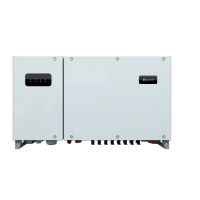
Huawei SUN2000-33KTL - User Manual

Huawei SUN2000-33KTL
98 pages
Print Icon
To Next Page IconTo Next Page
Loading...
SUN2000-(33KTL, 40KTL)
User Manual
Issue
03
Date
2015-12-01
HUAWEI TECHNOLOGIES CO., LTD.

Other manuals for Huawei SUN2000-33KTL

Questions and Answers

  • A
    Antonio WilkinsAug 19, 2025
    What to do if I see a frequency abnormal error on my Huawei Inverter?
    • R
      Ryan RichardsAug 20, 2025
      If you get a frequency abnormal alarm on your Huawei Inverter, it means the grid's actual frequency is outside the required range for your local grid. If this happens once, it could be a temporary grid issue, and the SUN2000 will try to go back to normal automatically after the problem is fixed. But, if the alarm keeps showing up, you should check if the grid frequency is within the allowed range.
  • M
    Megan LopezAug 22, 2025
    What causes an Invert Module Fault in a Huawei SUN2000-33KTL?
    • T
      Tina AllenAug 22, 2025
      An Invert Module Fault on your Huawei SUN2000 Inverter indicates that unusual external conditions have triggered protection mechanisms within the converter circuit. The inverter constantly monitors its operating environment and will automatically attempt to restore normal operation once the issue is resolved. This fault can also occur if the DC or grid current goes beyond the allowable range, or if the grid voltage sharply drops or short-circuits, leading to high output current. Check whether the SUN2000 output cables are short-circuited and rectify any fault.
  • A
    Anne JonesAug 25, 2025
    How to fix DC Over Voltage on a Huawei Inverter?
    • T
      tyler66Aug 26, 2025
      A DC Over Voltage error on your Huawei SUN2000 Inverter means the PV strings' open circuit voltage exceeds the inverter's maximum input voltage. This can happen if too many PV modules are connected in series, leading to an excessively high output voltage. Check if the number of PV modules connected in series is causing the open circuit voltage of the PV strings to exceed the maximum input voltage of the SUN2000. If it is, reduce the number of PV modules connected in series to lower the PV strings' output voltage to meet the SUN2000's voltage requirements. Ensure the SUN2000 works correctly after the adjustment.
  • A
    Alyssa LewisAug 27, 2025
    What does 'Low Array Insulation Resistance' mean on my Huawei Inverter?
    • J
      Juan SantanaAug 28, 2025
      A Low Array Insulation Resistance error on your Huawei Inverter indicates that the insulation resistance against the ground for PV strings is less than the minimum required value. To solve this, check the insulation resistance against the ground for the PV strings, and if there's a short circuit, fix it.
  • J
    James WebsterAug 30, 2025
    Why does my Huawei SUN2000-33KTL show 'String 1-6 Abnormal'?
    • J
      James SimonAug 30, 2025
      If you're seeing a 'String 1-6 Abnormal' error on your Huawei Inverter, it could be due to a couple of reasons. First, check if the PV strings have been shaded for a long time. Also, check whether the output current of a PV string is obviously less than the output current of other PV strings. If so, check whether the PV string is shielded. If the PV string is clean and not shielded, check whether the PV modules are faulty. Another reason can be that PV strings are deteriorating.
  • O
    Olivia GrahamSep 2, 2025
    How do I resolve a 'Cabinet Over-Temp' error on my Huawei SUN2000-33KTL Inverter?
    • S
      Susan MartinSep 2, 2025
      If your Huawei SUN2000 Inverter shows a 'Cabinet Over-Temp' error, it means the inverter is overheating. This is often because the installation location has poor ventilation. Check if the ambient temperature around the SUN2000 is exceeding the upper limit. If it is, improve the ventilation to help lower the temperature.
  • B
    Brian CarterSep 5, 2025
    What to do if my Huawei SUN2000-33KTL shows 'String 1-6 Reverse'?
    • J
      Jessica LutzSep 5, 2025
      If your Huawei SUN2000 Inverter is showing a 'String 1-6 Reverse' error, it means the PV string cables were likely connected backward during installation. Check whether the cables of PV strings are correctly connected. If they are connected reversely, reconnect the cables.
  • A
    Alexander BanksSep 7, 2025
    What causes an 'Electrical Grounding Fault' on a Huawei SUN2000-33KTL?
    • B
      Becky JohnsonSep 8, 2025
      An Electrical Grounding Fault on your Huawei SUN2000 Inverter indicates that the neutral wire or PGND cable is not properly connected to the SUN2000. To fix this, check that the neutral wire and PGND cable are correctly connected.
  • L
    Laurie BookerSep 12, 2025
    What does a 'System Fault' mean on my Huawei SUN2000-33KTL and how can I fix it?
    • S
      Sandra BryantSep 12, 2025
      A System Fault on your Huawei SUN2000 Inverter means that an unrecoverable fault has occurred on a circuit inside the SUN2000. To attempt a fix, flip the DC SWITCH on the SUN2000 to OFF, wait 5 minutes, and then flip the DC SWITCH back to ON. Check whether the fault is rectified.
  • J
    Jessica LewisSep 13, 2025
    How to fix a failed firmware upgrade on a Huawei SUN2000-33KTL?
    • P
      Patrick MannSep 13, 2025
      If the firmware upgrade failed on your Huawei SUN2000 Inverter, it means that the upgrade process was not completed correctly. To resolve this, try upgrading again.

Summary

About This Document

Purpose

Describes the SUN2000 inverter's installation, electrical connections, and commissioning.

Intended Audience

For photovoltaic power station personnel and qualified electrical technicians.

Symbol Conventions

Defines symbols used in the document, including DANGER, WARNING, CAUTION, NOTICE, and NOTE.

Safety Precautions

Personnel Requirements

Specifies that only qualified and trained electrical technicians can install and operate the SUN2000.

Label Protection

Advises against tampering with warning signs, nameplates, and anti-dismantle labels on the SUN2000.

Installation Safety

Details safety precautions for installation, including power disconnection and clearance requirements.

Electrical Connection Safety

Highlights dangers during electrical connection, emphasizing secure positioning and proper cable connections.

Operation Safety

Warns about high voltage risks during operation and the need to follow local regulations.

Maintenance and Replacement Safety

Details safety measures for maintenance, including powering off and waiting periods.

Overview

Introduction to SUN2000

Introduces the SUN2000 as a three-phase grid-tied PV string inverter.

Model Description

Explains the model number structure and lists models with their rated output power.

Network Application

Describes the SUN2000's application in grid-tied PV power systems for commercial rooftops and large stations.

Supported Power Grids

Appearance

Dimensions

Presents the physical dimensions of the SUN2000 inverter with a diagram.

Front View Indicators

Describes the indicators on the SUN2000 front panel and their meanings.

Rear View

Indicates the location of the SUN2000 rear view.

Bottom View

Illustrates the SUN2000 bottom view and its components.

Label Conventions

Symbol Definitions

Explains symbols found on the SUN2000, including delay discharge and burn warnings.

Nameplate Information

Describes the SUN2000 nameplate, including model, specifications, and compliance symbols.

Working Process

Circuit Diagrams

Presents circuit diagrams for the SUN2000-33KTL and SUN2000-40KTL models.

Working Modes

Illustrates the SUN2000's operating modes: Standby, Operating, and Shutdown.

SUN2000 Storage

Installation

Pre-installation Checks

Covers checking outer packing and product/accessories before installing the SUN2000.

Required Tools

Lists and describes tools needed for installation and electrical connections.

Wall-mounting Installation

Details procedures and requirements for wall-mounting the SUN2000.

Determining Installation Position

Specifies requirements for choosing a suitable installation position for wall mounting.

Installation Space Requirements

Outlines clearance requirements around the SUN2000 for installation and heat dissipation.

Moving the SUN2000

Provides steps on how to safely move the SUN2000 unit.

Installing a Rear Panel

Details the procedure for installing the rear panel on a wall.

Installing the SUN2000 Unit

Guides on mounting the SUN2000 unit onto the installed rear panel.

Support-mounting Installation

Outlines the process for mounting the SUN2000 onto a support structure.

Determining Support Mounting Position

Specifies requirements for choosing a suitable installation position for support mounting.

Support Mounting Space Requirements

Details clearance requirements for support-mounted SUN2000 for installation and heat dissipation.

Support Mounting - Moving the SUN2000

Refers to the procedure for moving the SUN2000 for support mounting.

Support Mounting - Installing a Rear Panel

Guides on attaching the rear panel to a support structure.

Support Mounting - Installing the SUN2000 Unit

Refers to the procedure for mounting the SUN2000 unit for support mounting.

Electrical Connections

Connecting PGND Cables

Details the procedure for connecting the protective ground (PGND) cable for grounding purposes.

Opening the Maintenance Compartment Door

Provides steps for opening the SUN2000 maintenance compartment door safely.

Installing AC Output Power Cables

Guides on connecting AC output power cables to the SUN2000.

Connecting DC Input Power Cables

Details the procedure for connecting DC input power cables from PV strings to the SUN2000.

DC Terminal Selection

Explains how to select DC terminals for connecting PV strings to the SUN2000.

DC Input Cable Specifications

Lists recommended specifications for DC input cables used with the SUN2000.

Connecting Communications Cables

Details how to connect RS485 and PLC communication cables to the SUN2000.

RS485 Communication Mode

Describes RS485 communication modes for single and multiple SUN2000 units.

Selecting Communication Mode

Guides on choosing between RS485 and PLC communication modes based on the situation.

Connecting RS485 Cables

Provides instructions for connecting RS485 communication cables.

Installation Verification

Lists checks to perform after SUN2000 installation to ensure correct and secure setup.

Closing the Maintenance Compartment Door

Details the steps to properly close the SUN2000 maintenance compartment door.

System Operation

Powering On the SUN2000

Guides on the procedure to power on the SUN2000 after electrical connections are completed.

Powering Off the SUN2000

Provides safety precautions and procedures for powering off the SUN2000.

User Interface

USB Flash Drive Operations

Covers operations using a USB flash drive, including exporting configurations.

Exporting Configurations via USB

Details the process for exporting inverter configurations using a USB flash drive.

Importing Configurations via USB

Explains how to import inverter configurations using a USB flash drive.

Exporting Data via USB

Guides on exporting inverter data using a USB flash drive.

Upgrading Firmware via USB

Details the procedure for upgrading the SUN2000 firmware using a USB flash drive.

Operations with SmartLogger

Refers to the SmartLogger1000 User Manual for operations with a SmartLogger.

Operations with NMS

Refers to the NetEco 1000S User Manual for operations with the NMS.

Operations with SUN2000 APP

Refers to the SUN2000 APP User Manual for operations with the SUN2000 APP.

Maintenance

Routine Maintenance

Describes the regular maintenance tasks and intervals for the SUN2000.

Troubleshooting Common Faults

Provides measures for common fault alarms, including DC Over Voltage and String Abnormal.

SUN2000 Handling

Removing the SUN2000

Details the step-by-step procedure for safely removing the SUN2000 unit.

SUN2000 Packing

Describes methods for packing the SUN2000 for storage or transport.

SUN2000 Disposal

Provides guidance on disposing of the SUN2000 in accordance with local regulations.

Technical Specifications

Efficiency Specifications

Lists the maximum and European efficiency ratings for the SUN2000 models.

Input Specifications

Details input parameters like voltage, current, power, and MPP range for the SUN2000.

Output Specifications

Lists output parameters such as rated power, voltage, current, and harmonic distortion.

Protection Features

Details the various protection features supported by the SUN2000.

Display and Communication Specs

Covers display and communication interfaces like RS485, USB, and PLC.

General Data

Provides general data including dimensions, weight, temperature range, and noise level.

Standards Compliance

Lists the certifications and standards the SUN2000 complies with.

Power Grid Codes

33 KTL Power Grid Codes

Lists supported power grid codes and voltage/power specifications for the SUN2000-33KTL.

40 KTL Power Grid Codes

Lists supported power grid codes and voltage/power specifications for the SUN2000-40KTL.

Acronyms and Abbreviations

Huawei SUN2000-33KTL Specifications

General IconGeneral
PurposeSolar panel
Efficiency98.6 %
Output power30000 W
WeatherproofYes
CertificationEN 62109-1/-2, IEC 62109-1/-2, IEC 62116
Input voltage250 - 1100 V
Output current43.3 A
Output voltage230/400 V
Input frequency- Hz
Power supply typeOutdoor
Power current typeDC-to-AC
Adjustable output voltage-
Power protection featuresOver current
International Protection (IP) codeIP65
Product colorWhite
Operating temperature (T-T)-25 - 60 °C
Operating relative humidity (H-H)0 - 100 %
Quantity per pack1 pc(s)
Weight and Dimensions IconWeight and Dimensions
Depth283 mm
Width930 mm
Height550 mm
Weight62000 g

Related product manuals