Quick Start
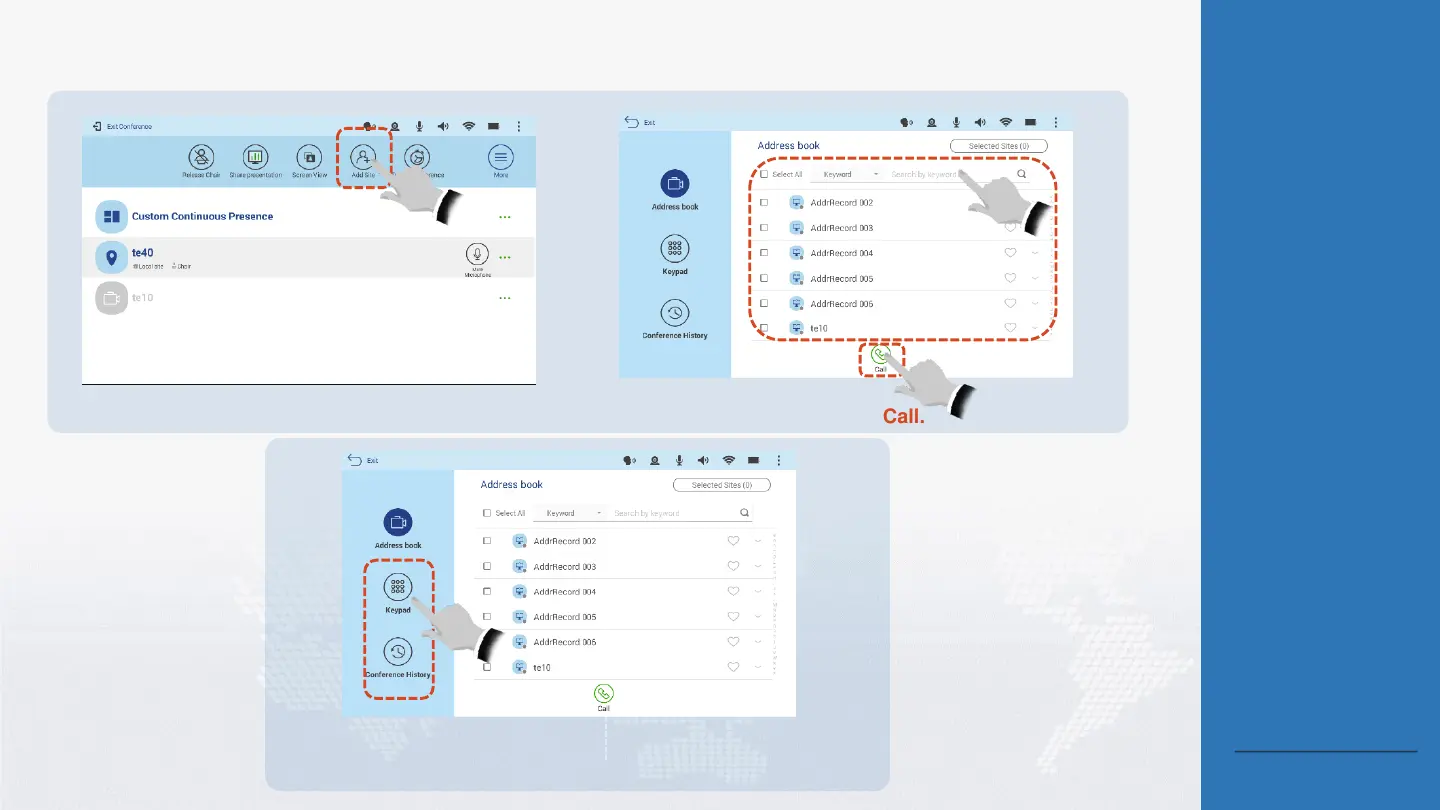
Invite a New Participant to a Conference
1
Tap Add Site.
Tap Call.
3
2
Search for
and select
desired sites.
About the Add Site
and Call Site
Functions
Add Site: Invite a new
site (not in the site list
of the conference) to a
conference.
Call Site: Initiate a call
to a site that is in the
site list of the
conference.
About Adding a Site
Only the chair site can add
sites. The Add Site menu is
unavailable for non-chair
sites.
Back to Contents
If the site you want to add is not found in the
address book, you can add it through the
keypad or conference history.





 To Next Page