EasyManua.ls Logo

Huawei TE40 - Touch Panel UI

Huawei TE40
51 pages
Print Icon
To Next Page IconTo Next Page
To Previous Page IconTo Previous Page
Loading...
Quick Start
Touch Panel UI
Operating Tips
Press the power button
for about 2s to power
on the tablet. Then
press to access the
home screen of the
telepresence system.
On the home screen,
you can use the
passcode to join a
conference.
Alternatively, enter the
access number of a
conference to join it or
call a site by its IP
address. Select the
method of joining a
conference based on
your actual needs.
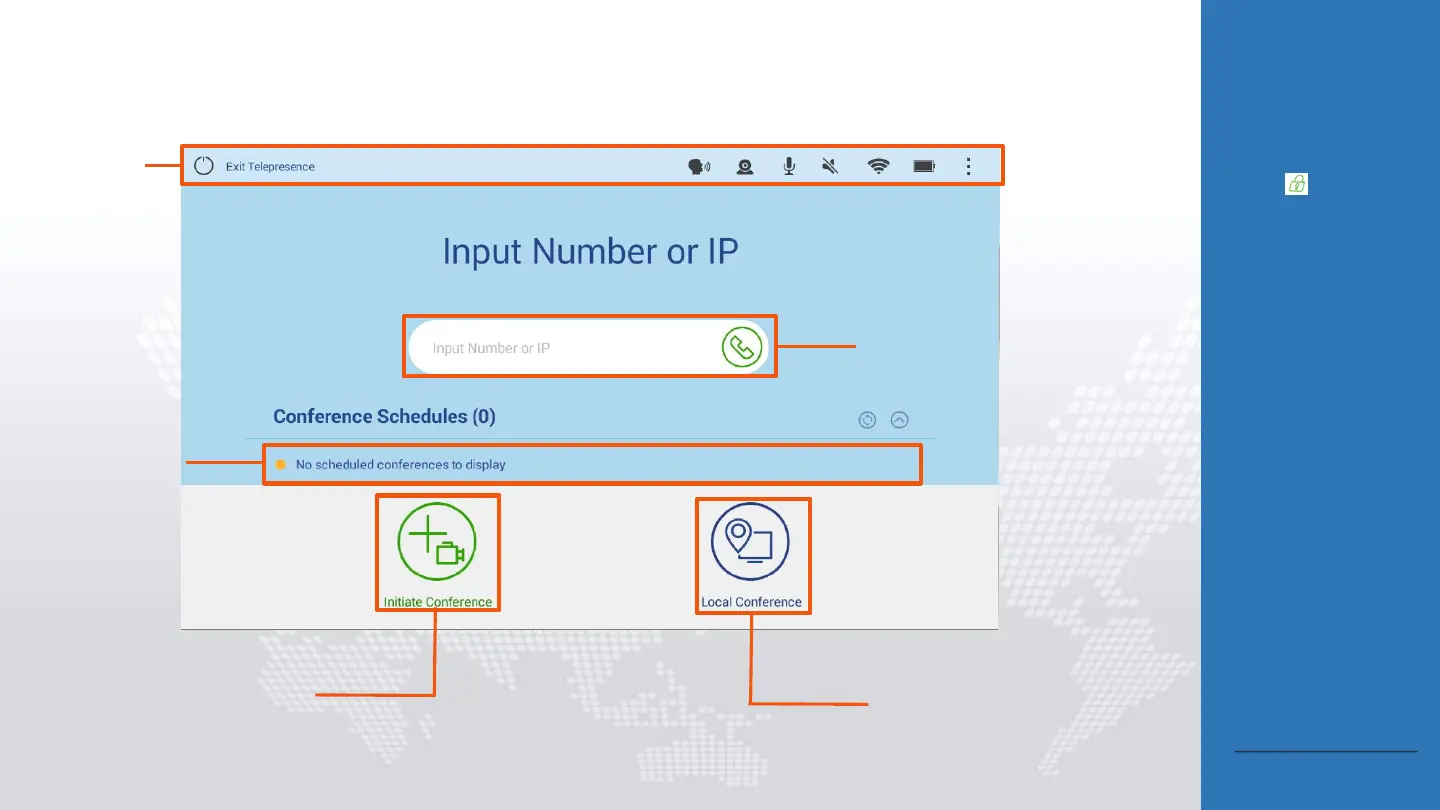
Task bar
Joining a conference
using its passcode
Scheduled
conference list,
from which you
can search for and
join a scheduled
conference
Tapping it to display the
Address book, Keypad, and
Conference History menus
Tapping it to view local
video and presentation
Back to Contents

Other manuals for Huawei TE40

Related product manuals