Control a Conference (Built-in MCU)
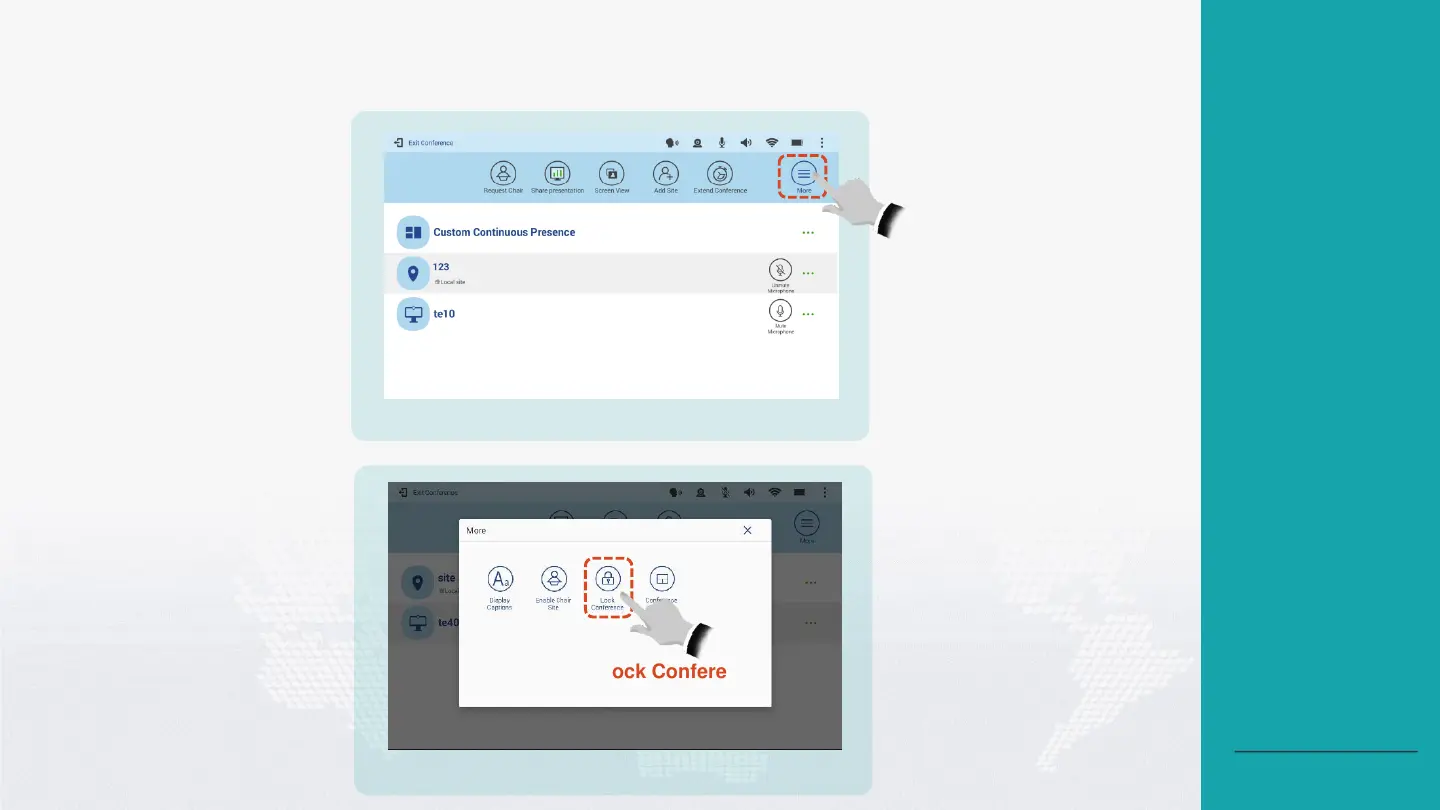
Lock a Conference
1
Tap More.
Tap Lock Conference.
2
About Locking a
Conference
After a conference is locked,
the endpoint with a built-in
MCU can invite the endpoint
without any built-in MCU to
the conference, but the
endpoint without any built-in
MCU cannot join the
conference by placing a call
to the endpoint with a built-in
MCU.
The endpoint without any
built-in MCU can join the
conference by placing a call
to the endpoint with a built-in
MCU only after you unlock
the conference.
Back to Contents





 To Next Page