TP482000B V300R002C03 Telecom Power
(TP482000B-N20B1, TP482000B-N20B2,
TP481200B-N20B1, and TP481200B-N20B2)
User Manual
Copyright © Huawei Technologies Co., Ltd.
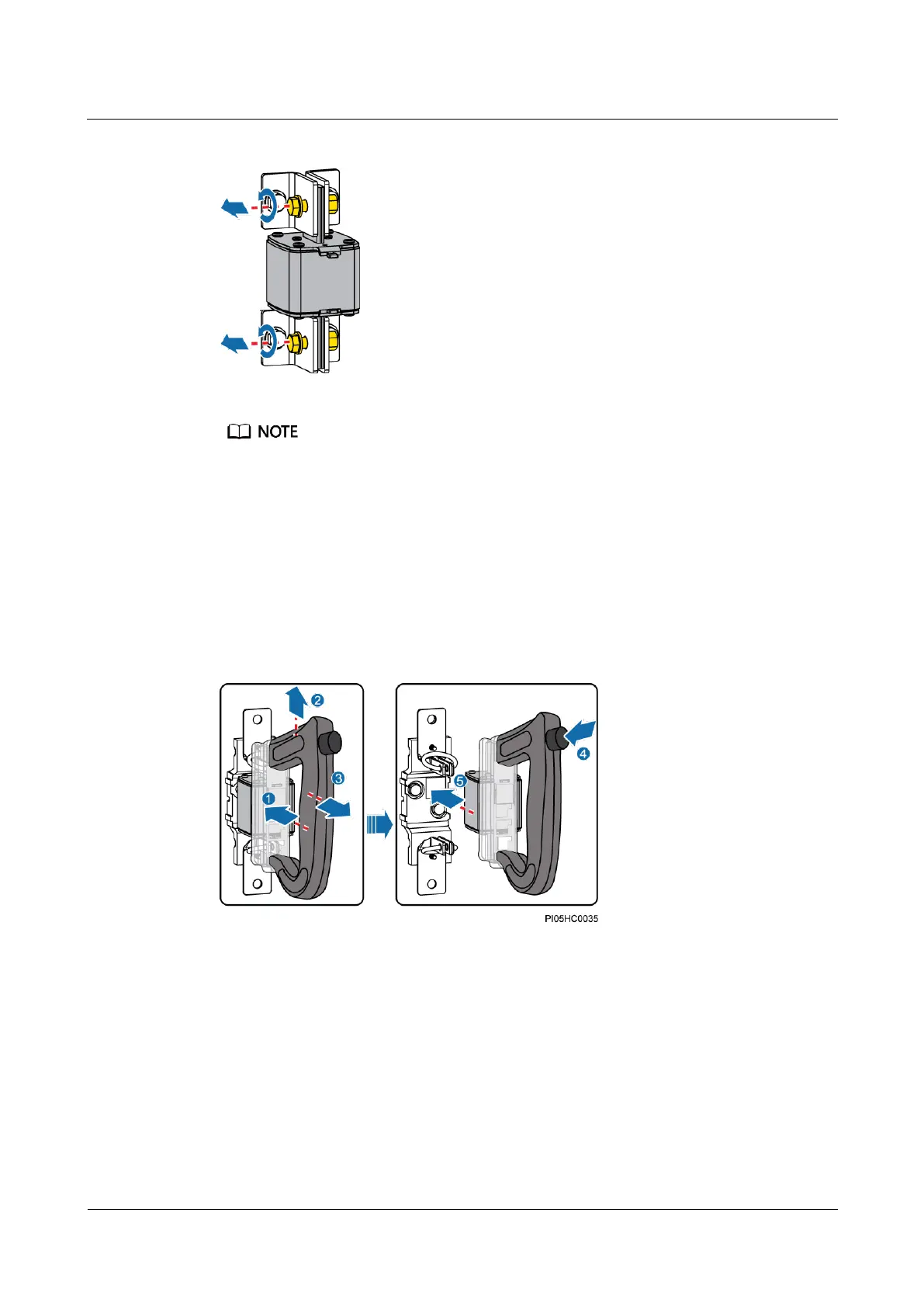
Figure 7-26 Loosening bolts
If the fuse is not secured by bolts, skip Step 1 and Step 4.
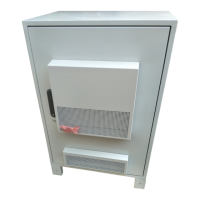
Step 2 Remove the fuse, as shown in Figure 7-27.
1. Insert the two heads of the fuse extracting unit into the mounting ears of the fuse.
2. Move the fuse extracting unit upwards to lock the fuse.
3. Hold the fuse extracting unit and pull out the fuse.
4. Press the button on the fuse extracting unit.
5. Move the fuse away from the fuse extracting unit.
Figure 7-27 Removing a fuse
Step 3 Install the new fuse, as shown in Figure 7-28.
1. Insert the mounting ears of the new fuse into the two heads of the fuse extracting unit.
2. Move the fuse to lock it into the fuse extracting unit.
3. Hold the fuse extracting unit, align the fuse with the fuse base, and insert the fuse into
the fuse base.
4. Press the button on the fuse extracting unit.
5. Move the fuse away from the fuse extracting unit.






 To Next Page