UPS2000-A-(6 kVA-10 kVA)
User Manual
Copyright © Huawei Technologies Co., Ltd.
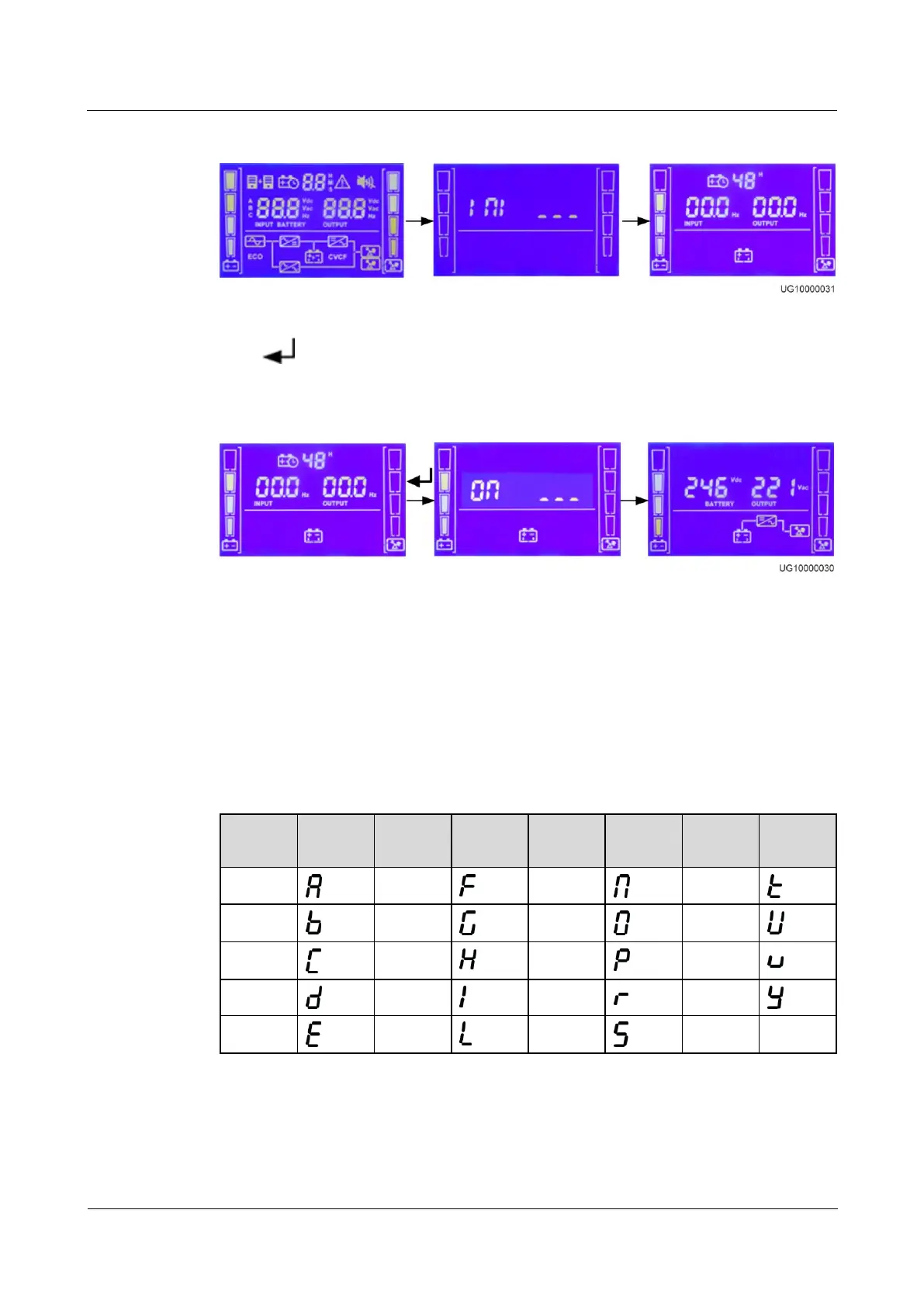
Figure 4-5 Power-on and default screen
Press for 5 seconds. Release the button when you hear a beep sound. The startup screen
is displayed. After the UPS starts successfully, it enters battery mode, as shown in Figure 4-6.
Figure 4-6 Battery mode
4.6 LCD Menu Hierarchy
Letter and LCD display mapping
Table 4-6 lists the mapping between letters and the LCD display.
Table 4-6 Letter and LCD display mapping
Number and LCD display mapping
Table 4-7 lists the mapping between numbers and the LCD display.


 To Next Page
 Loading...