8
Setting up your Smart Sensor
2. Setting up your Smart Sensor
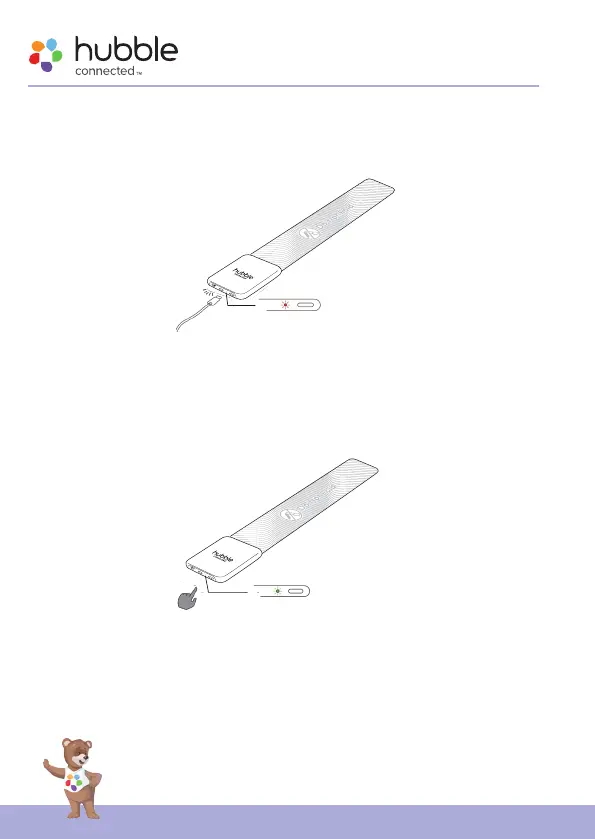
2.1 Charging the Sensor
• Charge the sensor for at least one hour before initial use.
• When the battery power is low, the LED will ash in red slowly; the
sensor will also beep every 15 seconds until the device is being charged.
2.2 Power On your Sensor
Power On - Press and hold the power button at the side of Sensor to turn it
on, the LED indicator lights in green colour and breathing.
Power Off - Press and hold the power button at the side of Sensor, LED
indicator ashes Red for 3 seconds and goes off.










 To Next Page