15
Connect Smart Camera to your Android™ / iPhone®
English
5.4.4 Add the Camera to your account
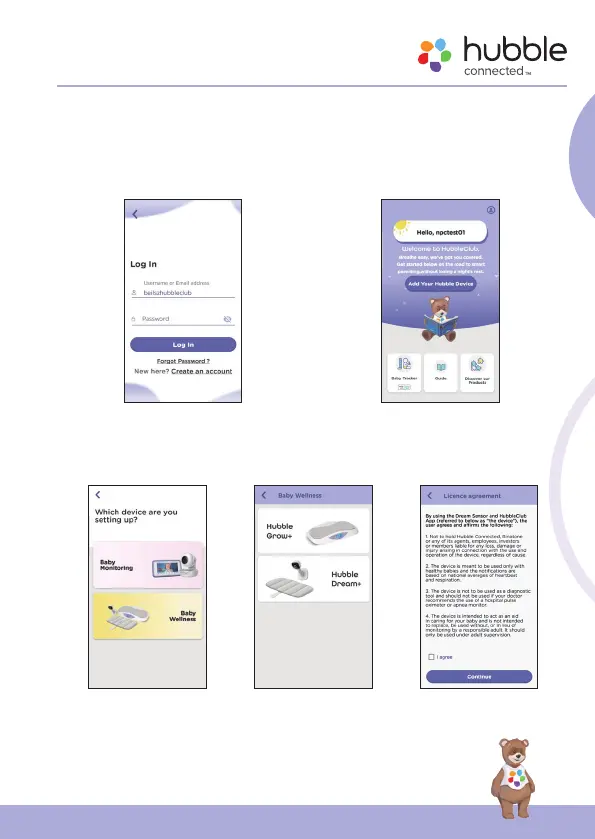
• Log in your Hubble Account by entering “User Name” and “Password”
(fig.7).
• Tap Add Your Hubble Device on the screen of your device to add new
Camera (fig.8).
g.7 g.8
• To select your device for setting up by tapping Baby Wellness (fig.9).
• Tap Hubble Dream+ to add the new camera (fig.10).
• Select I agree the Licence agreement to continue next setup (fig.11).
g.9 g.10 g.11



 To Next Page