NEW 1060PLUS Graphics Tablet
11
/ 15 www.huion.com
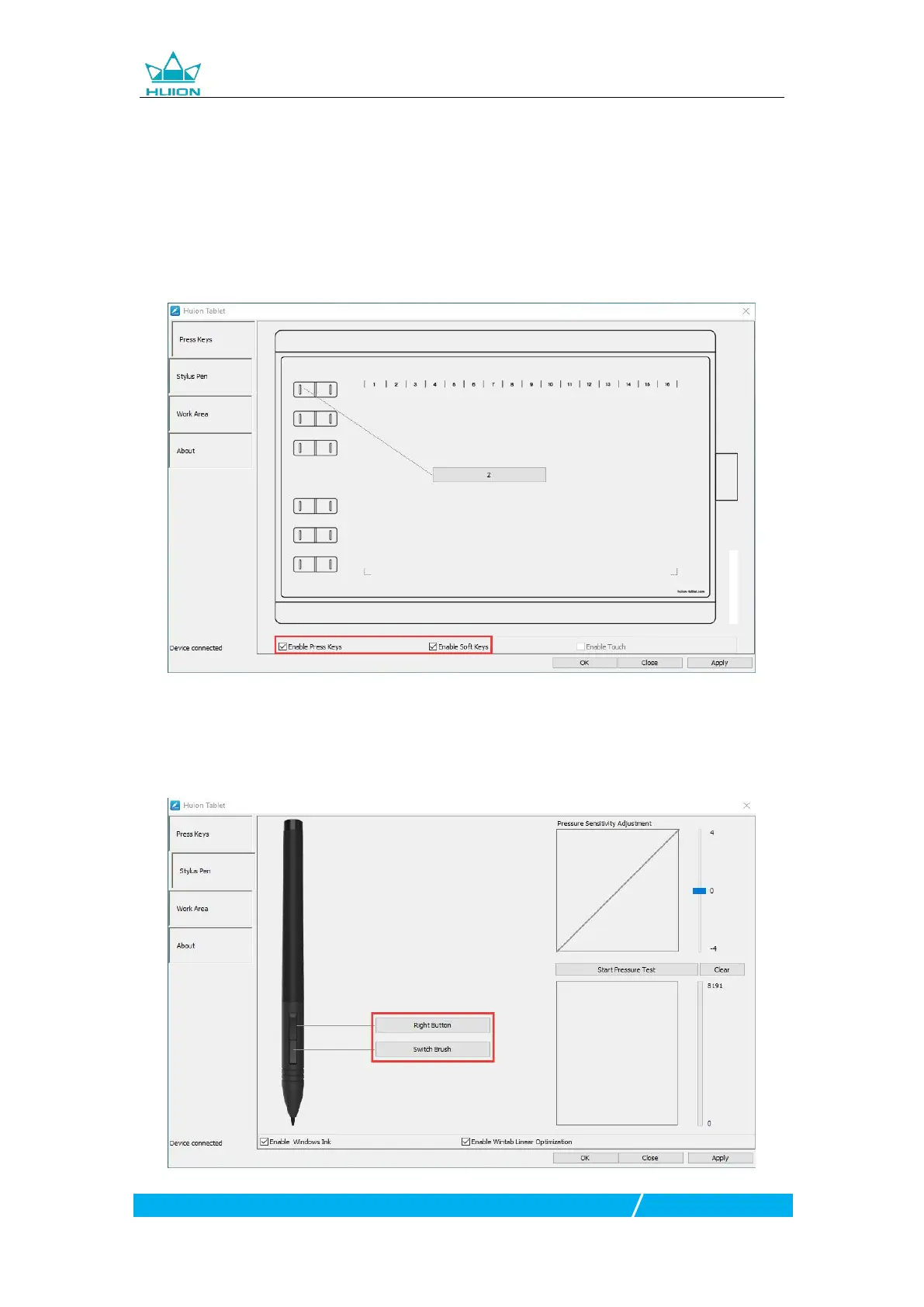
3.3 Press Keys Function Setting
Default Setting:Place the cursor on the press key or click the press key to find the
Customized Setting:Select the function to be achieved on the pop-up dialog box,
then click APPLY or OK to take effect.
Enable/Disable Press Keys: Check/Uncheck”Enable Press Keys”
3.4 Pen Buttons Function Setting
Select the function to be achieved on the pop-up dialog box, then click APPLY or











 To Next Page