© 2001 Hunter Fan Company 1 41521-01 9-4-2001
Hunter Fan Company
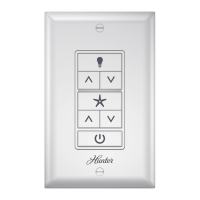
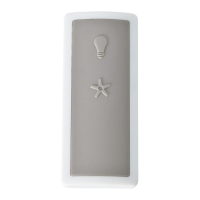
Remote Ceiling Fan &
Light Control
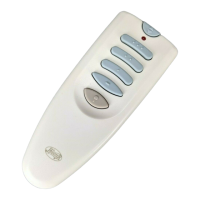
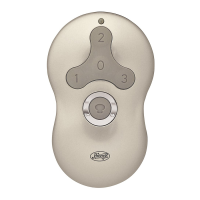
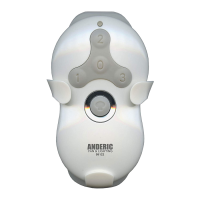
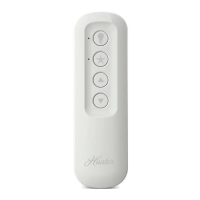
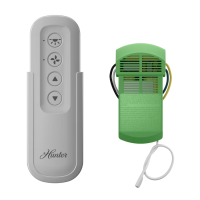
Transmitter Model: 84592
Transmitter Battery: 12 V, Type 23A, MN-21 or equivalent
Receiver Model: 85068
Ratings: 120 VAC, 60 Hz, 1.0 Amp Fan
300 Watts incandescent light
Read and Save these Instructions
Caution: Risk of Electrical Shock!
All wiring must be performed in accordance with national and
local electrical codes. If you are unfamiliar with the wiring
codes, you should use a qualified electrician.
To avoid over heating and possible damage to other equipment,
do not install to control a receptacle, fluorescent light fixture,
motor operated appliance, or transformer-supplied appliance.
Use only to control one paddle-blade ceiling fan and
incandescent light fixture.
Notes:
1. This device complies with Part 15 of the FCC Rules.
Operation is subject to the following two conditions: (1)
this device may not cause harmful interference, and (2)
this device must accept any interference received, including
interference that may cause undesired operation.
2. This equipment has been tested and found to comply with
the limits for a Class B digital device, pursuant to Part 15
of the FCC Rules. These limits are designed to provide
reasonable protection against harmful interference in a
residential installation. This equipment generates, uses
and can radiate radio frequency energy and, if not installed
and used in accordance with the instructions, may cause
harmful interference to radio communications. However,
there is no guarantee that interference will not occur in a
particular installation.
If this equipment does cause harmful interference to radio
or television reception, which can be determined by turning
the equipment off and on, the user is encouraged to try to
correct the interference by one or more of the following
measures:
• Reorient or relocate the receiving antenna.
• Increase the separation between the equipment and
receiver.
• Connect the equipment into an outlet on a circuit
different from that to which the receiver is connected.
• Consult the dealer or an experienced radio/TV
technician for help.
Note: Any changes or modifications to the transmitter or
receiver not expressly approved by Hunter Fan Company
may void one’s authority to operate this remote control.
3. For use only with electrically reversible ceiling fans rated
at 1.0 amp or less, and fan incandescent light kits rated at
300 watts or less.
4. Not for use with shaded-pole or nonreversible motors. Not
recommended for use with the Hunter Original®.
Before Installing the Control:
1. Use the pull-chain switch to set the fan speed to the HIGH
position before installation.
Note: Do not use the pull-chain to change the fan speed
after installation, as damage to your ceiling fan or control
may result. The speed of the fan should only be changed
by the control.
2. Set the ceiling fan light kit to the ON position before
installation. The light level should only be changed by the
control.
Receiver Installation:
1. Disconnect the power to the ceiling fan and light kit at the
main electric panel. Remove fuse or move circuit breaker
to the OFF position. Turn off wall switch.
2. IMPORTANT! Before installing this control, change the
factory default jumper switch settings to your own unique
code. Refer to Figure 1. Using small pliers or tweezers,
pull out one or more of the three jumper switches by
clamping on the small metal strip. Place the jumper
switches in the desire spots. Be sure the jumper switch
positions of the transmitter and receiver match, or the
ceiling fan will not function. Select different combinations
of jumper switches to prevent misoperation due to other
remote control fans, garage door openers, etc.
Figure 1 - Jumper Switches
3. Install the ceiling fan according to its instructions, up to
the point of making the electrical connections.
Note: When installing this remote control on the fan, be
sure to cut and strip the fan leadwires to leave 6 1/2”
outside of the hanger pipe.
4. Use the two large wire nuts supplied to connect the receiver
and house wiring, then use the three small wire nuts
supplied to connect the receiver and ceiling fan wiring.
Refer to the Wiring Diagram in Figure 2.
Figure 2 - Wiring Diagram
5. Install receiver as shown in Figure 3. Line up the slots on
the receiver with the ceiling plate. Be sure to push wire
connections from the ceiling back up through the hole in
the ceiling plate. Wires attaching from the ceiling plate to
the fan should be placed inside the canopy under the
Transmitter
Back
Jumper
Switch
Jumper
Switch
Receiver
Back
Light
Kit
Fan Common
Antenna
120 V AC
Power In
Black Main
White Main
WhiteBlackBlack/
White

 Need help?
 General

 To Next Page