23
41524-01 9-5-2001
®
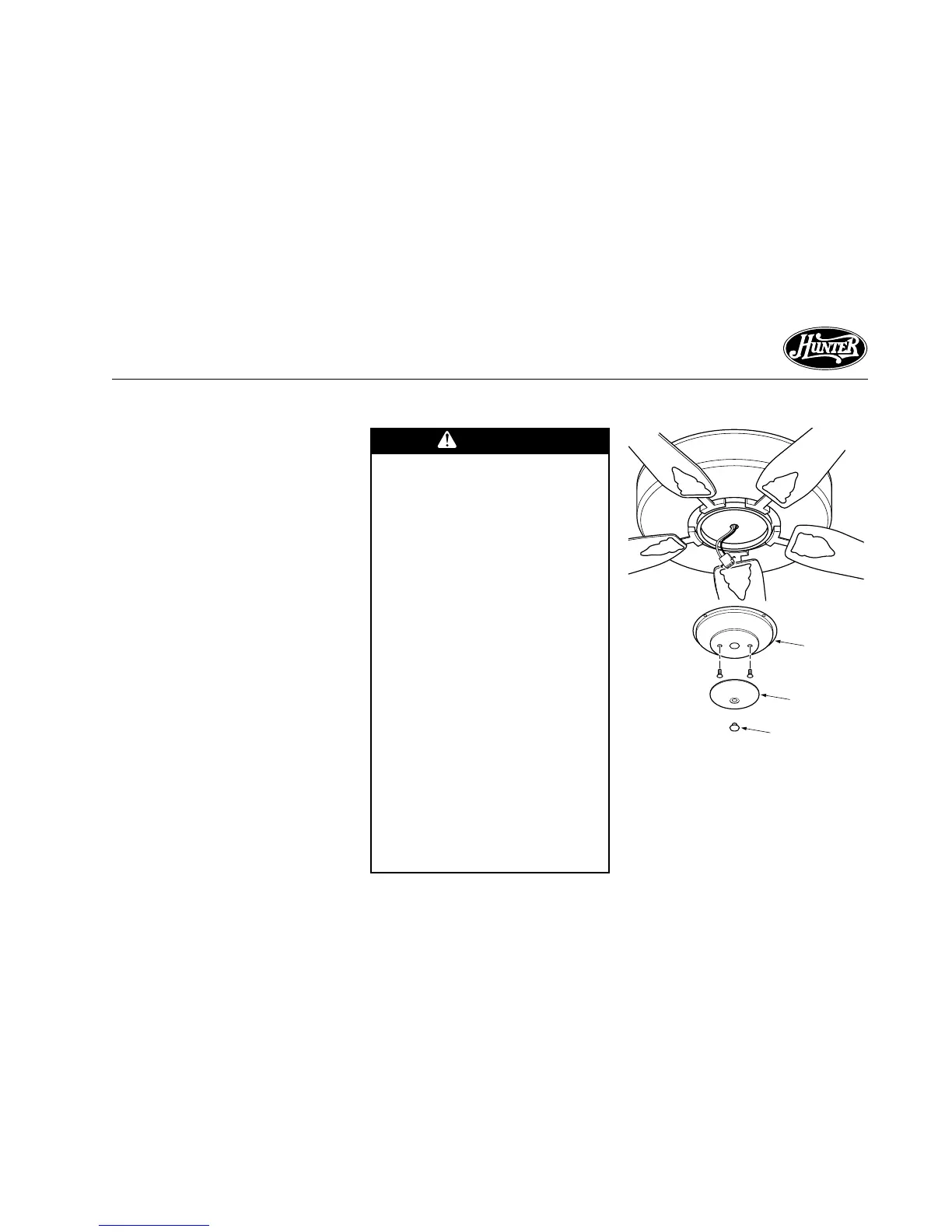
STEP 10 - INSTALLING LIGHT FIXTURE
Figure 10a - Removing Plug Button
and Switch Housing Cap
Lower
Switch
Housing
Plug Button
Your fan may include a light fixture.
Information for wiring and installing
all included Hunter light fixtures fol-
lows.
Note: If you purchased a fan with-
out a light fixture, you may purchase
an accessory light kit separately. For
best performance and beauty, use
only Hunter-brand light kits, Type A-
Z. Hunter light kits are designed,
tested, and UL approved for all
Hunter fans, and are available at
most Hunter dealers. To install the
light kit, follow the instructions in-
cluded with the kit.
If you are not installing a light fix-
ture, turn to OPERATING YOUR
HUNTER FAN for additional instruc-
tions.
Switch
Housing
Cap
continued
WARNING
• To avoid possible electrical
shock, before installing
light fixtures, disconnect
power by turning off the
circuit breakers both to the
outlet box and to its asso-
ciated wall switch location.
If you cannot lock the cir-
cuit breakers in the off po-
sition, securely fasten a
prominent warning device,
such as a tag, to the service
panel.
• Connect house wiring to
the fan before attaching
the light fixture to the fan.
• All wiring must be in accor-
dance with national and lo-
cal electrical codes and
ANSI/NFPA 70. If you are
unfamiliar with wiring, you
should use a qualified elec-
trician.



 To Next Page