EasyManua.ls Logo

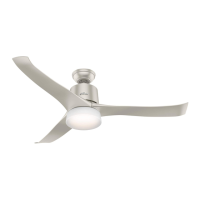
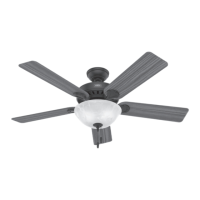
Hunter Stylus - User Manual

Hunter Stylus
12 pages
Print Icon
To Next Page IconTo Next Page
Loading...
Installation Manual
©2020 Hunter Fan Co.
Model: 51196 Matte Silver
51197 Matte White
51198 Matte Black
Fan weight ±2 lbs: 20.3 lbs (9.2 kg)
Stylus
PG3969 r120120
HomeKit Sticker

Questions and Answers

  • S
    Scott GonzalezJul 29, 2025
    What to do if my Hunter Stylus is making noise?
    • H
      Heather HillJul 30, 2025
      If your Hunter Fan is operating noisily, try the following: * Ensure the power switch is on. * Verify the blades are properly installed. * Firmly push the motor reversing switch left or right to ensure it's engaged. * Inspect the blades for cracks and replace them if necessary. * Check the circuit breaker to ensure power is on. * Confirm the blades spin freely. * Turn off power at the circuit breaker, loosen the canopy, and check all wiring connections. * Check the plug connection in the switch housing.
  • P
    Paige EllisAug 6, 2025
    Why is the remote control of my Hunter Fan erratic?
    • R
      Robert ThompsonAug 6, 2025
      If the remote control of your Hunter Fan is working erratically: * Ensure the battery is installed correctly. * Install a fresh battery.
  • S
    stephanie20Aug 13, 2025
    How to stop my Hunter Fan from wobbling?
    • D
      Daniel MacdonaldAug 13, 2025
      To reduce excessive wobbling in your Hunter Fan: * Ensure the blades are correctly installed on the blade iron posts. * Turn the power off, carefully support the fan, and check that the hanger ball is properly seated. * Use the provided balancing kit and instructions to balance the fan.
  • J
    justinjonesAug 21, 2025
    How to reset the Wi-Fi module on my Hunter Fan?
    • N
      Nancy TannerAug 21, 2025
      To reset the Wi-Fi module on your Hunter Fan, remove the battery door, then press and hold the reset button for 5 seconds. The fan and light LEDs will flash once the module has been reset.

Summary

Safety Warnings and Tools

General Safety Instructions

Covers all warning and caution points for safe installation and operation of the fan.

Tools Required for Installation

Lists standard and optional tools needed for fan installation.

Hanging and Wiring the Fan

Wiring the Fan

Instructions for connecting wires for single and dual switch setups.

Remote Control and WiFi Setup

Setting up SIMPLEconnect WiFi

Instructions for downloading the app and connecting the fan to WiFi.

Troubleshooting and Warranty

Troubleshooting Common Issues

Solutions for fan not working, wobbling, noise, and remote issues.

Hunter Stylus Specifications

General IconGeneral
BrandHunter
ModelStylus
CategoryFan
LanguageEnglish

Related product manuals