INSTALLATION
13
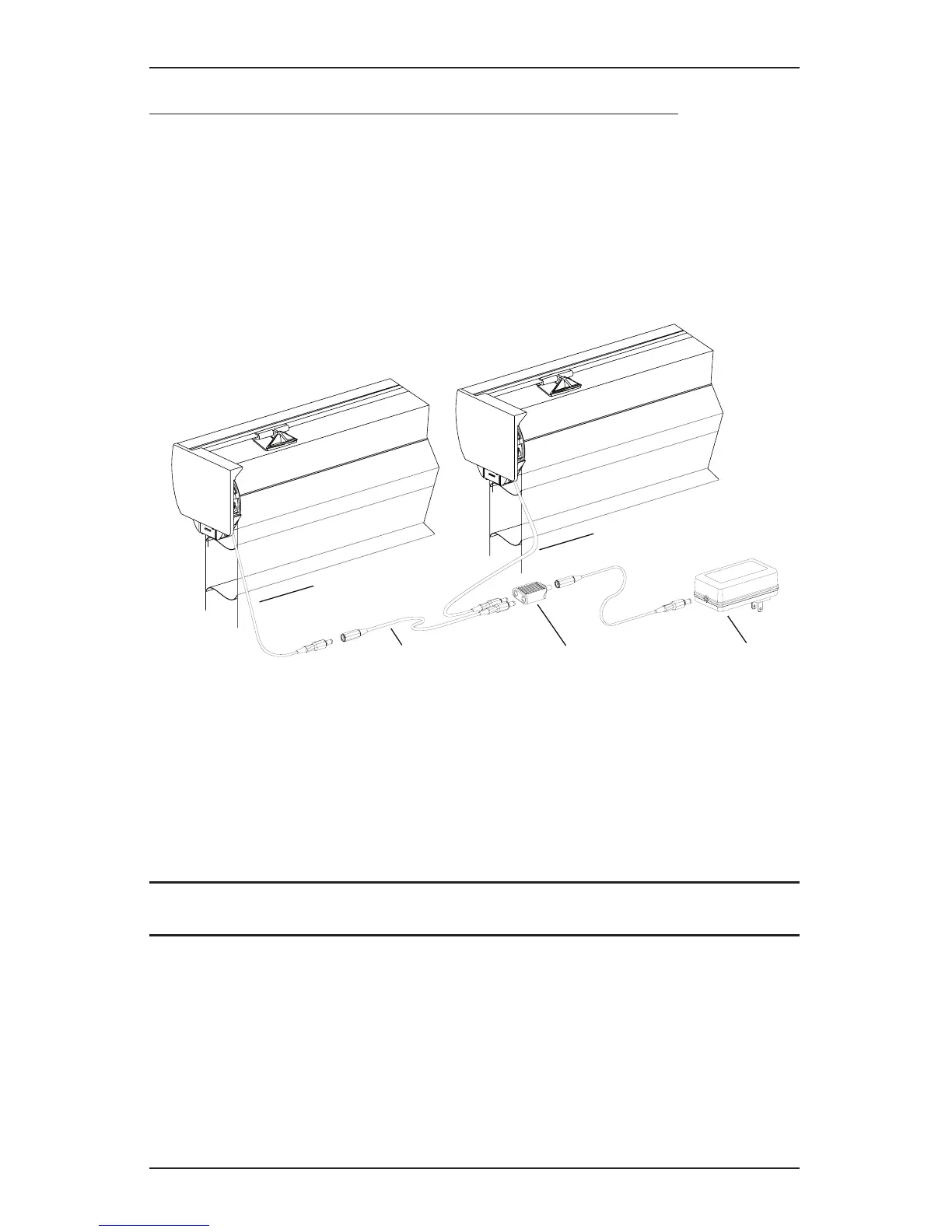
If You Have a DC Power Supply with Daisy-Chain Connections...
The daisy-chain feature allows up to three PowerView
™
shades to be powered by a single DC
power supply. However, each shade can operate independently. The daisy-chain feature is only
available with the DC power supply option.
■ Route the power cables from each shade to the connector, using an extension cable, if
necessary.
■ Plug an extension cable into the connector and plug the cable into the DC power supply.
Two extension cables and two connectors are used for three shades.
■ Plug the DC power supply into a standard outlet.
Two-On-One Headrail Shades
■ Route the power cables from each side of the shade to the connector. Use extension cables,
if necessary.
■ Plug the extension cables or power cables into the connector and plug the cable into the DC
power supply.
Proceed to “Attach Magnetic Hold-Down Brackets (Optional)” on page14
or “Testing the Shade” on page15.
Power Cable
from Shading
Power Cable
from Shading
Extension Cable Connector
DC Power Supply









 To Next Page