8
4. Check the
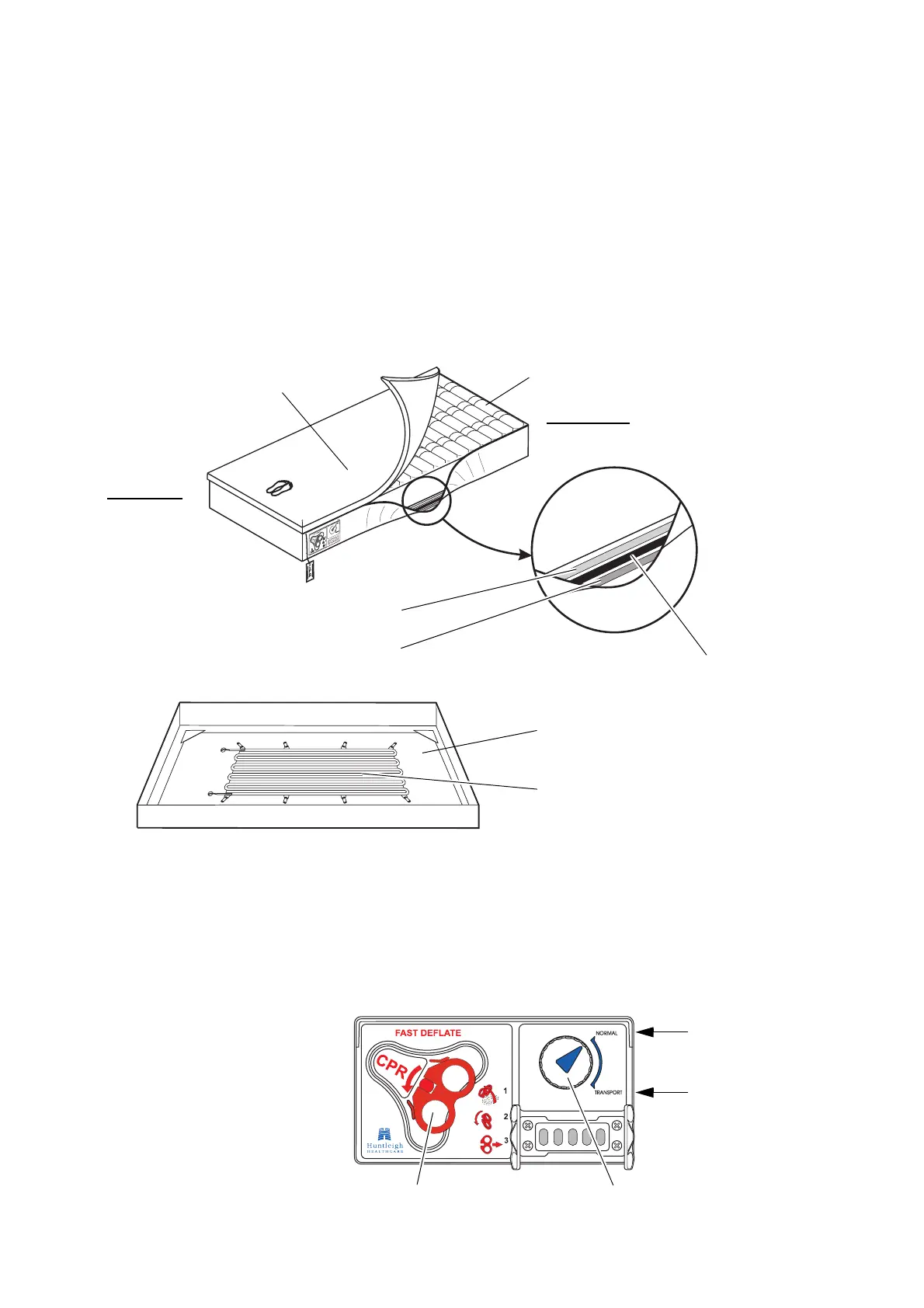
AutoMatt sensor pad, as follows:
• Unzip the cover on one side of the mattress only.
• Pull the side of the mattress away from the cells.
•The
AutoMatt sensor pad is situated under the cells
between the soft and hard foam sheets.
• Make sure that the
AutoMatt sensor pad is lying
flat and is not “kinked”.
• Zip the cover back onto the mattress, taking care
not to trap any cell material in the zip.
5. Leave the ends of the mattress cover free when
profiling the bed.
6. Make sure the CPR control is closed and locked in
position and the Transport control is set to
NORMAL.
Head End
Foot End
Soft Foam Sheet
Hard Foam Sheet
AutoMatt
Sensor Pad
Cover
Cells
Hard Foam Sheet
AutoMatt Sensor Pad
Transport ControlCPR Control
NORMAL
TRANSPORT


 To Next Page
 Loading...