EasyManua.ls Logo

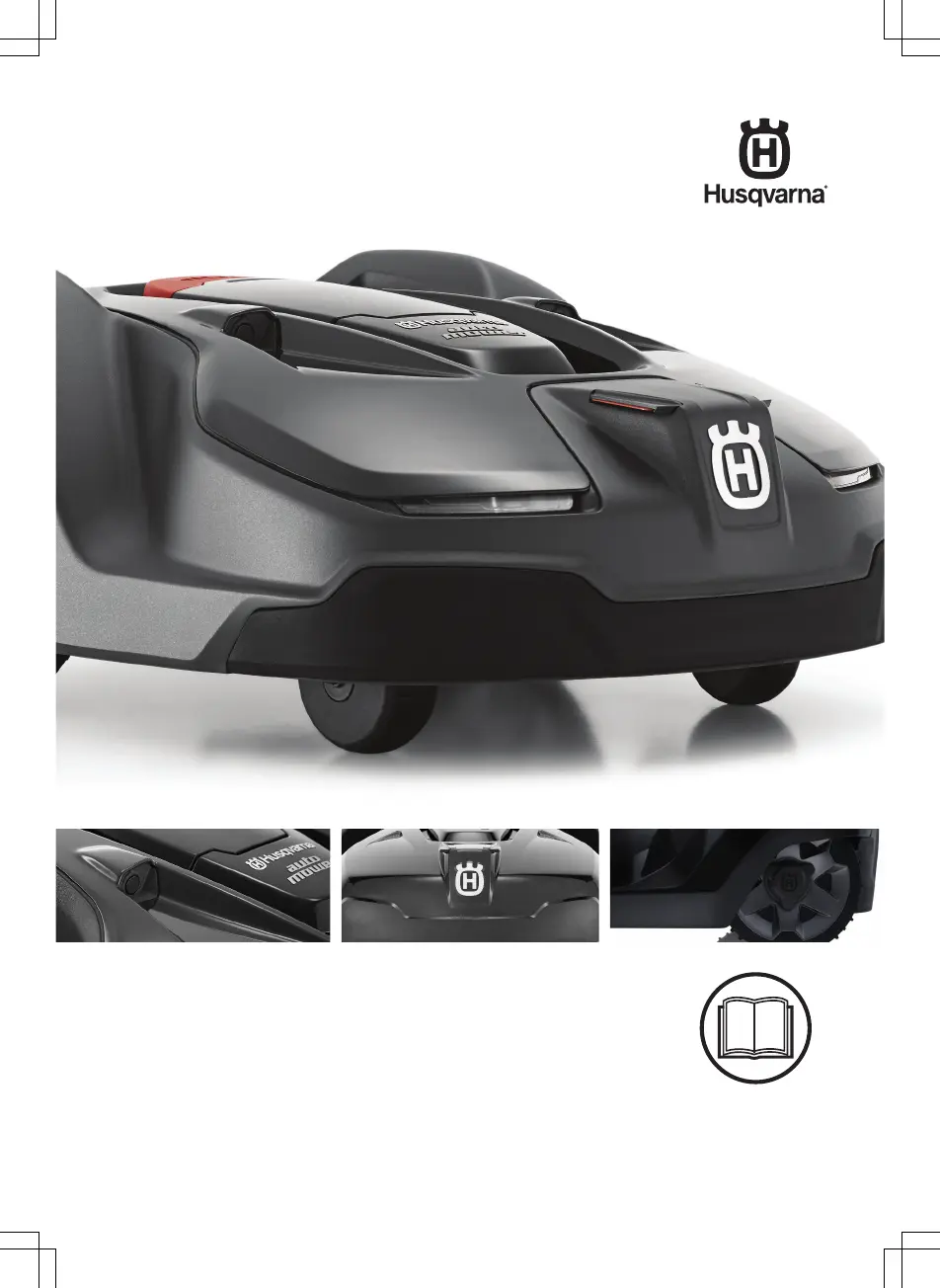
Husqvarna AUTOMOWER 440 - User Manual

Husqvarna AUTOMOWER 440
68 pages
Print Icon
To Next Page IconTo Next Page
Loading...
EN, English
Operator's manual
HUSQVARNA AUTOMOWER
®
420/430X/440/450X
Read the operator's manual carefully and make sure that you
understand the instructions before you use the product.

Other manuals for Husqvarna AUTOMOWER 440

Questions and Answers

  • W
    wardhannahAug 12, 2025
    How to fix a break in the boundary loop of my Husqvarna AUTOMOWER 440 Lawn Mower?
    • S
      Sherry ValdezAug 12, 2025
      To fix a break in the boundary loop, find where the break is located. Replace the damaged section of the loop with a new loop wire, and splice it using an original coupler.
  • A
    Anthony SkinnerAug 15, 2025
    Why is my Husqvarna AUTOMOWER 440 charging station showing a red flashing light?
    • J
      Joseph MillerAug 16, 2025
      A red flashing light on your Husqvarna Lawn Mower charging station indicates an interruption in the charging station’s antenna. Unfortunately, I cannot provide specific troubleshooting steps for this issue. Please contact your local Husqvarna representative for assistance.
  • S
    Sean BrooksAug 20, 2025
    What to do if the Husqvarna Lawn Mower has a blue flashing light?
    • S
      susan45Aug 20, 2025
      If your Husqvarna Lawn Mower is showing a blue flashing light, it could be due to a couple of reasons. First, the boundary loop might not be properly connected to the charging station. Make sure the boundary wire connectors are correctly fitted. Alternatively, there might be a break in the boundary loop. If so, locate the break, replace the damaged section with a new loop wire, and splice it using an original coupler.
  • D
    Denise GarzaAug 23, 2025
    How to find breaks in the loop wire of a Husqvarna AUTOMOWER 440?
    • J
      Jessica LittleAug 23, 2025
      If the loop wire of your Husqvarna Lawn Mower is broken, it's often due to unintentional physical damage, like accidentally cutting it while gardening, or stretching the wire too much during installation. To find the break, try halving the loop's distance where you suspect the damage. Keep halving the distance until you're left with a very short section of wire. This should help you pinpoint the location of the break.
  • J
    Jerry JonesAug 27, 2025
    Why is the light flashing blue on my Husqvarna Lawn Mower?
    • A
      Alicia WillisAug 27, 2025
      A blue flashing light indicates that the boundary loop is not connected to the charging station. Ensure that the boundary wire connectors are properly fitted to the charging station.
  • S
    Sheena NguyenAug 31, 2025
    Why is the Husqvarna AUTOMOWER 440 Lawn Mower showing a blue flashing light?
    • M
      Mr. Thomas ColonAug 31, 2025
      If the Husqvarna Lawn Mower displays a blue flashing light, it typically indicates a problem with the boundary loop connection or a break in the loop. First, ensure the boundary wire connectors are correctly attached to the charging station. If the problem persists, there may be a break in the boundary loop. Locate the break, replace the damaged wire section with a new one, and securely splice it using an original coupler.
  • B
    Brianna TaylorSep 3, 2025
    What to do if my Husqvarna AUTOMOWER 440 Lawn Mower displays a solid red light?
    • M
      Michael SmithSep 3, 2025
      If your Husqvarna Lawn Mower shows a solid red light, this indicates a fault within the charging station's circuit board or an incorrect power supply. In this case, you should contact your local Husqvarna representative for assistance.
  • K
    Kayla HoffmanSep 7, 2025
    Why is my Husqvarna Lawn Mower showing a red flashing light?
    • R
      Robert SmithSep 7, 2025
      If the Husqvarna Lawn Mower is displaying a red flashing light, it means there's an interruption in the charging station's antenna. Contact your local Husqvarna representative for assistance.

Summary

Introduction

Introduction

General overview of the product, serial number, and PIN code.

Product Overview

Diagram illustrating the robotic lawn mower and its various parts.

Symbols on the Product

Explanation of the symbols found on the physical product.

Safety

Safety Information

Crucial safety precautions and warnings for safe product operation.

Safety Instructions for Operation

Detailed guidelines for operating the product safely.

Installation

Introduction - Installation

Overview of the entire installation process for the product.

Before the Installation of the Wires

Planning and preparation steps before installing boundary and guide wires.

Installation of the Product

Steps to physically install the mower and its associated components.

Automower Connect App

Information on installing and using the mobile app for product control.

Schedule

Setting the operating schedule for the robotic lawn mower.

Security Level

Configuring security settings like PIN code, alarm, and time lock.

Operation

To Start the Product

Detailed steps to initiate the mower's operation.

Operating Mode Start

Explanation of the different starting modes available.

To Charge the Battery

Instructions and safety guidelines for charging the mower's battery.

Maintenance

Replace the Blades

Procedure for safely replacing the mower's cutting blades.

Battery

Information and care guidelines for the product's battery.

Troubleshooting

Fault Messages

List and explanation of error messages displayed by the product.

Symptoms

Guide to diagnosing product problems based on observed symptoms.

Find Breaks in the Loop Wire

Steps to locate and fix breaks in the boundary wire.

Technical Data

Technical Data

Specifications and technical details of the product models.

Warranty

Warranty Terms

Details of the product's warranty coverage and conditions.

Husqvarna AUTOMOWER 440 Specifications

General IconGeneral
Cutting Width24 cm
Cutting Height Min20 mm
Cutting Height Max60 mm
Battery TypeLi-ion
Typical Mow Time on One Charge290 min
Sound Level56 dB(A)
Area Capacity4000 m²
Weather ResistanceYes
Blade TypePivoting razor blades
Product Size72 × 56 × 31 cm

Related product manuals