EasyManua.ls Logo

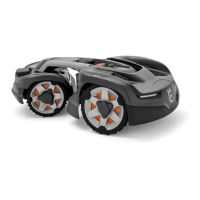
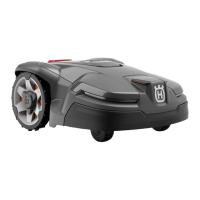
Husqvarna AUTOMOWER 435X AWD - User Manual

Husqvarna AUTOMOWER 435X AWD
68 pages
Print Icon
To Next Page IconTo Next Page
Loading...
EN, English
Operator's manual
HUSQVARNA AUTOMOWER
®
435X AWD
Read the operator's manual carefully and make sure that you
understand the instructions before you use the product.

Table of Contents

Other manuals for Husqvarna AUTOMOWER 435X AWD

Questions and Answers

  • K
    kellyjohnSep 22, 2025
    What does it mean if my Husqvarna AUTOMOWER 435X AWD Lawn Mower displays 'Invalid system configuration'?
    • M
      Mary AcevedoSep 22, 2025
      If your Husqvarna Lawn Mower displays 'Invalid system configuration', it indicates a wrong configuration of the circuit boards after replacing a circuit board, so redo the configuration.
  • B
    bsparksAug 25, 2025
    Why does my Husqvarna AUTOMOWER 435X AWD Lawn Mower have a 'Battery problem'?
    • I
      Ian GreenAug 25, 2025
      If your Husqvarna Lawn Mower displays a 'Battery problem', the battery may not be connected properly or could be faulty. Dismantle the product and check that the battery is properly connected to its connector. Ensure you are using only original batteries recommended by the manufacturer. If the battery is faulty, it should be replaced.
  • V
    vhunterAug 25, 2025
    Why does my Husqvarna AUTOMOWER 435X AWD need manual charging?
    • M
      melissa54Aug 26, 2025
      If your Husqvarna Lawn Mower requires manual charging, it may be set to the Secondary area operating mode. Put the product in the charging station. This is normal behavior, and no further action is required.
  • M
    Mary MezaAug 26, 2025
    What to do if Husqvarna AUTOMOWER 435X AWD stopped because of grass around the drive wheels?
    • D
      Dr. Stacey WigginsAug 27, 2025
      If your Husqvarna Lawn Mower stops due to grass or other objects obstructing the drive wheels, inspect the wheels and clear away any grass or obstructions. Then, restart the mower. Should the problem persist, contact your local Husqvarna representative for further assistance.
  • D
    Dr. Christy Ward DVMSep 23, 2025
    Why is the 'Charging current too high' on my Husqvarna AUTOMOWER 435X AWD?
    • A
      alexanderandrewSep 23, 2025
      If the 'Charging current too high' on your Husqvarna Lawn Mower, the battery is being charged with too high a current, which suggests a fault in the power supply, or the use of a wrong type of power supply or charging station.
  • H
    Hector DunnNov 27, 2025
    Why does my Husqvarna AUTOMOWER 435X AWD Lawn Mower say 'No loop signal'?
    • D
      Debra FrederickNov 27, 2025
      A 'No loop signal' error on your Husqvarna Lawn Mower can arise from several causes. Check the signal given by the LED on the charging station. Ensure the boundary wire connectors are correctly fitted to the charging station and that the boundary wire isn't broken. Verify the power supply is connected, checking the wall socket and earth-fault breaker, and ensure the low voltage cable is connected to the charging station and is not damaged. If the pairing between the product and charging station is broken, put the product in the charging station and generate a new loop signal. Confirm the boundary wire is laid correctly around any islands. If disturbances from metal objects or buried cables are present, try moving the boundary wire or creating additional islands. If ECO mode is activated an...
  • D
    Daniel MorrisSep 12, 2025
    What does it mean if my Husqvarna AUTOMOWER 435X AWD Lawn Mower has a 'STOP button defect'?
    • L
      lynnraySep 12, 2025
      If your Husqvarna Lawn Mower indicates a 'STOP button defect', the STOP button sensor may be malfunctioning, so the application circuit board should be replaced. The start/stop handle may need to be replaced. Also, check the magnet placed in the start/stop handle; it may be missing or inverted.
  • T
    tiffanycameronSep 12, 2025
    Why is my Husqvarna AUTOMOWER 435X AWD stuck in the charging station?
    • S
      Stephanie GilmoreSep 12, 2025
      If your Husqvarna Lawn Mower is stuck in the charging station, there might be an object preventing it from leaving, so remove the object. Additionally, the product may be sliding on the baseplate, so clean the baseplate.
  • J
    Jeffrey GonzalezSep 4, 2025
    What to do if my Husqvarna AUTOMOWER 435X AWD Lawn Mower has a rear wheel drive problem?
    • L
      Lisa GarciaSep 4, 2025
      If your Husqvarna Lawn Mower is experiencing a rear wheel drive problem, the wheel motor may be faulty, so check the wheel motors’ function when idling. The rear motor control board may be faulty, and the cabling to the wheel motor may be damaged. Check whether the damage is repairable; otherwise, replace the wheel motor.
  • J
    jennifer07Sep 2, 2025
    Why does my Husqvarna AUTOMOWER 435X AWD Lawn Mower say 'Mower lifted'?
    • T
      Todd EllisSep 2, 2025
      If your Husqvarna Lawn Mower displays 'Mower lifted', it could be because the lift sensor has been activated due to the product getting stuck, so free the product. Also, check the magnets placed in the front and rear bodies; one of the lift sensor magnets might be inverted or missing. The lift sensor may be faulty.

Summary

1 Introduction

1.1 Support

How to get assistance for the product.

1.2 Product Description

Overview of the robotic lawn mower, its mowing technique, and finding the charging station.

1.3 Automower Access Interface

Details the product's user interface, including display and buttons.

1.4 Automower Connect App

Introduces the mobile application for remote control and extended functions.

1.5 Product Overview Diagram

Visual identification of product components with numbered labels.

1.6 Product Symbols

Explains the meaning of various symbols found on the product and battery.

1.9 Automower Access Operation

Detailed guide to the product's user interface and operation.

2 Safety

2.1 Important Safety Instructions

Crucial safety information to read and keep for future reference.

2.2 Safety Definitions

Explains warning, caution, and note definitions used in the manual.

2.3 Safety Instructions for Operation

Guidelines for safe operation of the product.

2.3.1 Use

Instructions for the correct and safe use of the product.

2.3.2 Battery Safety

Specific safety precautions related to the product's battery.

2.3.3 How to Lift and Move the Product

Instructions on safely lifting and moving the product.

2.3.4 Maintenance Safety

Safety precautions to follow during product maintenance.

2.3.5 Thunderstorm Safety

Safety measures to take during thunderstorms to protect the product.

3 Installation

3.1 Introduction and Preparations

Overview of installation, components, and general preparations.

3.4 Wire Installation Planning

Guidance on planning boundary/guide wire placement and locations.

3.5.2 Charging Station Installation

Step-by-step instructions for installing the charging station.

3.5.3 Boundary Wire Installation

Detailed steps for installing the boundary wire.

3.5.4 Guide Wire Installation

Detailed steps for installing the guide wire.

3.10 Automower Connect App Setup

Introduction to the mobile app, installation, pairing, and features.

4 Operation

4.1 Switching the Product On

Instructions on how to safely power on the product.

4.2 Operating Modes

Explanation of available operating modes: Main, Secondary, and Park.

4.3 To Stop the Product

How to temporarily stop the product's operation.

4.4 To Switch Off the Product

How to safely turn off the product completely.

4.5 To Charge the Battery

Instructions for charging the product's battery.

4.6 Adjusting Cutting Height

How to adjust the cutting height using the Automower® Access interface.

5 Maintenance

5.1 Introduction to Maintenance

General advice on keeping the product in good condition.

5.2 Cleaning the Product

Instructions for cleaning the product, including blade disc and chassis.

5.3 Replacing the Blades

Step-by-step guide on how to replace worn or damaged blades.

5.4 Replacing the Top Covers

Instructions for removing and installing the product's top covers.

5.5 Battery Care

Important safety and care instructions for the product's battery.

5.6 Winter Service

Recommendations for servicing the product before winter storage.

6 Troubleshooting

6.1 Introduction to Troubleshooting

Overview of how to use the troubleshooting chapter.

6.2 Error Icons

Explains error icons and their meanings in the display.

6.3 Fault Messages

Lists and explains various fault messages and their causes.

6.4 Information Messages

Lists and explains information messages displayed by the product.

6.5 Charging Station Indicator Lamp

Explains the meaning of different indicator light signals on the charging station.

6.6 Symptoms Guide

Helps identify issues based on product symptoms and suggests actions.

6.7 Find Breaks in the Loop Wire

Guide to locating and fixing breaks in the boundary loop wire.

7 Transportation, Storage, and Disposal

7.1 Transportation

Regulations and requirements for transporting the product.

7.2 Storage Guidelines

Guidelines for storing the product safely and properly.

7.3 Disposal Procedures

Procedures and regulations for disposing of the product.

8 Technical Data

8.1 Technical Data

Detailed specifications for dimensions, electrical system, and noise emissions.

8.2 Registered Trademarks

Lists registered trademarks associated with the product.

9 Warranty

9.1 Warranty Terms

Details the product's warranty coverage, duration, and exclusions.

10 Applicable to US;CA Market

10.1 Suppliers Declaration of Conformity

Statement of compliance from the supplier.

10.2 Compliance Requirements

FCC and other regulatory compliance information for US/CA markets.

Husqvarna AUTOMOWER 435X AWD Specifications

General IconGeneral
Cutting Width22 cm
Cutting Height, Min-Max30-70 mm
Battery TypeLi-Ion
Typical Charging Time30 min
Typical Mow Time on One Charge100 min
Product Size, LxWxH93x55x29 cm
Maximum Slope Performance Inside Installation70%
Working Area Capacity3500 m²
Battery Voltage18 V
Battery Capacity5.0 Ah
Guide WireYes
GPS-assisted NavigationYes
Lift SensorYes
Tilt SensorYes
Ultrasonic SensorYes
ConnectivityBluetooth, Cellular
Weather ResistanceYes
Warranty2 years
Blade TypePivoting Razor Blades

Related product manuals