SAFE-NET III™ USER INSTRUCTIONS
Your refrigerated case uses a Hussmann
Safe-NET III™ temperature and defrost controller to
precisely maintain the temperature and prevent frost
buildup on the cooling coil. LEDs indicate when the
compressor or refrigeration is on, when the case is in a
defrost cycle, if the temperature is outside the desired
range, or if there is a sensor failure.
An adjustment know allows the temperature to be
set within the con! gured range and can power off the
controller and compressor. Your controller has been
custom-con! gured to provide the best temperature and
defrost control for your chilled or frozen food.
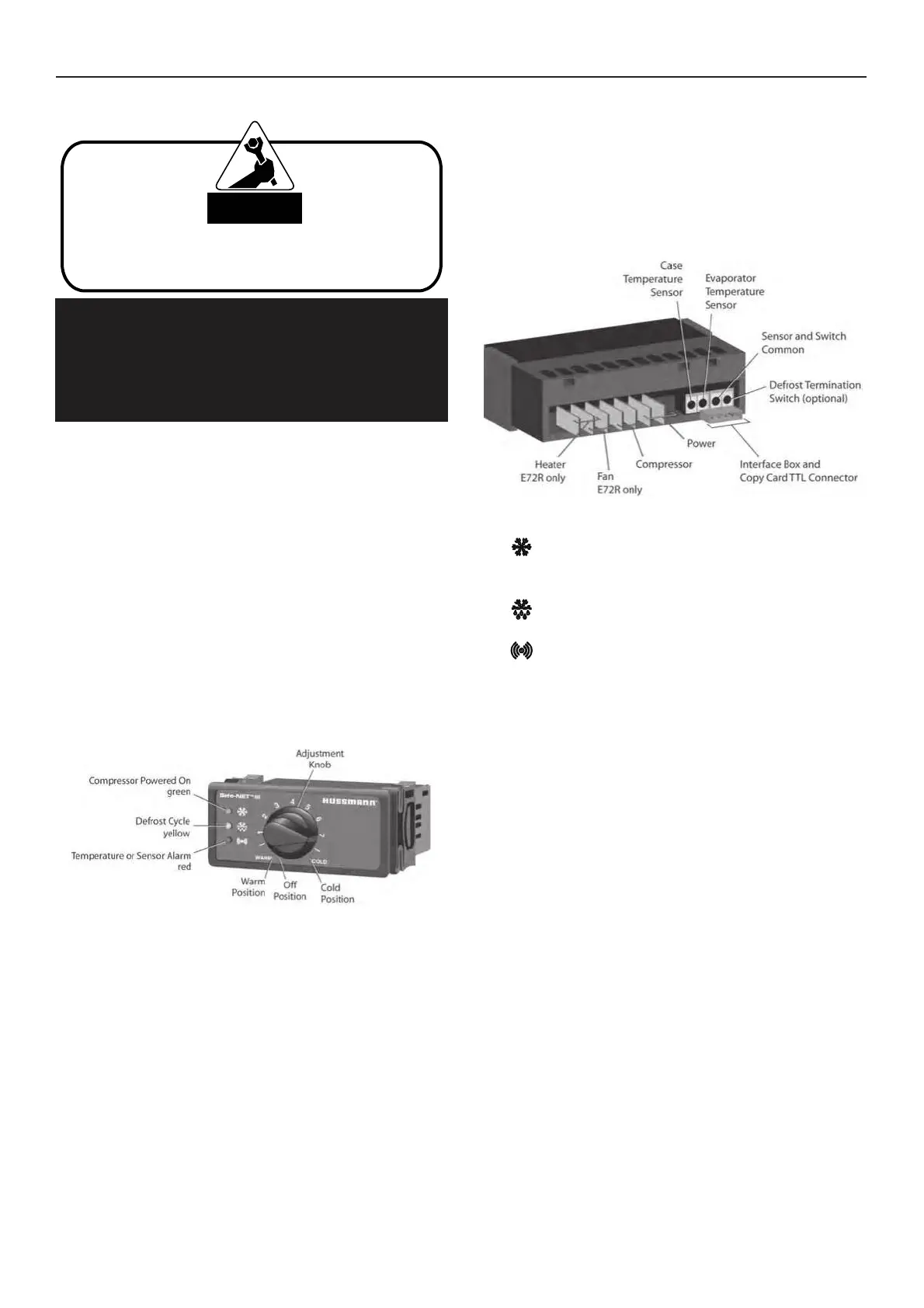
The front of the controller has an adjustment knob and
status LEDs. The back of the controller has connections
for sensors and switched equipment.
The Safe-NET III controller includes the following
features and connections.
• Adjustment knob:
Adjusts the temperature setpoint.
Turn adjustment knob to OFF to turn off refrigeration
system. Unplug merchandiser from power before
servicing the unit.
• Controller LEDs:
Compressor Powered On LED (green):
Lights while the compressor is running or
the refrigeration valve is open.
Defrost Cycle LED (yellow): Lights while
the refrigeration coil is defrosting.
Temperature or Sensor Alarm (red):
Lights if the temperature is too warm or
too cold. Flashes if a sensor fails.



 To Next Page