20
Safe-Net III Operation (Cont'd)
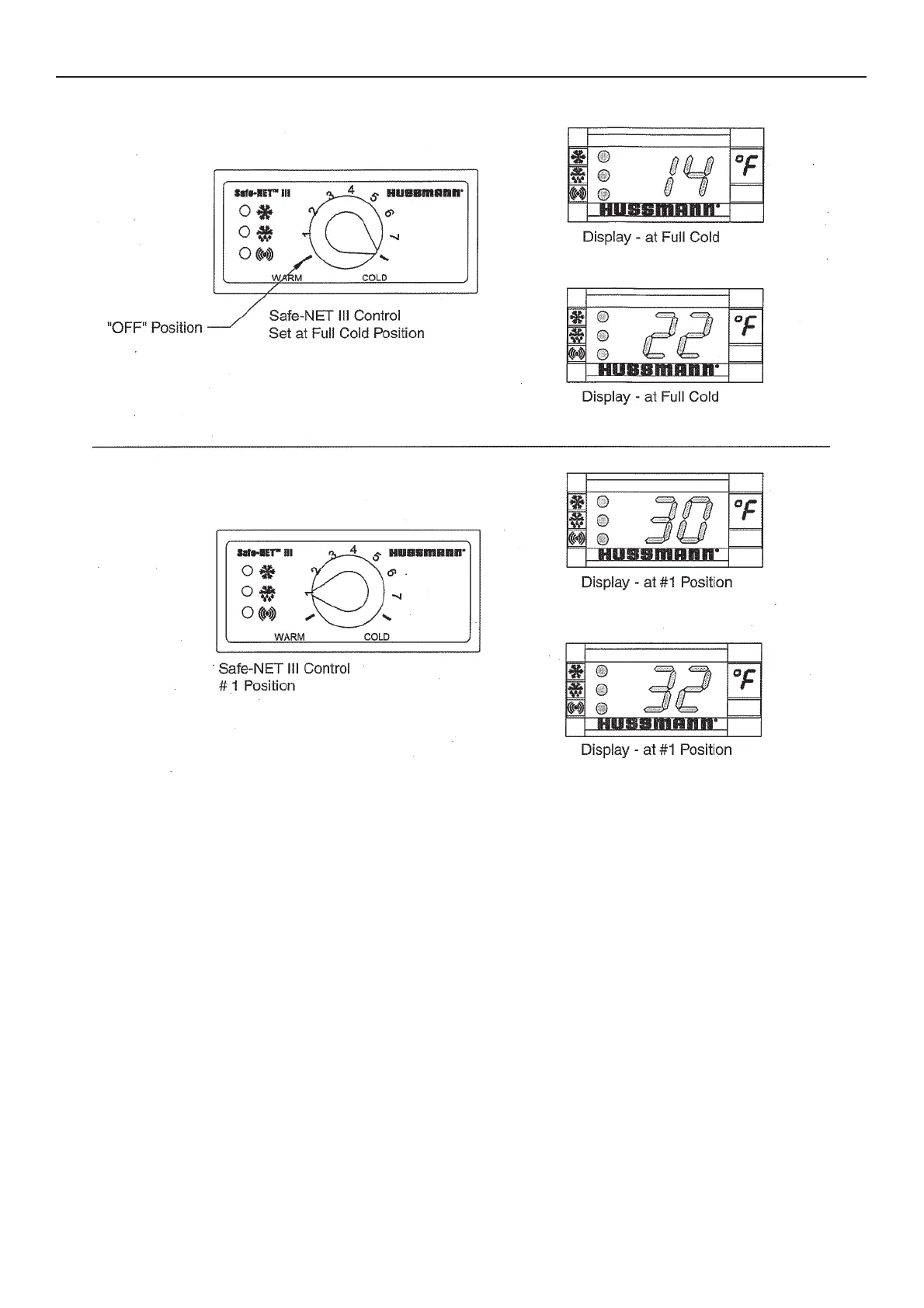
TEMPERATURE ADJUSTMENT
1. Rotate the adjustment knob counter clockwise for a
warmer setpoint or clockwise for a colder setpoint.
2. While adjusting the temperature, the display shows
the setpoint (cut out value). A few seconds after
the temperature is set, the controller reverts to the
sensed temperature in the merchandiser.
3. To verify merchandiser settings, turn the dial to
warm and cold as shown above. Output readings
should be within one degree of the temperatures
shown above.



 To Next Page