② Use a pin to push the reset button and keep holding it;
③ Don't release the pin and insert the 4th battery; keep holding the pin for about 10
seconds. After you hear the sound of “beep” and the latch bolt extends out, you can release
the pin.
④ Test 3 situations:
Firstly, keep the latch bolt in extending out status, then use default master code (12345678)
to test if it can be unlocked.
Secondly, use the mechanical key to test the unlock and lock.
Thirdly, keep the latch bolt in unlocked status, press any one button on keypad, to see
whether the latch bolt can come out or not.
⑤ If the latch deadbolt can go back and forth smoothly, then please go to next step: to
change the master code to your own.
C. Change the Master Code
(Make sure you have reset the lock)
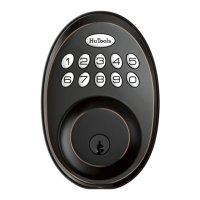
① Push the HuTools button twice;
② Enter the default master code 12345678 ;
③ Push the HuTools button once, then the HuTools button will has green light (not flash)
and there's a long sound beep.
④ Press the number button " 1 ", the HuTools button will has green light flash and a long
sound beep.
⑤ Enter the master code you want (4-10 digits), then push HuTools button once, the
HuTools button will has green light flash and a long sound beep.


 To Next Page