Operating / Setting "Standard / Premium" control type
LVU-CD-40
en(us)
Page 39 / 68
BeWa LVU-CD-40 4035823a en-us 2016-01-08.doc 2016-01-08
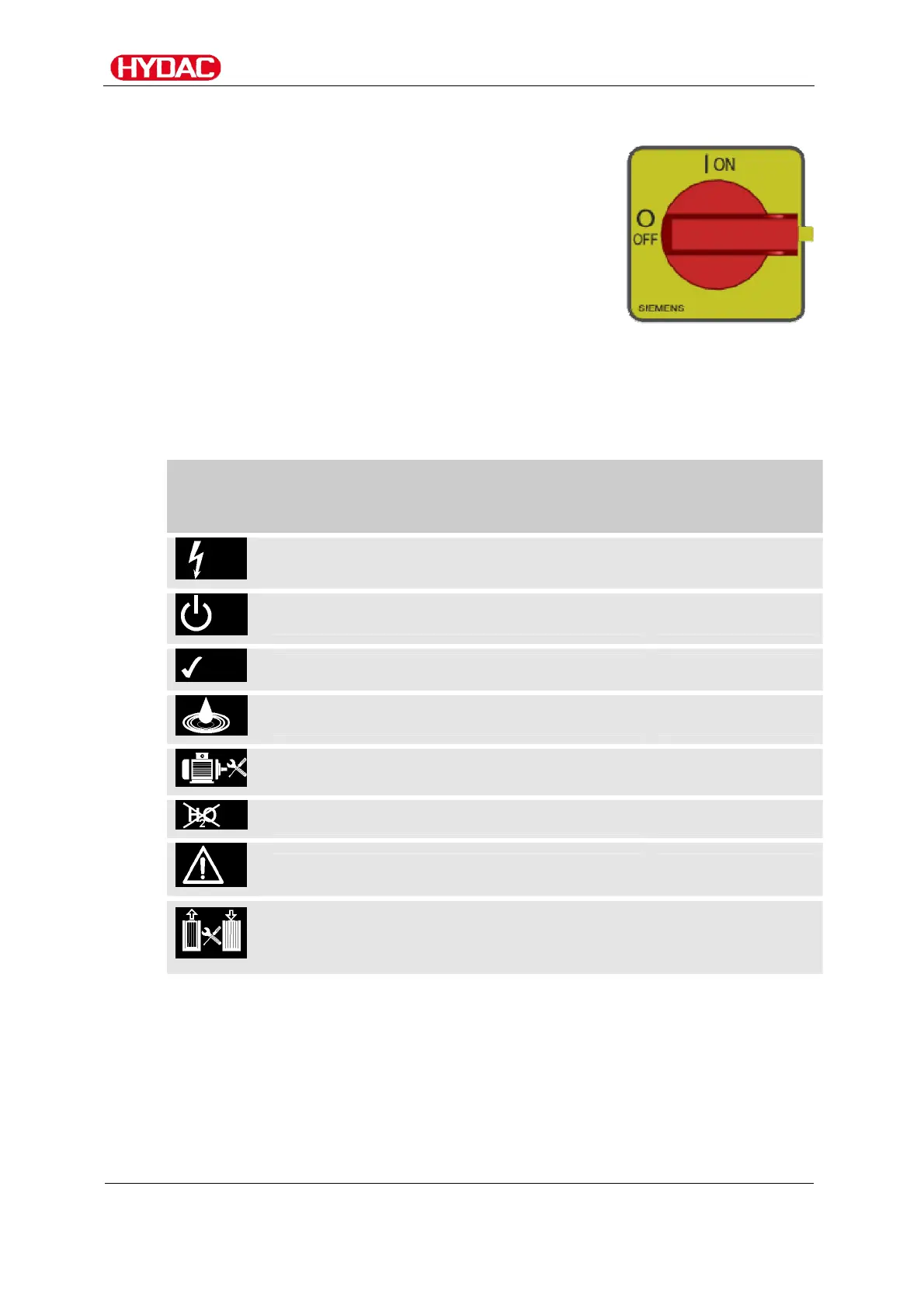
Switching the main switch on / off
Switch the unit on or off at the main switch on the
control unit.
If the unit is switched off, all components up to the
main switch are deenergized.
Reading LED status
The status LEDs with the symbols indicate operating status, service status
and errors. The icons are explained below.
Icon An illuminated LED means the following:
For details on
remedies, see
page:
Supply voltage is available 54
The unit is switched on 54
No malfunction / no error. 54
The collecting pan is full. 54
The motor protection switch has tripped. 54
The fluid is dry. 54
Error message from water outlet. 54
The maximum differential pressure in the
coalescing housing or filter housing has
been reached.
48



 To Next Page