Operating / Setting "Standard / Premium" control type
LVU-CD-40
en(us)
Page 40 / 68
BeWa LVU-CD-40 4035823a en-us 2016-01-08.doc 2016-01-08
Setting interval control (with Premium control type only)
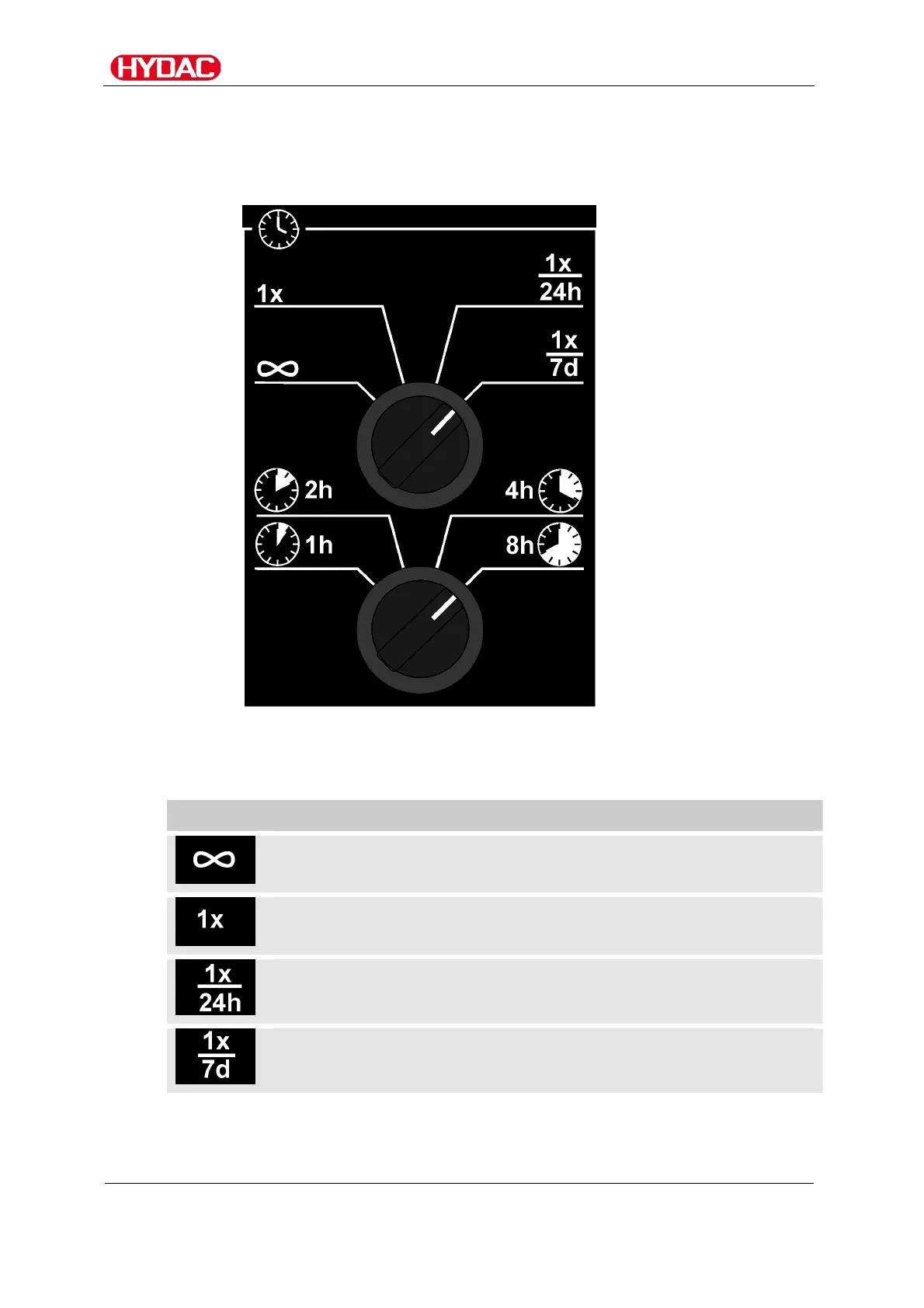
Operating intervals and the operating duration are specified using the two
interval control and time selector switches
The interval control and symbols indicate operating status, service status and
errors. The icons are explained below.
Icon Description
Permanent operation,
time selector switch does not function.
One-time operation,
time adjustment using time selector switch.
Once in 24 hours operation,
time adjustment using time selector switch.
Once in 7 days operation,
time adjustment using time selector switch.



 To Next Page