12
User GuideHYDRAFACIAL
Syndeo
™
1900104-B
en
Set-Up
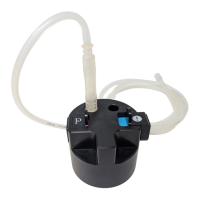
#Gunkie Waste Canister
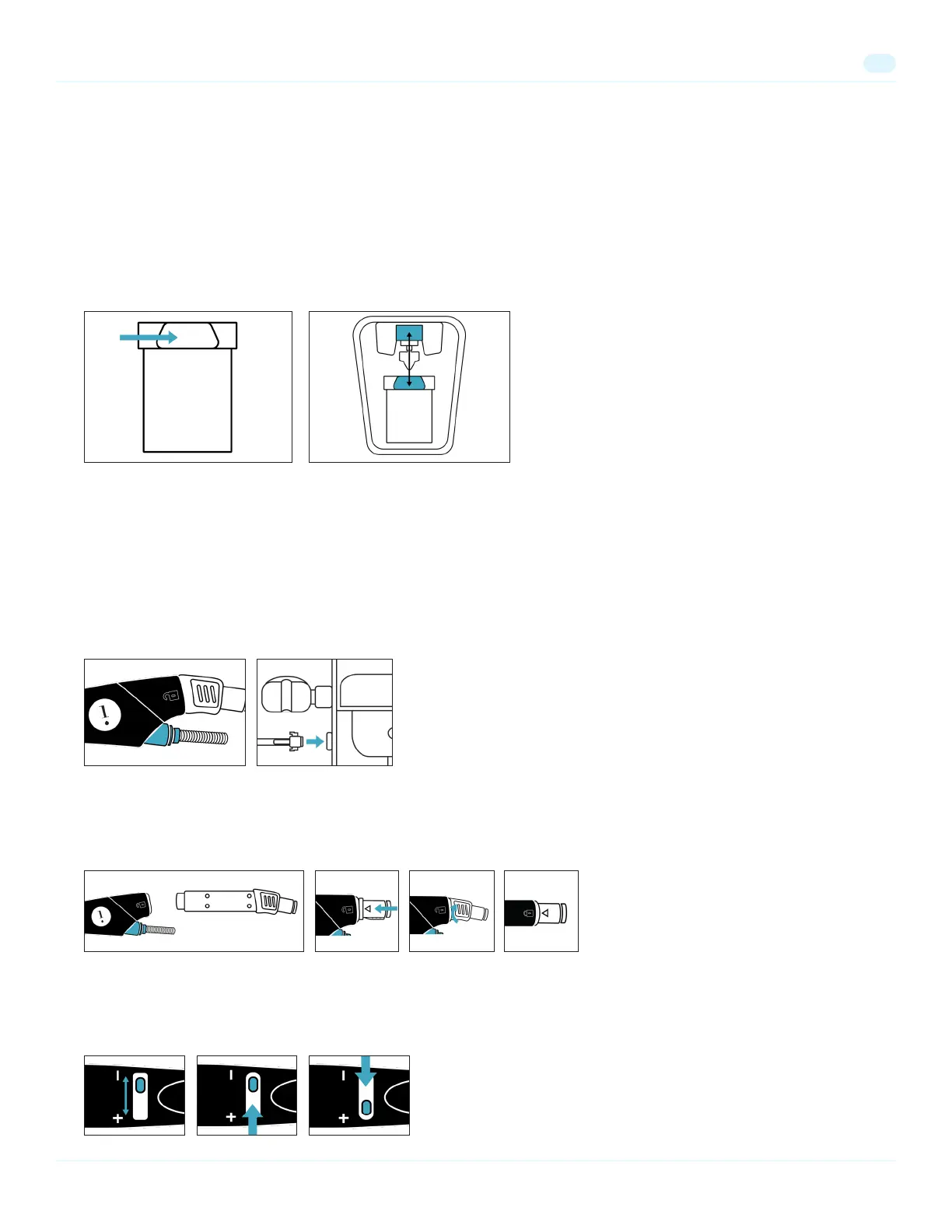
1. Attach the #Gunkie waste canister by aligning the protruding tab on the #Gunkie with the release button on the system and
press the #Gunkie upwards until the latch connects.
2. Make sure the waste canister is held securely. Pull down on the #Gunkie. If it does not pull out, it is engaged.
Note: Always remove the #Gunkie waste canister before transporting the unit.
3. To remove the #Gunkie, press the release button and pull down on the #Gunkie.
HydraFacial Handpiece
1. Connect the blue twist lock (Return Line) to the blue connector on the bottom of the handpiece and secure by twisting until hand
tight. Do not overtighten.
2. Connect the clear twist lock (Supply Line) to the cartridge and secure it by twisting the lock until hand tight. To prevent the lock
from breaking, do not overtighten the twist lock.
3. Snap tubing connector onto the Syndeo Device. Press metal tab on the device to allow for connection. This connects both tubes
to the Syndeo device.
4. Insert the cartridge into the handpiece. Align the arrow on the cartridge with the unlock symbol on the handpiece. Push rmly
until it snaps into place, then twist the cartridge up until the arrow aligns with the lock symbol.
Note: If the cartridge is difcult to insert, drizzle a small amount of water into the cartridge to lubricate it, and try again.
5. To remove the cartridge and insert skin solution vials (sold separately), twist the cartridge until the arrow aligns with the unlock
symbol, then pull the cartridge straight out. Next, insert the vial into the handpiece. Push rmly until it snaps into place.
6. Turn the ow control valve toward the “+” sign to increase the serum ow or towards the “–” sign to decrease the ow.


 To Next Page