18
User GuideHYDRAFACIAL
Syndeo
™
1900104-B
en
Perform Treatment
Wearing gloves is recommended when performing all treatments.
Pretreatment Screens
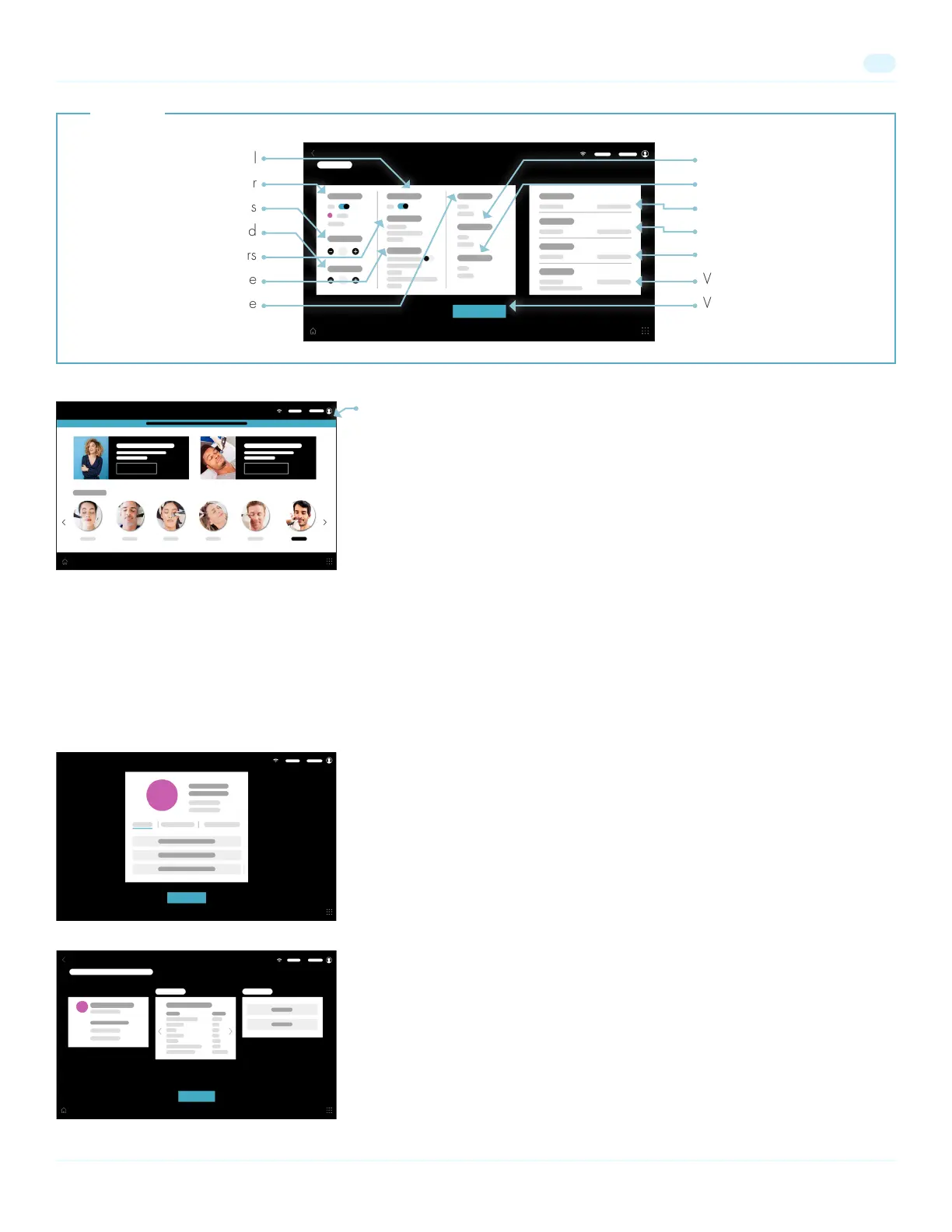
To begin a New Treatment select one from the Home Screen. Follow the prompts
to scan a client’s QR code. The QR code can be found in the prole section of the
client’s HydraFacial Nation app. The client’s information will be displayed. Select
Continue to proceed to the Your Treatment Overview screen.
Repeat a Treatment
To repeat a treatment from a client's history, select Scan QR Code on the Home Screen.
Follow the prompts
to scan a client’s QR code. The QR code can be found in the
prole section of the client’s HydraFacial Nation app. The client’s information will be
displayed. Select Treatments to view treatment history. Select a treatment from the
list. The Treatment
History details will be displayed. Select Do it Again to perform this
treatment again
and proceed to the Your Treatment Overview screen.
Adjust User Session Timeout
Change Language
Change WiFi
Add Credit Code
Access Software Version
View User Manual
View System Status
Software Updates
Note: To receive the latest software update, internet connection is required.
A notication will appear along the top of the screen when a new update is
available. Press the notication or select Menu then Notications and follow the
prompts to learn about, and update to, the latest software version.
Turn On/Off Gesture Control
Adjust Machine Color
Adjust Screen Brightness
Adjust Sound
Adjust Business Hours
Set Date & Time
Adjust Screen Idle Time
Settings


 To Next Page