17
User GuideHYDRAFACIAL
Syndeo
™
1900104-B
en
Gesture Control Functionality
System Rinses
Access all System Rinse options by selecting System Rinses in the Menu.
Select the appropriate system rinse type and follow the on-screen prompts.
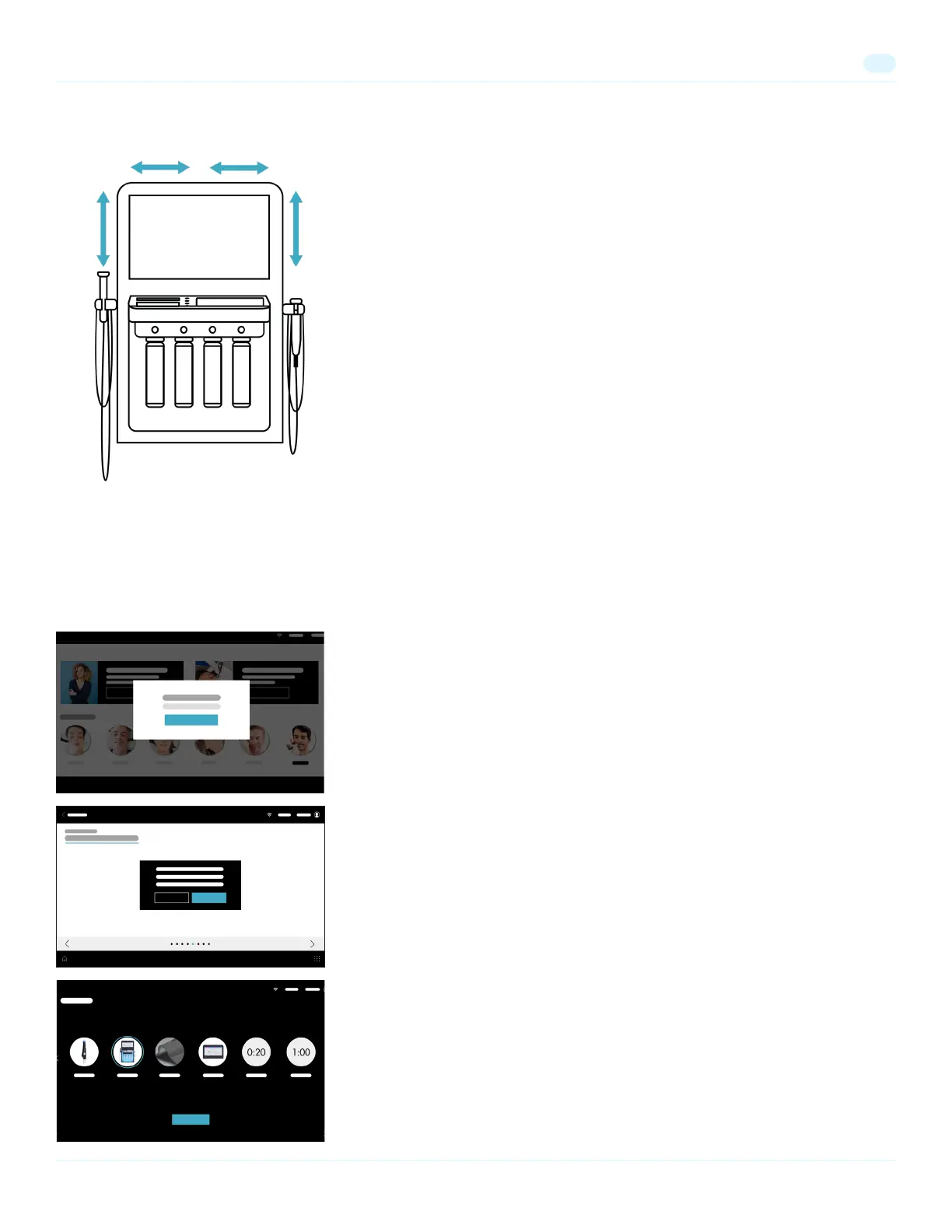
To minimize screen touching, gesture control functionality allows for intuitive and
quick in-treatment navigation and vacuum control.
Treatment Step Navigation
• Navigate to the next step in a treatment: Wave your hand from right to left
above one of the sensors.
• Navigate to the previous step in a treatment: Wave your hand from left to right
above one of the sensors.
Vacuum Control
• Turn on the vacuum: Wave your hand from bottom to top over the sensor on
the right or left side of the monitor.
• Subsequent waves from bottom to top over the sensor increases the vacuum
level one point.
• Subsequent waves from top to bottom over the sensor decreases the vacuum
level one point.
Pop-Up Windows
If you see a pop-up window, follow the on-screen instructions and select the
appropriate button to continue.
In-treatment Rinses
Run a quick system rinse when prompted during a treatment.
Select Begin Rinse to start the rinse.
Vacuum Setting
Vacuum Setting
Treatment Step
Note: Any movement within 15 inches of the sensors may be read. Optimal reading range is within 2 inches of the sensors.
Note: The sensors do not recognize black gloves due to 'stealth behavior' of the black color. Avoid wearing black gloves. Clear, pink,
blue or purple gloves may be worn.


 To Next Page