2.2.2 Creating a New Project
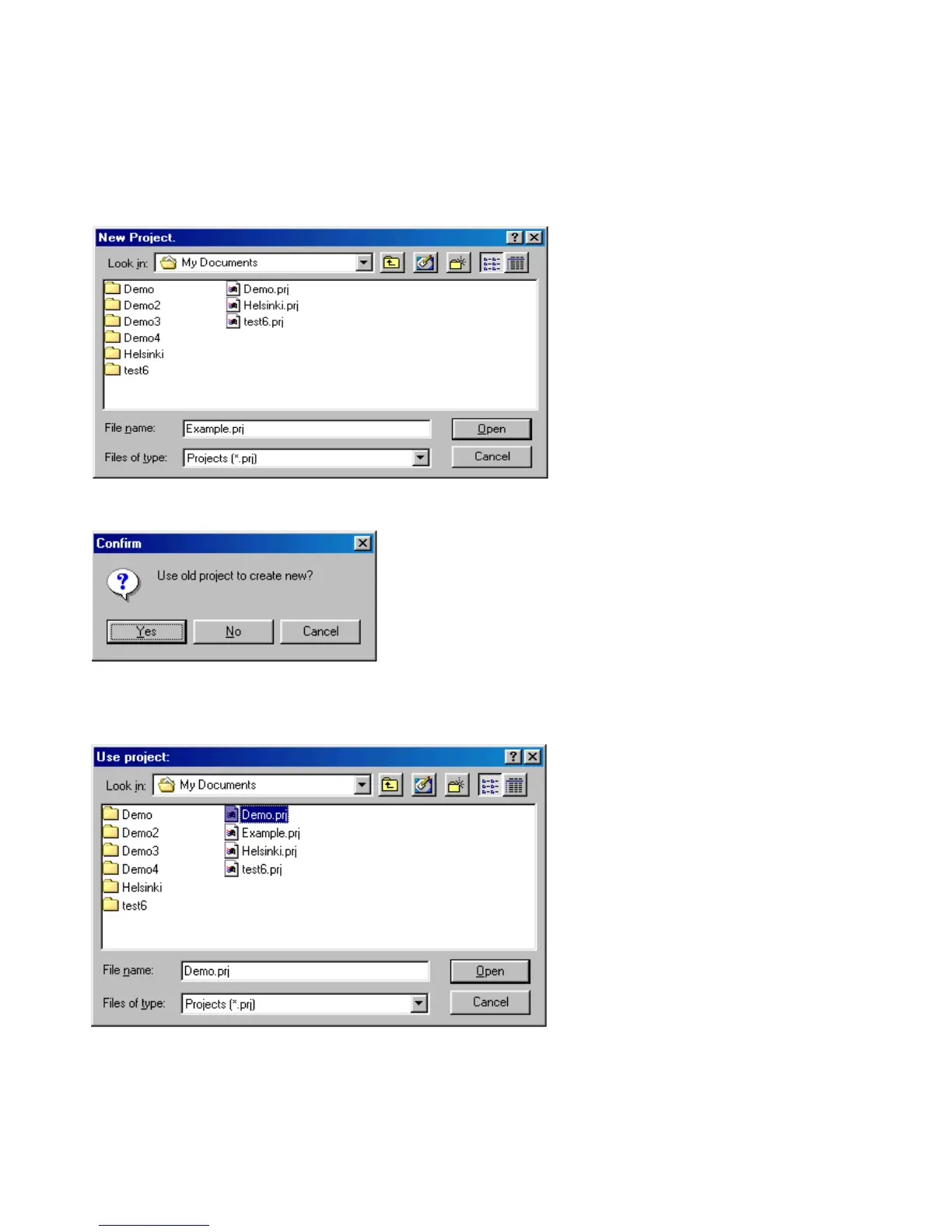
Open the drop-down menu under [Project] and click on [New] and the ‘New Project’ window will appear.
In the white bar next to ‘filename’, type the new project name (i.e. Example.prj) and click on [Open].
A validation window will then appear, asking if you want to use an existing project for the layout of the new project or not.
You can create a new project based on an existing project, by selecting it from the list below. Otherwise, click on [No] in
the validation window and the default settings will appear. When you close this new project, all new settings will be stored
under the new project name.


 To Next Page