2.3 Calibrating
2.3.1 Creating a Calibration Set
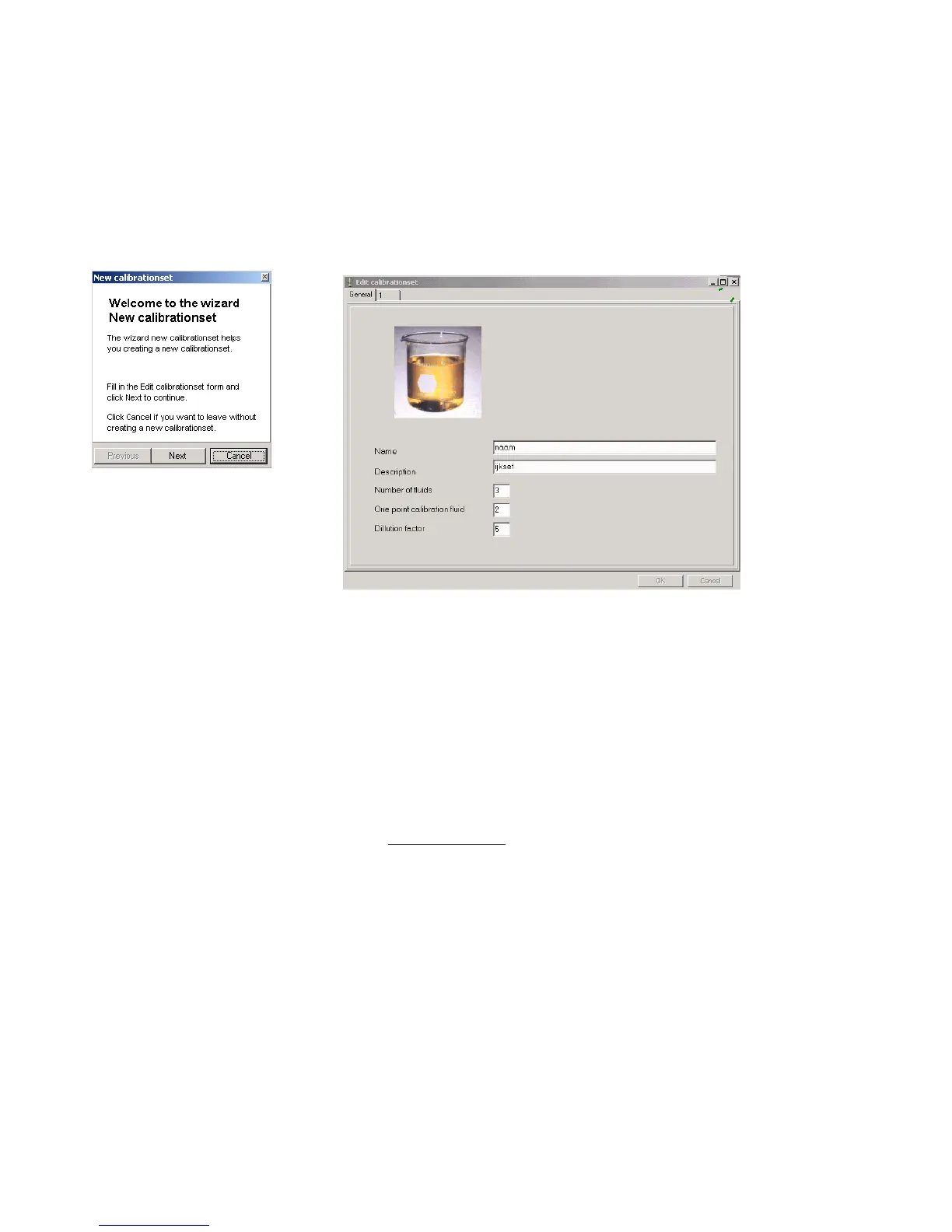
First, click on [Calibrate] in the main menu bar and select [creating a calibration set] from the drop-down menu, then
click on [New]. A menu will appear with the parameters for the new calibration set.
First, fill in the name of the calibration set, the number of calibration fluids, the dilution factor and which fluid has to be
used for the one-point calibration procedure. After that, click on [Next] and the following window will appear.
As a standard, we use a three-point calibration for a multi-point calibration set with the middle solution as the one-point
calibration fluid. The ‘Edit Calibration Set’ window assumes that you will follow this convention and has already filled in
these default values for you. However, you can change the values in this window to a (2) for a two-point calibration set or
a (4) for a four-point calibration set, etc.
The dilution factor can also be changed. By default, the dilution factor is a five-fold dilution starting from the highest
concentration. All calibration fluids of the same set have the same composition, and only the concentrations between
fluids are different. The dilution factor between consecutive fluids of the same set is the same for the whole set.
In the following window, you can give the concentrations of the different ions that are in your new calibration fluid. In the
column ‘Value’, fill in the concentrations of the most concentrated calibration solution.
In the column ‘Calibrate’, fill in ‘yes’ to include it in the calibration set or ‘no’ to exclude it.
pH, Na, K, Ca, NH4, NO3, Cl and CO2 can be measured, the other concentrations will be calculated.
You can also add new ions to the list, by clicking on [Add] in the bottom right-hand corner of the window. This will open a
drop-down menu (see next window).
When you feel that your list is complete, click on [Apply] in the ‘Edit Calibration Set’ window before continuing with the
Wizard window.


 To Next Page