Installation Manual 5.1.2
26
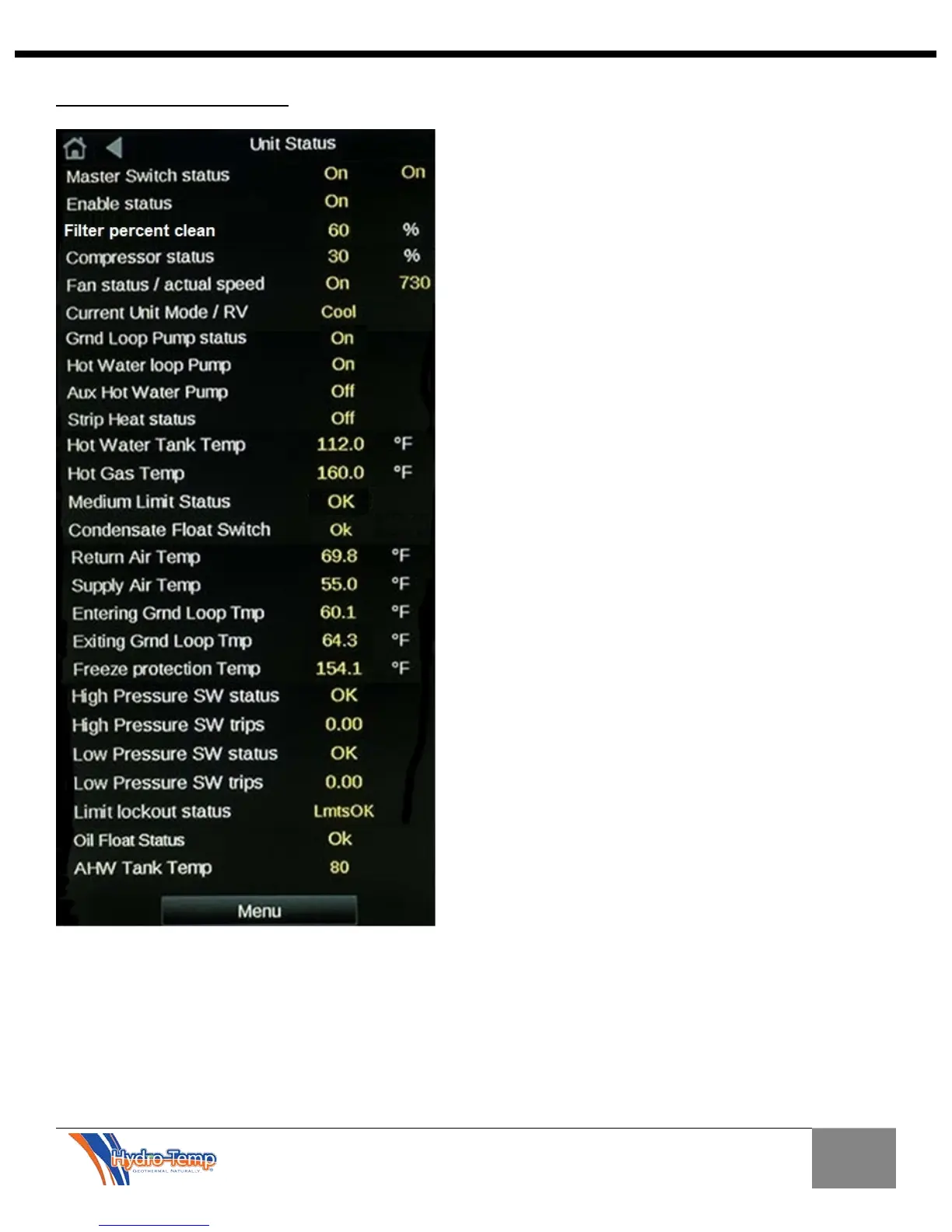
Detailed Status Screen
The Detailed status screen is available from the Unit
Status / Graphic Screen. This screen shows all
temperature sensors, system safeties, and the status
of outputs. Most are for diagnostics only.
Most of these are shown on the graphic. Some that
are not:
Master Switch status – Status of the toggle switch
on system and status of the Net master setting in the
customer setting screen. “Off” will shut down the
system.
Enable Status – Status of several system safeties,
shows “off” if a problem exist or if the system is in a
power up delay.
Filter percent clean – this indicates the percentage
of filter life remaining
Hot Gas Temperature – Temperature of the
refrigerant hot gas line. This is used to determine if
desuperheating of the DHW is ok.
Medium Limit Status – This is an auto reset high
pressure switch that trips before the normal high
pressure switch. This is used to stage down the
equipment in the hot water heating mode if the high
pressure starts getting too high. It will also restart
the ground loop pump if tripped while running in
cooling with a hot water call.
Condensate Float Switch – Used to tell if the
system condensate pan is getting full of water.
Freeze protection temperature – This is the
temperature of the refrigerant exiting the water coil in
heating mode. This is used for freeze protection in
the heating mode.
High and Low pressure switch status – This will
show real time the status of these refrigerant
pressure switches.
High and Low pressure switch trips – This will
show the number of trips in the last 24 hours.
Limit Lockout Status – If a low or high pressure
switch trips 3 times in 24 hours the system will lock
out for safety.
Oil Float Status – This displays the status of the
compressor oil float.


 To Next Page