Changing the micRO75 Membrane
The Reverse Osmosis membrane should be changed about once a year, but may be more
or less frequently, depending on water quality. If your water is really dirty then you may
need to change the membrane more often. If your water is relatively clean and you keep up
with your pre-filter changes, the filter may last 1.5+ years. The only way to truly know is to
test the RO and inlet water and see what percentage of the inlet water’s PPM the micRO75
is filtering out. You should see at least a 94% rejection of incoming PPM’s.
Another indication it is time to change your membrane is if your flow rate of product water
slows down. This typically means the membrane has become clogged.
Changing the RO membrane is
an easy process. First, depressur-
ize your system by shutting off the
water source to your micRO75
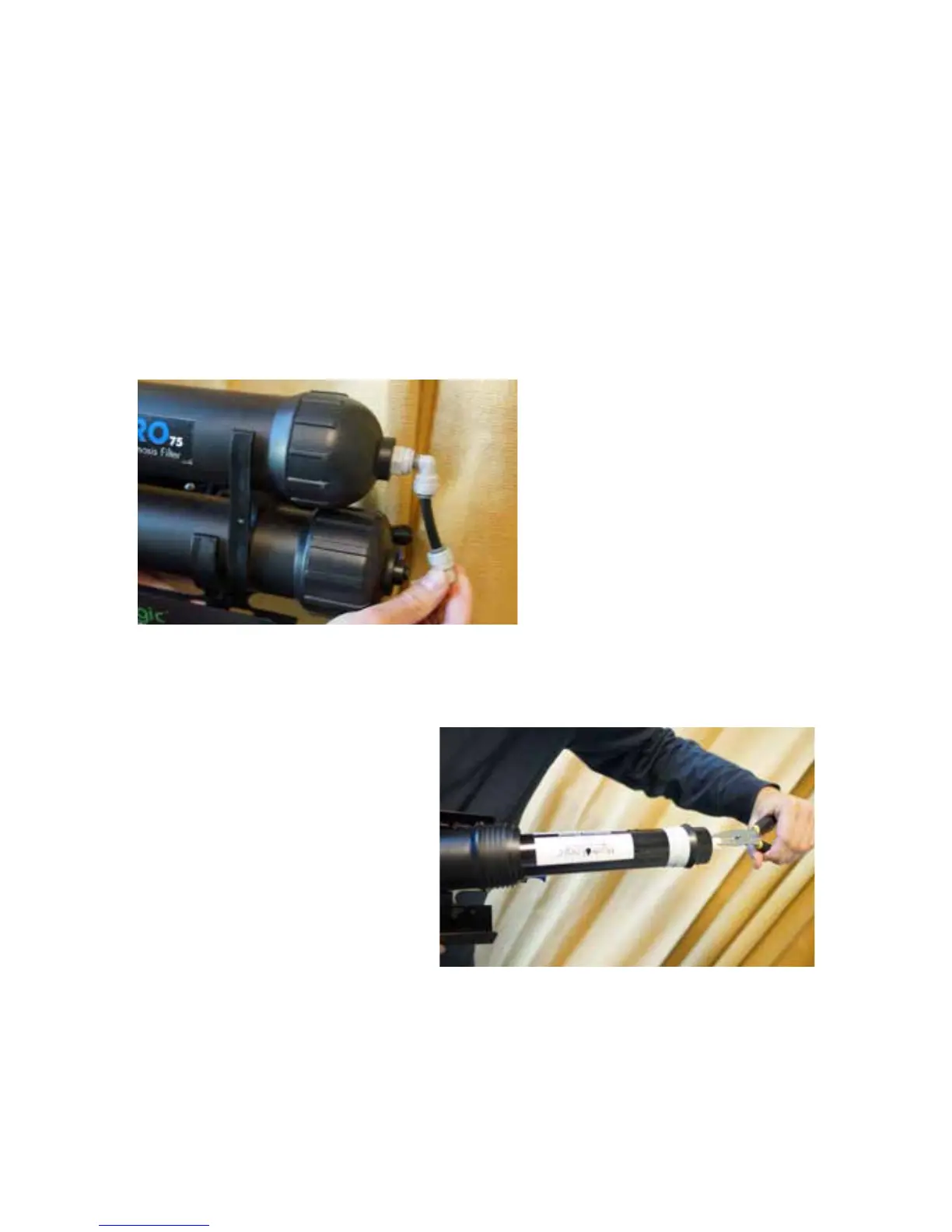
unit. Then remove the elbow fitting
(as shown) by pushing in the collet
and removing the elbow. NOTE:
Be sure and have a bucket and
towel handy when you change the
membrane, as there will be residu-
al water in the housing.
Grab a hold of the membrane housing’s body with one hand, and the cap with the other
hand and twist cap off.
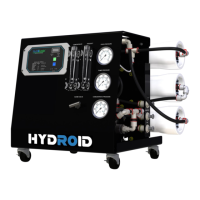
You can now remove the membrane
with either a strong set of needle-nose
pliers or something similar. Hold onto
the membrane housing body and
pull straight out until you release the
membrane. It may seem tight but with
straight and even pressure, it will come
out.
Before installing a new RO mem-
brane you should lubricate (with sili-
cone grease or water) the black rubber gasket that is closest to the inlet, as well as the two
small o-rings on the stem opposite the gasket. This will help the membrane seat better and
come out easier. Push the membrane back into the housing with the end that has the two
black o-rings going in first. Push firmly until it bottoms out and can’t go in further. Then
thread the cap back on tight, re-connect elbow fitting and you are ready to flush the system
for 30-45 minutes before using.
5


 To Next Page