12.2 TURNING THE SYSTEM ON
26
When you first power your new system, you will need to turn the system on. The system
won’t need to be turned on each time it heats, only the first time the unit is powered or if
the unit has been turned off.
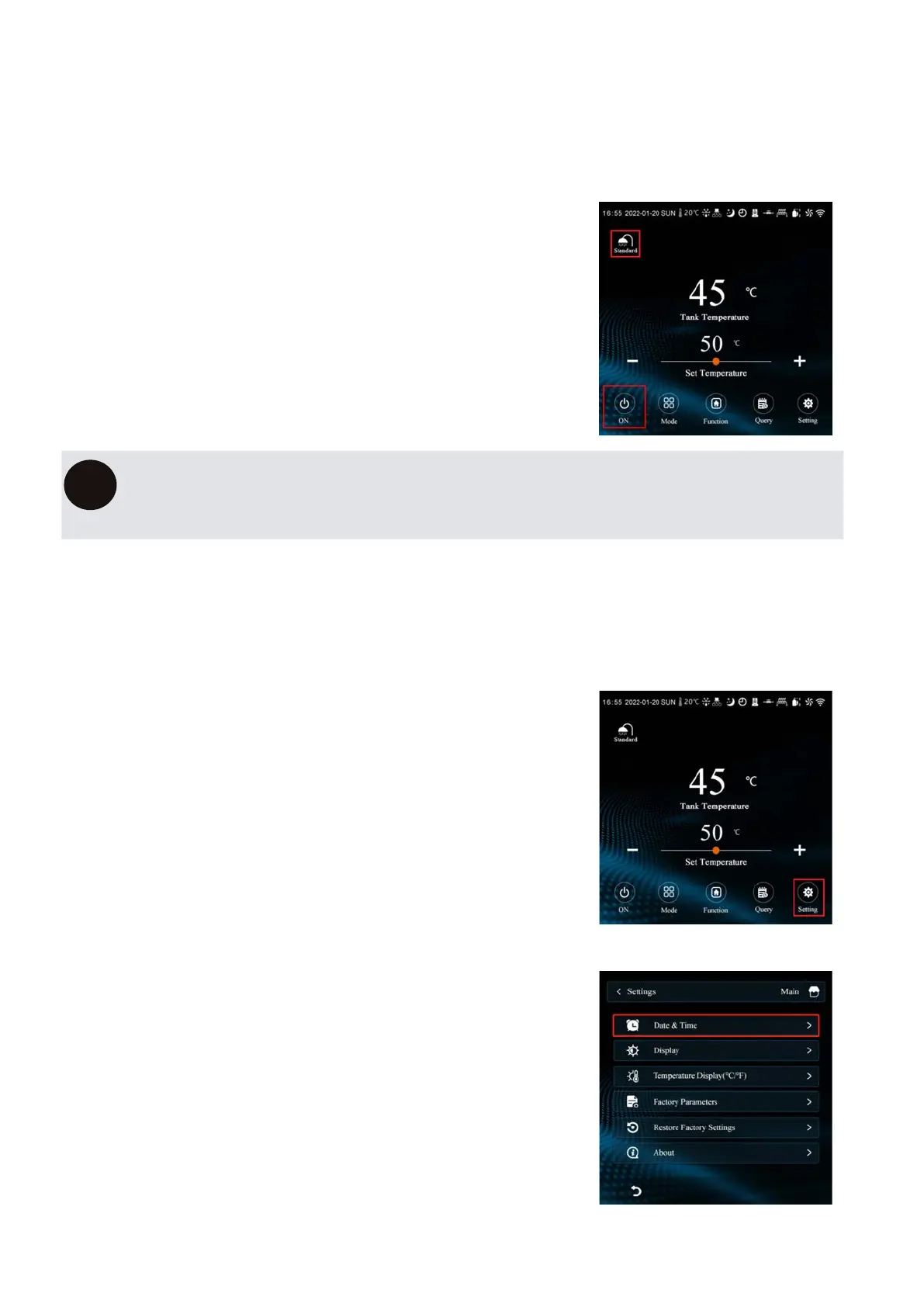
1. PRESS THE ON/OFF BUTTON.
The “SHOWER” symbol will appear on the
screen with the current mode underneath.
If the system is just showing the tank water temperature (dark mode), press
anwhere on the screen to access the main screen.
i
12.3
In order for your DYNAMIC/X8’s timers to work properly, the internal clock needs to be set
correctly.
1. PRESS THE “SETTING” BUTTON.
2. PRESS “DATE & TIME”


 To Next Page