28
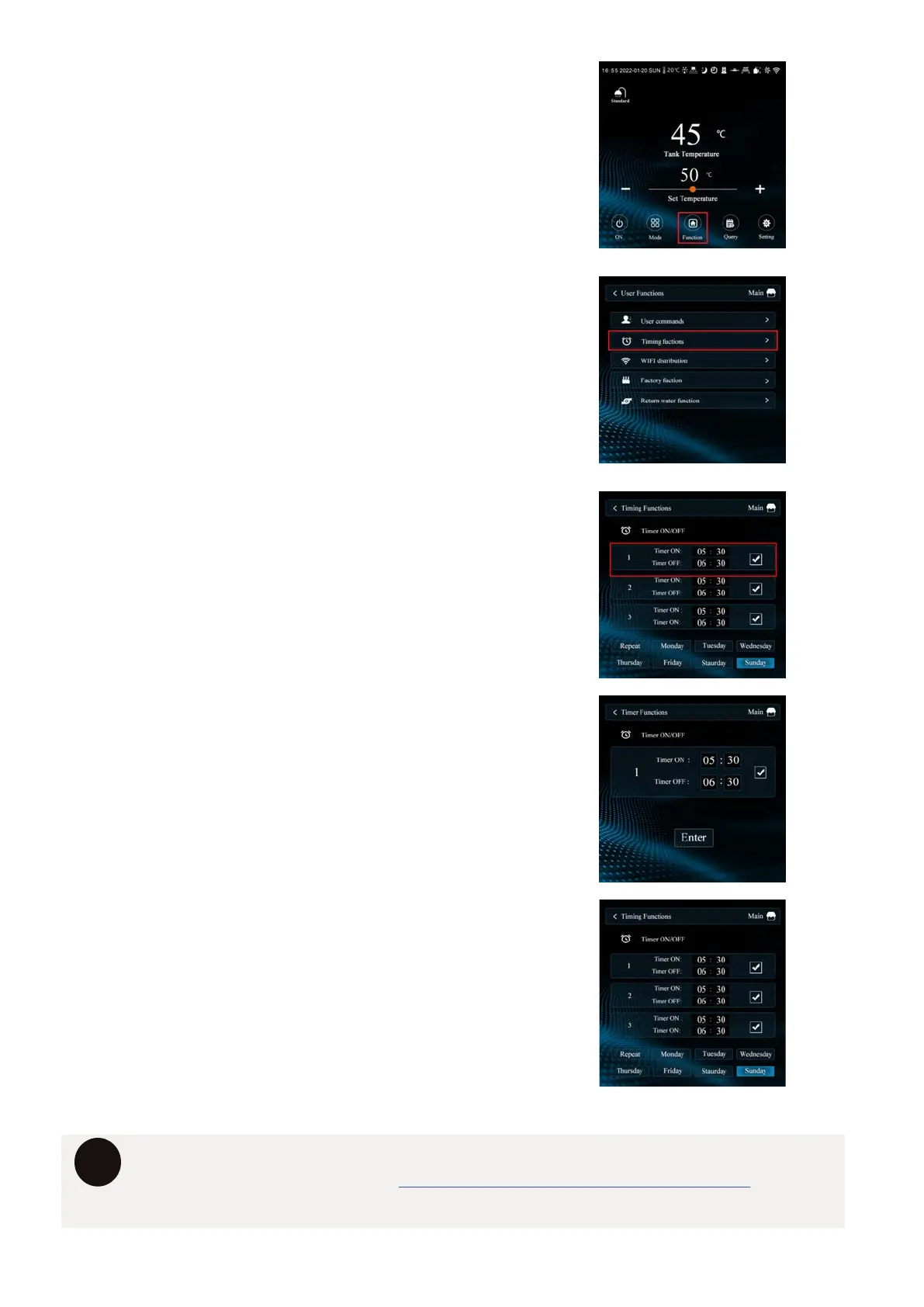
1. PRESS THE “FUNCTION” BUTTON
2. PRESS THE “TIMING FUNCTIONS” ICON
3. SELECT TIMER
Select any of the three timers to adjust
the ON & OFF timer windows.
4. SET/ADJUST TIMER.
Adjust the Start and End periods of
the timers, simply press the value you
would like to change and adjust accordingly.
Click ENTER to lock in timer.
5. TURN TIMERS ON/OFF.
Turn ON any timer by ticking the box.
The timer symbol will now appear on the
main screen indicating that the system is
now using a timer.
i
For further information about setting timers, please call directly on 1300 769 904
or visit the Hydrotherm website www.hydrothermhotwatersystems.com.au


 To Next Page