7
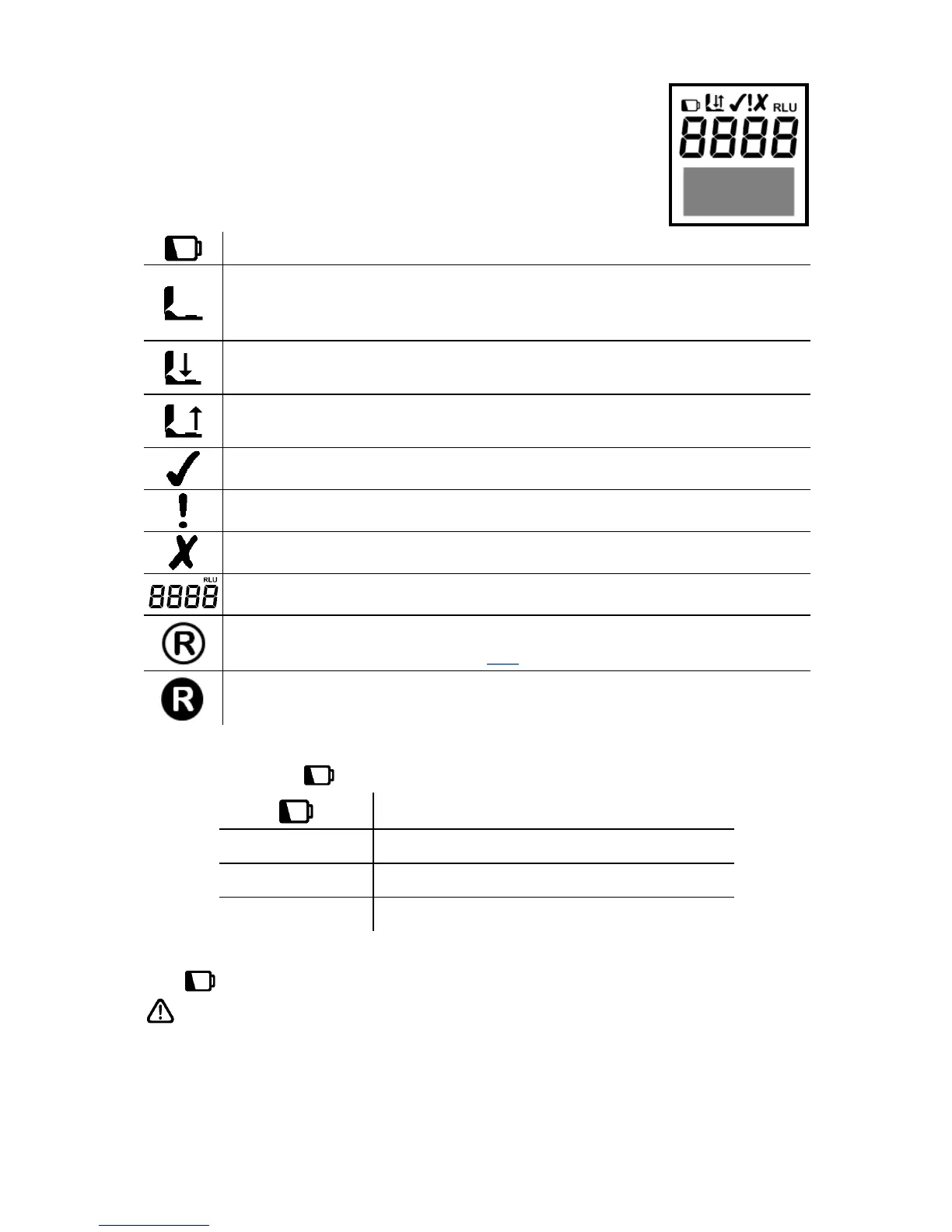
2.4 Display Layout and Icons
The liquid crystal display (LCD) has the following
layout. The upper half of the display contains the
status icons and the large RLU result digits.
The following is a list of icons and their definitions.
Lid icon - flashes when the lid needs to be closed, or the
RS232 connector cover needs to be properly tucked under
the lid
Insert icon – arrow flashes when the testing device should
be inserted
Remove icon – arrow flashes when a testing device needs
to be removed
Sample measurement reading in Relative Light Units (RLU)
Retested icon – identifies the failed test result as having
been retested (see section 4.2)
Retest result icon – identifies the Program location or test
result as a retest result
2.5 Low Battery Indicator
The low battery icon indicates the state of the batteries:
Low – replace batteries soon
Flat – replace batteries now!
When the batteries are completely low, the luminometer will flash
the icon, beep three times, and automatically turn off.
CAUTION: Never leave low batteries in the luminometer, as
they are prone to leaking/corrosion, which will damage the
luminometer.
TIP: Always store the luminometer in a cool dry place when not in
use because elevated temperatures will shorten the battery life.



 To Next Page