EasyManua.ls Logo

Hygiena SystemSURE Plus v2 - 4. Sample Measurements and Test Results; 4.1 Taking a Sample Measurement; 4.2 Performing a Retest

Hygiena SystemSURE Plus v2
33 pages
Print Icon
To Next Page IconTo Next Page
To Previous Page IconTo Previous Page
Loading...
17
4. Sample Measurements and Test Results
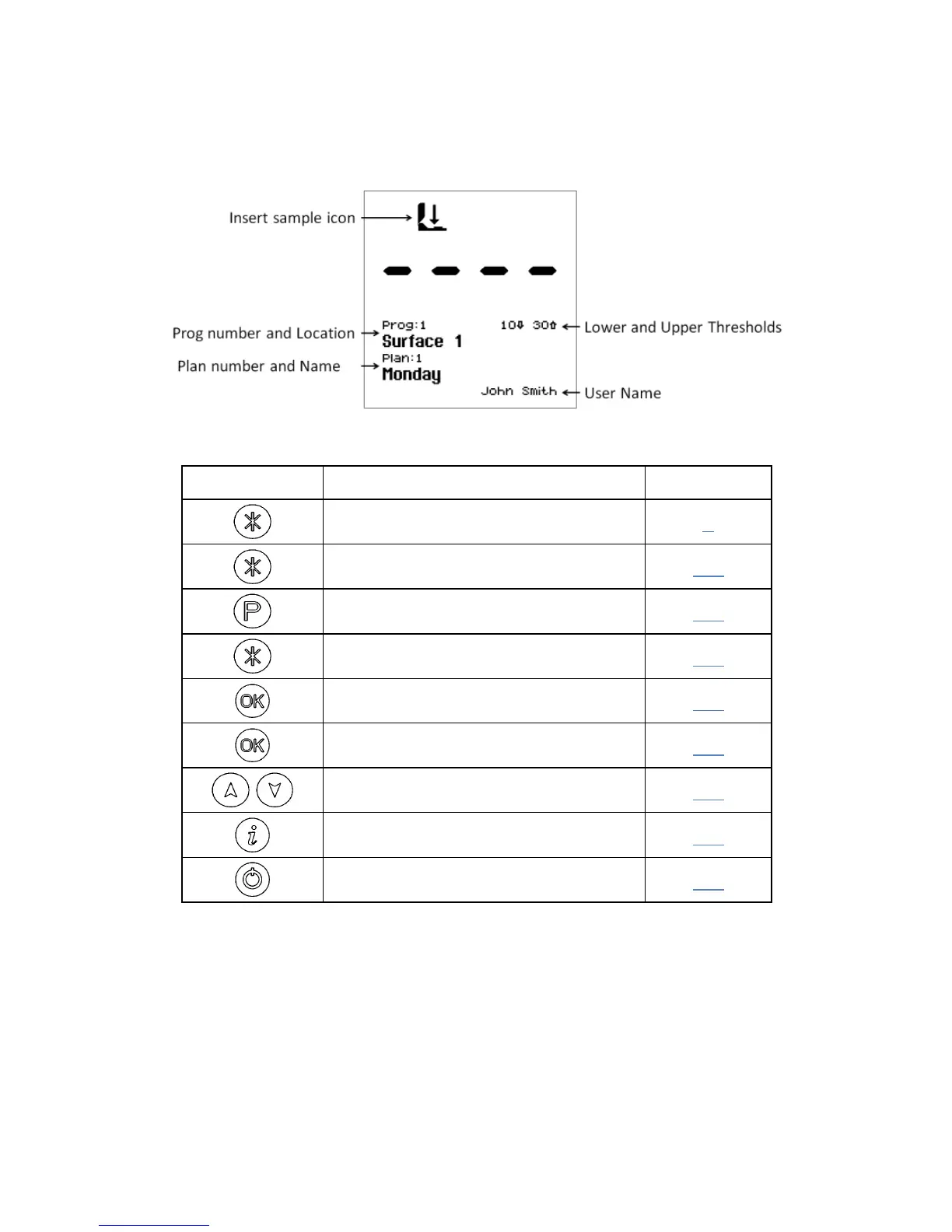
With the luminometer turned on, and having completed its internal
calibration self-checks, it is ready to perform a new sample
measurement, and the display shows the following details:
Various keypad options are now available, as detailed in each of the
following sections:

Button
Action
Section
Access set-up menu options
3
Select different User ID
3.1
Select program number
3.2
Select different Test Plan
3.3
Perform calibration
2.7
Start new measurement
4.1
View previous test results
3.5
Show statistical result data
3.6
Turn luminometer off
2.3

Related product manuals